Innovative technology only for a better vision world
Hunan Bowan Technology Co.,Ltd. www.kommander.com.cn/en/
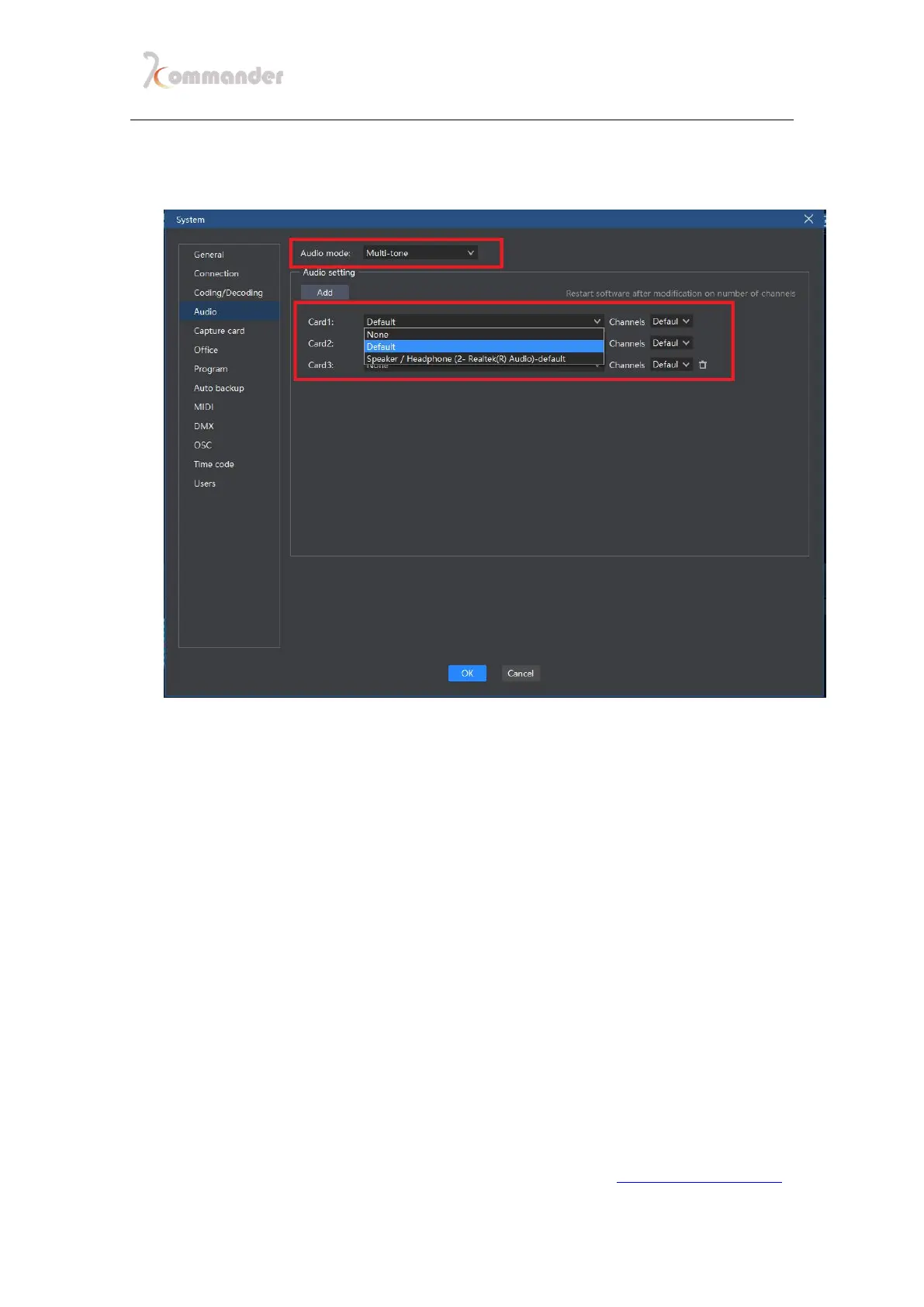
multiple output devices, than you should tie your device to different sound card
below in audio section, you can leave the channel part at default.
2. Here if you have a 5.1 or 7.1 surround card, you can basically use one
sound card to output multiple sound by channel. Click material on
canvas and then in Attributes and parameters click Track map: Choose
a sound card and click the gear under


 To Next Page