Innovative technology only for a better vision world
Hunan Bowan Technology Co.,Ltd. www.kommander.com.cn/en/
4.
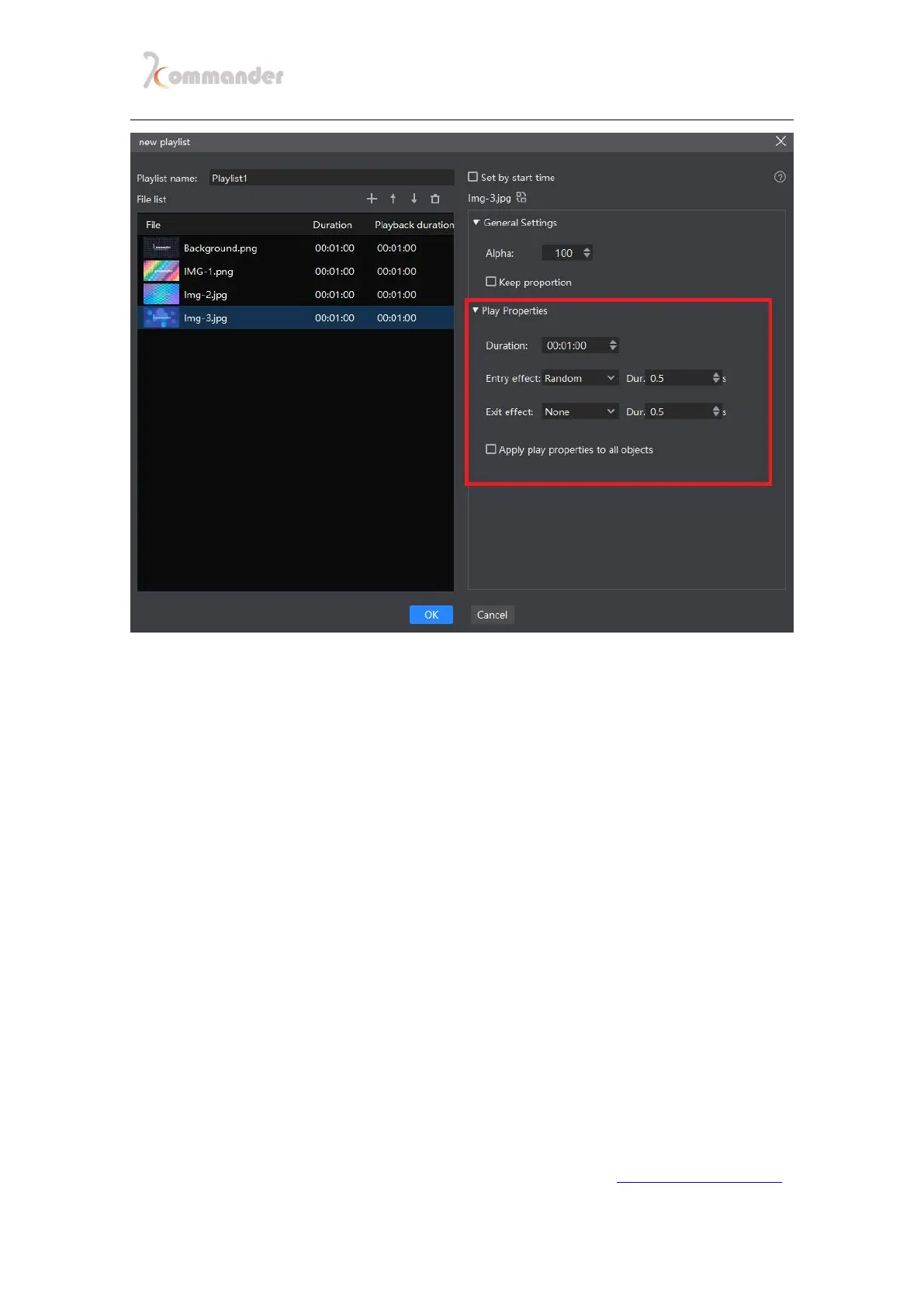
When done setting every parameter, click "OK", the list will be added,
drag the playlist to the canvas window to play (you can see the
playback progress in the parameter settings)
3.3 Generate plans in batches
Introductions
Batch generation of plans can help you save plans quickly and easily during
the event
Setting method
1. Select the first target material in the material bar, then keep on pressing
the shift key, and then select the last target material,by doing that the
middle material will be all selected .
2. Drag all selected plans onto the canvas. and it will show a prompt box


 To Next Page