Innovative technology only for a better vision world
Hunan Bowan Technology Co.,Ltd. www.kommander.com.cn/en/
3.13Project Packaging
Introduction
Organize the materials and project information required for the project into a
folder for easy duplication to other output computers.
Setting method
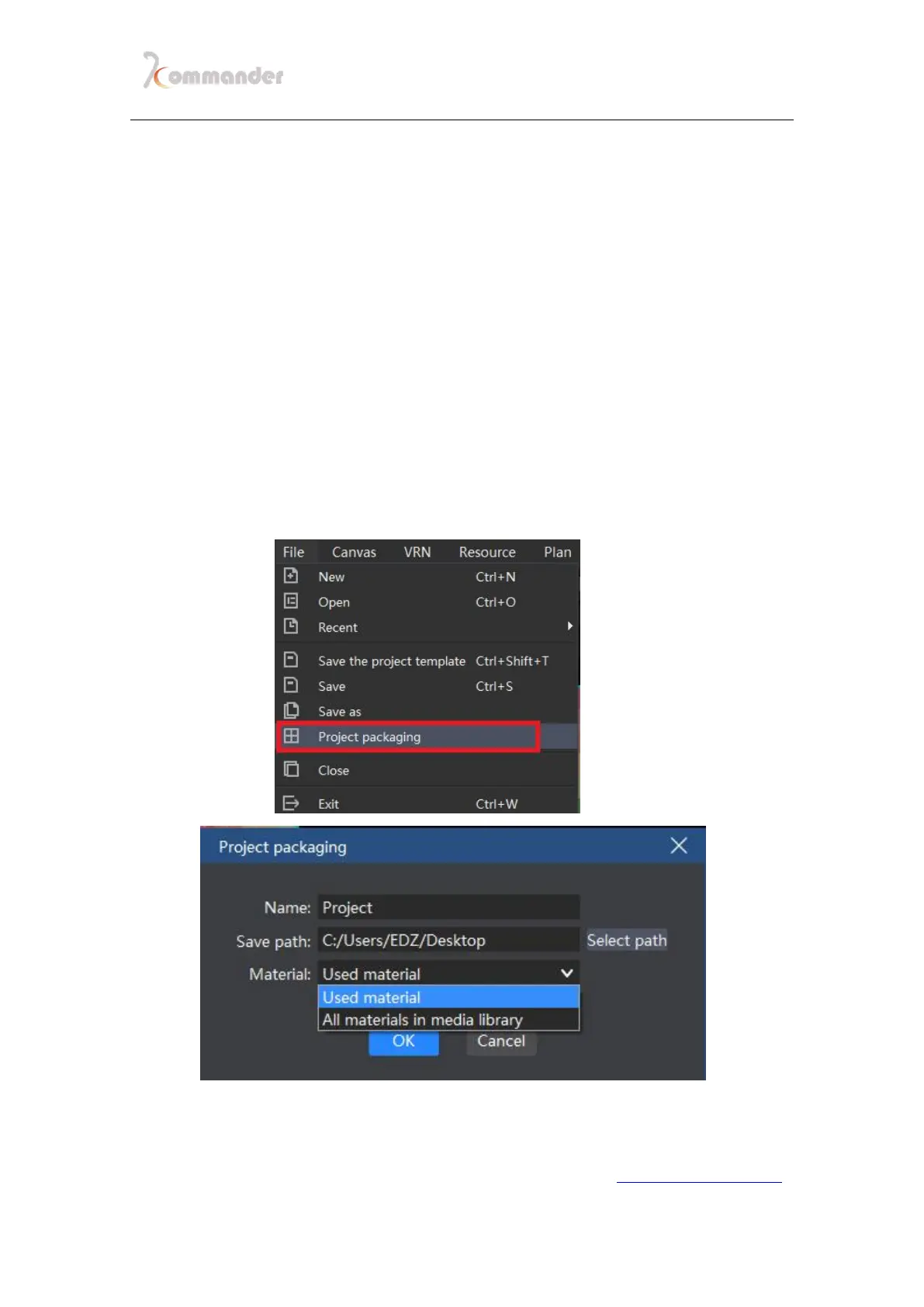
1. In menu section, you can choose to pack your project
2. Edit the name, save path and materials of one project
3. Click start, and start the processing progress
4. After processing progress, you can already duplicate the project to other
computer and open it with the identical software.


 To Next Page