62 PLAYBACK - ADVANCED OPERATION
SLIDE SHOW
DISSOLVE
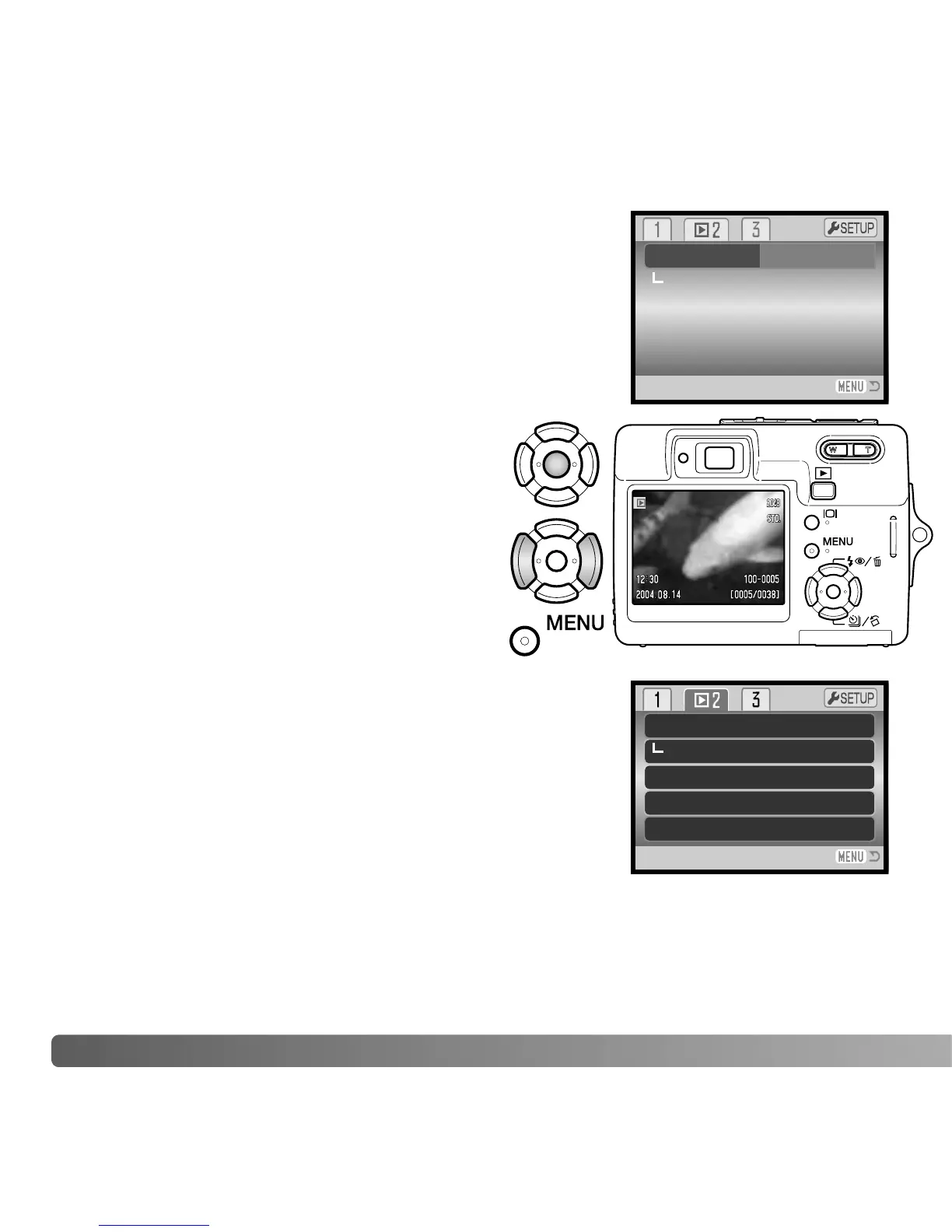
Section 2 of the playback menu controls the slide-show
function. This function automatically displays and plays all
image, audio, and movie files in order.
To start the slide-show presentation, highlight “Enter” and
press the central button of the controller.
During the slide show, pressing the central
button of the controller pauses and restarts
the presentation.
The left/right keys advance the next still image
or return to the previous one. During a movie,
the keys forward or rewind the clip.
Press the menu button to cancel the
presentation.
Slide show
Dissolve
Edit movie
Enter
Crop frame
Frame capture
The dissolve function randomly selects a dissolve effect for
transitions between still images in the slide show. This
function can be turned on and off in section 2 of the
playback menu (p. 56).
Slide show
Dissolve
Edit movie
–
On
–
–
–
Frame capture
Crop frame



 To Next Page
 Loading...










