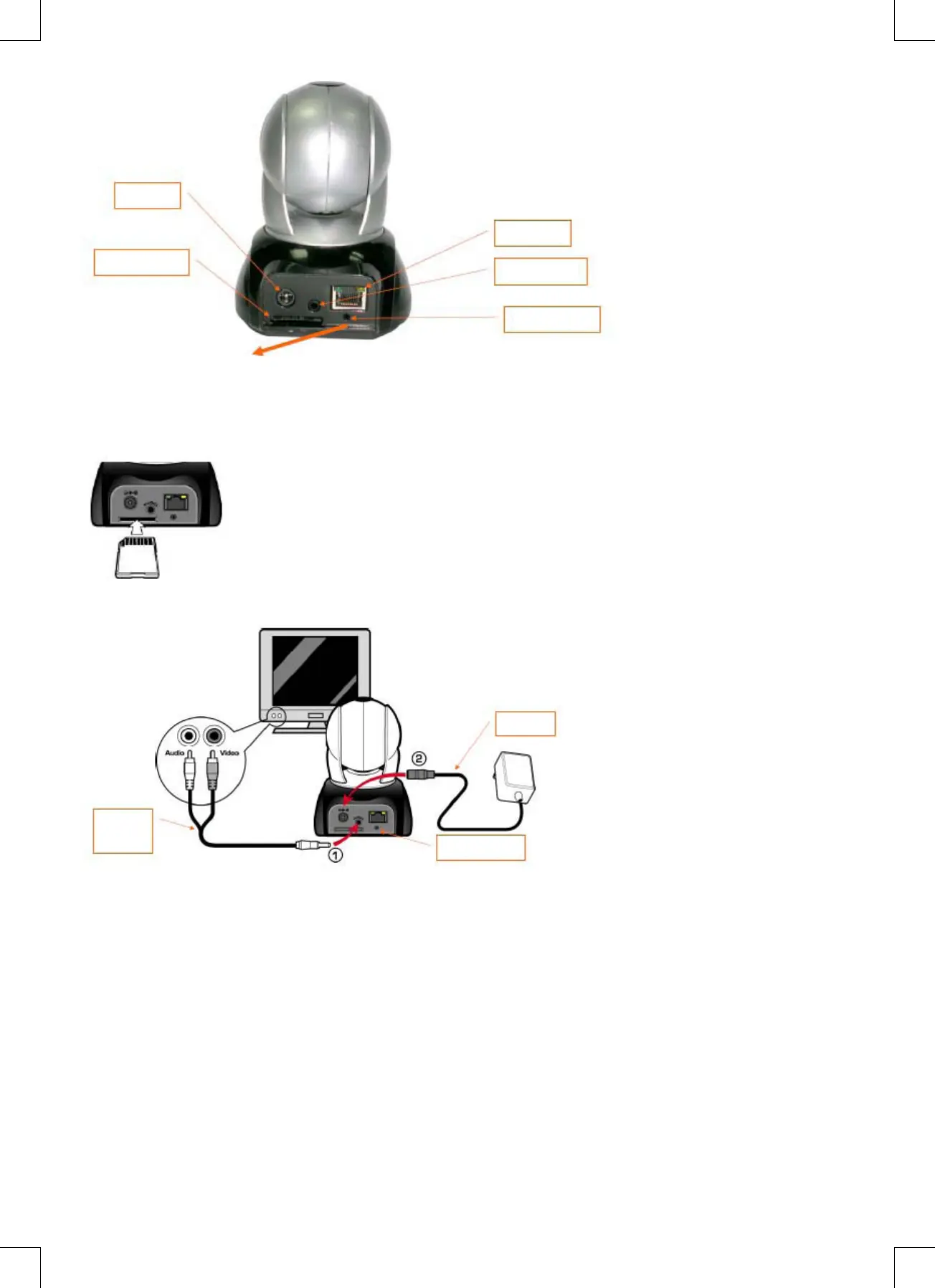
DC JACK
SD Card Slot
RJ-45 JACK
TV_OUT JACK
Reset Switch
Usage of the Reset Switch:
While the system is active, press and hold the Reset Switch for a short time (about 3 to 5 seconds) until the Status LED
lights up. The system will restart the device and reset to the factory default settings.
SD Card Usage Diagram:
4. TV_OUT Function introduce
TV_OUT
Cable
Reset Switch
Adapter
1. First, insert the TV OUT cable to the jack as shown in Figure 1.
2. Next, plug in the power adapter as shown in Figure 2. Press and hold the Reset switch for three seconds. Then
release it. The CMP-NWIPCAM21 will access TV OUT mode.
3. TV OUT operation:
a. Hold to change the mode: The default setting for TV OUT is the NTSC system, if you want to use the PAL system,
please press and hold the Reset switch for about three seconds to switch from NTSC to PAL or the other way
around.
b. Push to exit: Press Reset to access TV screen and adjust 50Hz, 60Hz, Outdoor.
5. CAM_EZ Search
CAM_EZ Search is an IP search engine delivered with this product. It can search and nd IP cameras connected to your
LAN. The program will search for all available IP CAMs on the network and display them in the list.It allows you to modify
the network settings of the specied IP CAM, such as IP address or IP CAM naming.


 To Next Page