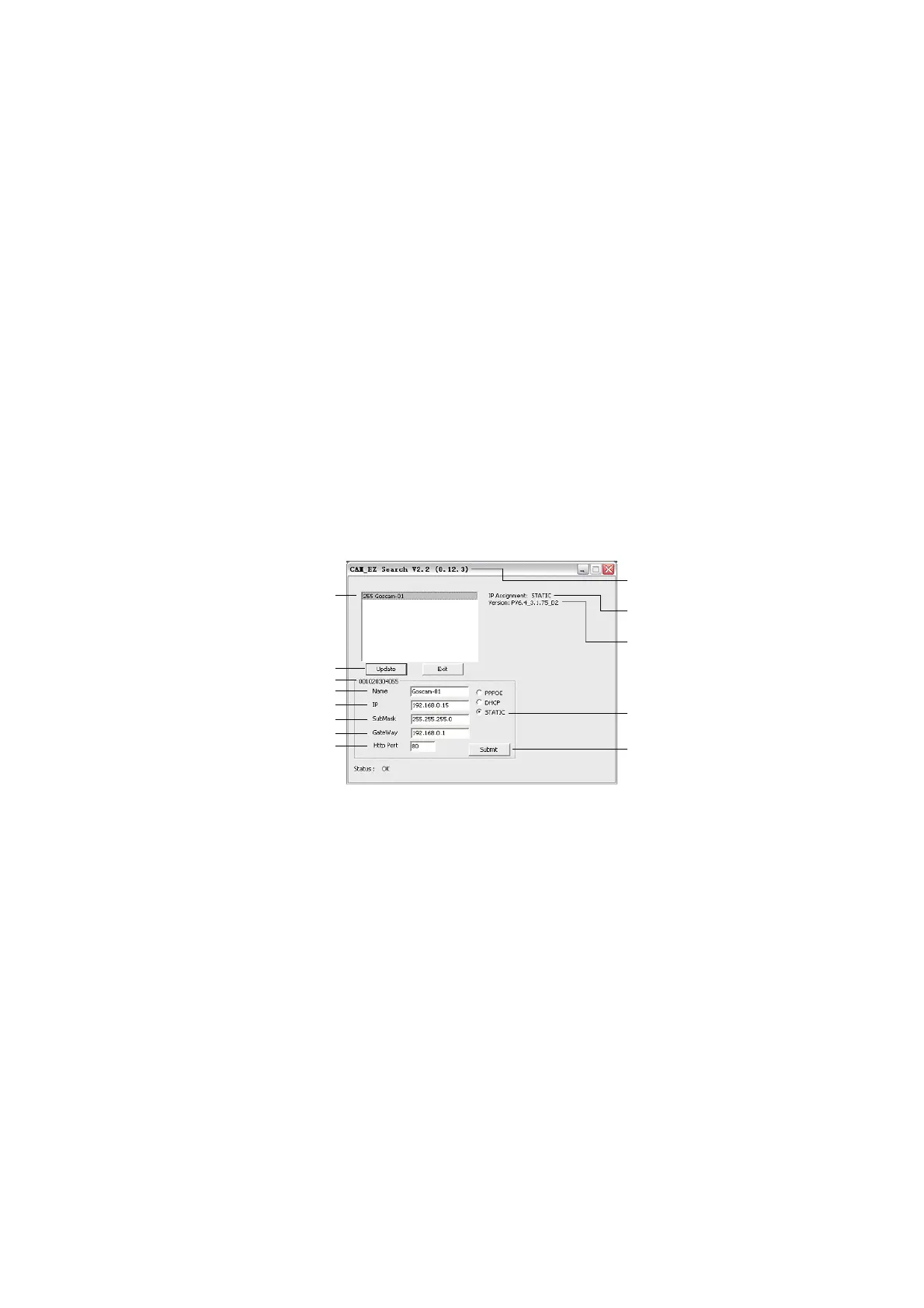
Step 1: Name: The user can define the name of the
IP network camera.
Step 2: IP: The IP address of the IP network camera;
if the IP address of the PC you use is for example
192.168.1.159, then the IP address of the IP network
camera can be set to 192.168.1.* (*=1~254).
Step 3: SubMask: subnet mask is normally set to
255.255.255.0.
Step 4: GateWay: Please change it to be the same as
the default gateway set by the PC network.
Step 5: HTTP Port: Http communication port, set to
80 by default.
After the settings are complete, click <Submit> to
send the data and to change the network settings of
the IP network camera. Click <Update> to update the
IP network camera list. Click the name in the list
twice, to automatically start the browser and enter the
network monitoring function.


 To Next Page