3
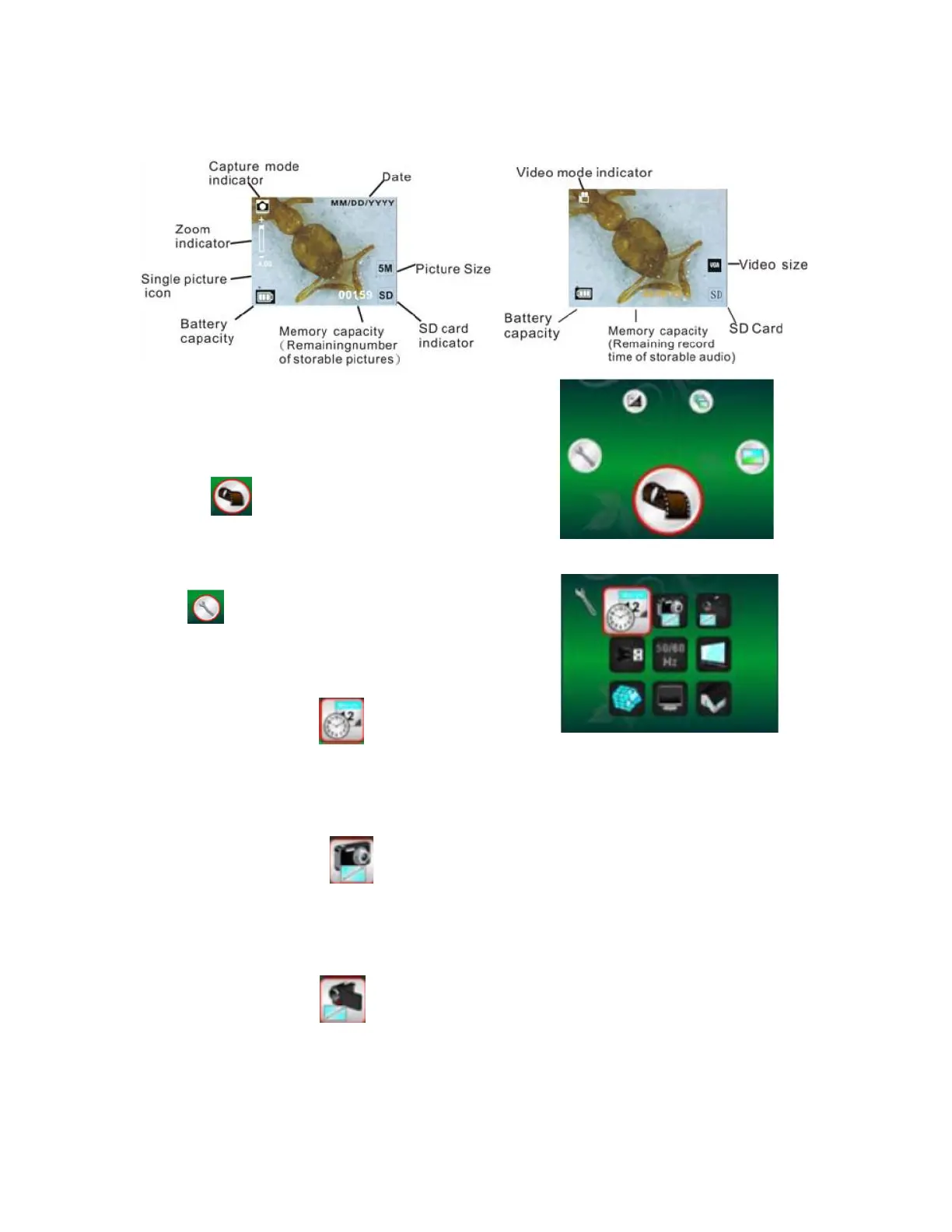
Display Information
Select function
• Press the Function button to enter function mode.
• You can see the icon on the screen.
• Press the Left of Right buttons to select function
DV Mode
Select the DV Mode button, press the OK button to enter
it. Press the OK button to take the video, and press it
again to stop recording.
Setup
Enter the setup function, you can see the icon on the
screen.
1. Setting time and date
Press the left or right button to adjust the date format to MM/DD/YYYY, DD/MM/YYYY or
YYYY/MM/DD. Press the OK button to advance to next setting and press left and right button
to adjust the date and time. When finished, press the OK button to confirm the setting and
return to main menu.
2. Setting the picture size
Use the Quality setting to select a picture resolution. To select the resolution followed by
below selections, press the left or right button to select the picture size, and press OK button
to confirm the setting and return to main menu. 2M (1600x1200 pixels), 1.3M (1280x960
pixels), VGA (640x480 pixels).
3. Setting the video size
To select the resolution followed by below selections, press the left or right button to select
the video size, and press OK button to confirm the setting and return to main menu. VGA
(640x480 pixels); QVGA (320x240pixels).



 To Next Page