English Deutsch Français Nederlands Italiano Español Magyar Suomi Svenska Česky
3
3. Using the webcam
If you want to use the webcam with "AmCap" (capture software), please follow the above
driver installation procedure and plug our webcam into your computer. Click Start >
Programs and fi nd the KÖNIG webcam folder which contains the AmCap software.
3.1 Video Capturing
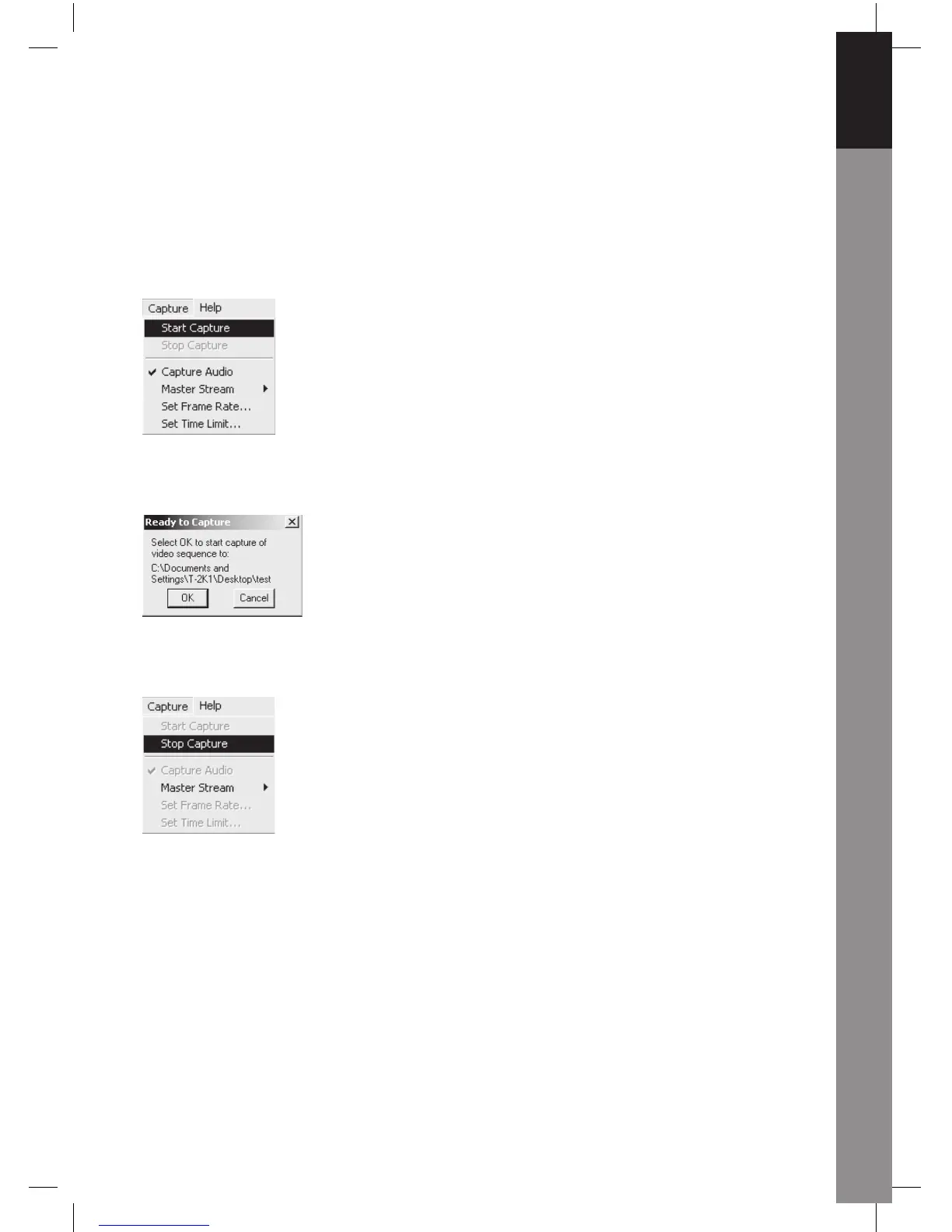
Click Capture /Start Capture:
Click OK to start video recording.
To stop capture, click Capture/Stop Capture.
Capture Time Limit
To set a limit on the video capture time, click Options/Set Time Limit.
Set Frame Rate
To set the frame rate of the video, click Options/Set Frame Rate. Please select "Use
frame Rate", then set frame rate you want.
Video Capture Pin
Click Options/Video Capture Pin. Then you can modify video capture settings, such as
Color format/Compression, Output Size and Quality, etc. Click Apply and OK.



 To Next Page