Česky Svenska Suomi Magyar Español Italiano Nederlands Français Deutsch English
6
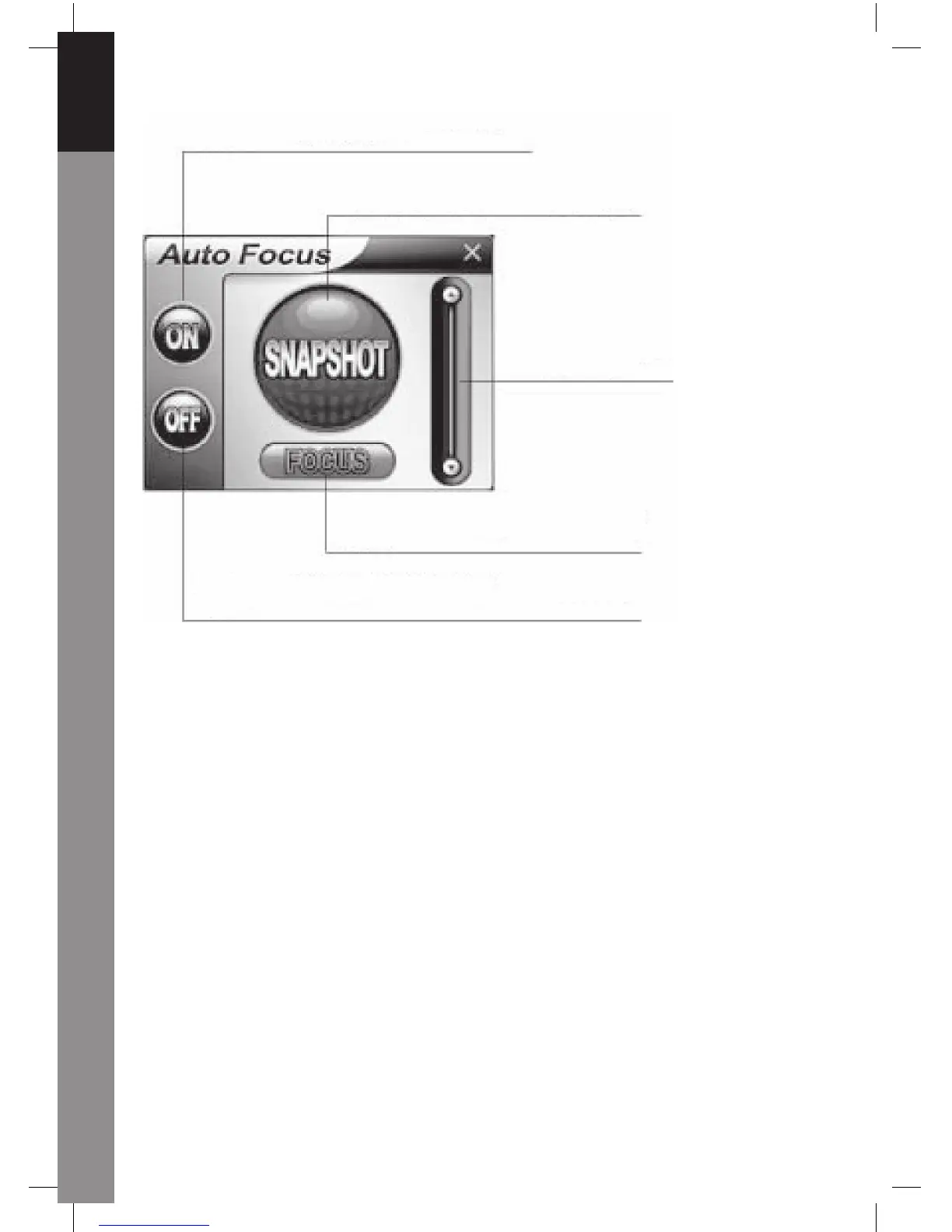
Click this button to start the real time Auto
Focus function
Click this button to take a still image
picture
Pull the side bar up
and down to adjust
the lens focus by
manual
Click this button to adjust the lens in
Focus instantly
Click this button to switch the Auto Focus function to be
manual control
6. Audio settings
If your camera has a built-in microphone, please follow the below procedure to set up
audio.
Click Start/Control Panel, then click Switch to Category View. Select "Sounds, Speech,
and Audio Devices".



 To Next Page