Česky Svenska Suomi Magyar Español Italiano Nederlands Français Deutsch English
8
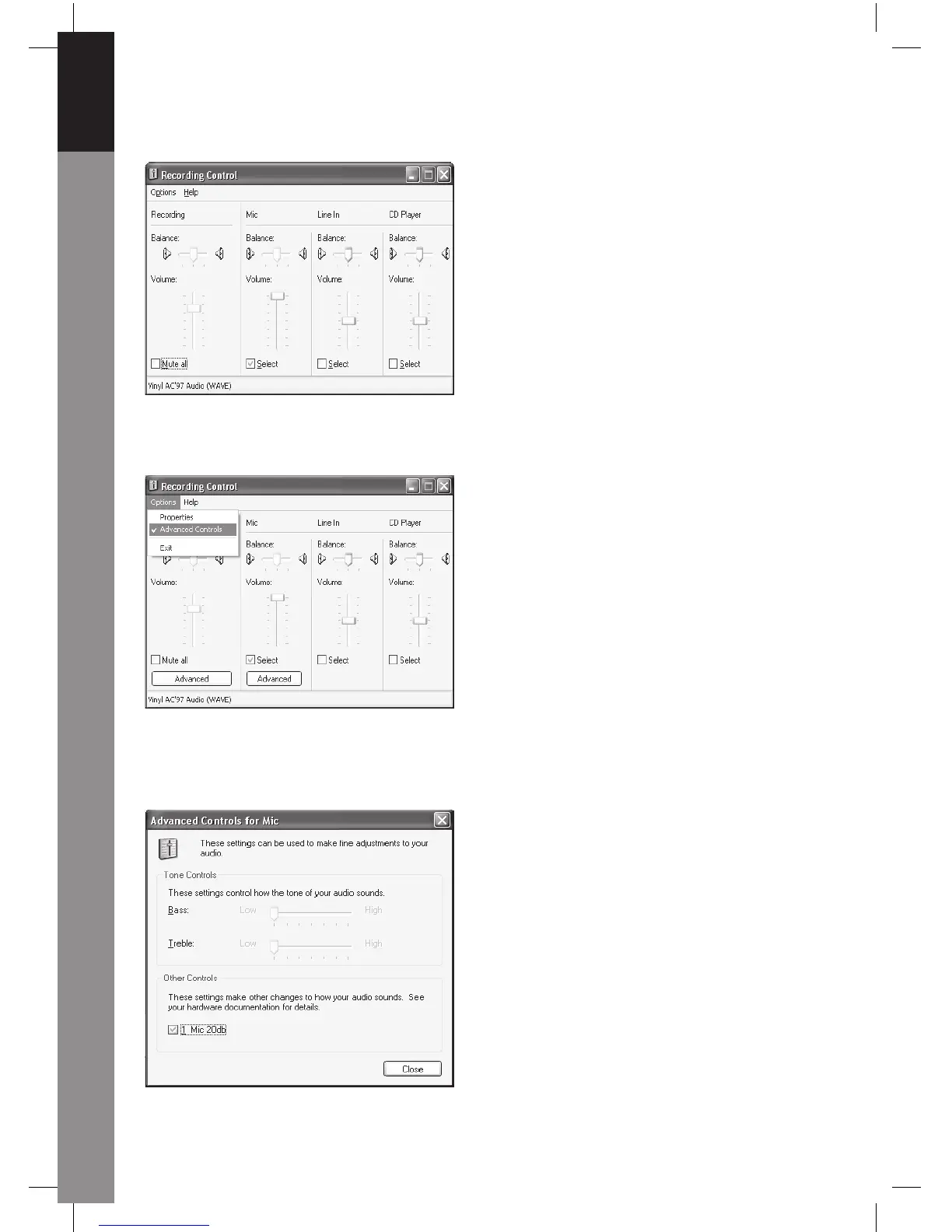
You can drag the slide bar of the Microphone to adjust the volume.
Click Options/Advanced Controls, then click Advanced under Microphone.
To enable audio, please select the check box "1 Mic 20db" (The text may be different
according to your computer system).



 To Next Page