Notes:
1. To exit the Learning mode, press and release Device button.
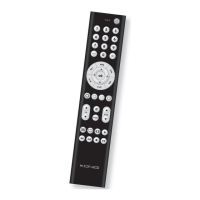
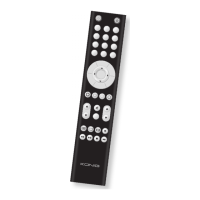
2. In learning mode, the distance must be less than 30 mm between 2 remotes,
and the 2 remotes must be put in a straight line.
3. It will exit from the learning mode automatically if you do not press any key
within 30 seconds.
4. Press SET and 4 together to delete all buttons you have learnt-in under the
Device button, the LED will ash 2 times to conrm it.
5. If the memory is full, LED ashes 4 times then quits learning.
6. The last signal learnt in will overwrite the previous signal.
7. About 100 commands can be stored in this remote control and about 40
commands can be learnt-in for each device.
8. You can also specially store 4 frequently used buttons on the “Custom
keypad” by using the learning function.
E. Display Device Code
Call up the device codes which have been set in the remote control as follows:
1. Press and hold the set button, simultaneously press number 1 to display the
hundreds of the 3-gure code. Count how often the LED ashes. If the LED
does not ash, the number is Zero.
2. Press and hold the set button, simultaneously press number 2 to display the
tens of the 3-gure code.
3. Press and hold the set button, simultaneously press number 3 to display the
ones of the 3-gure code.
F. Volume Lock
This function is very practical if you wish to use just one device to control the
volume. In this case, you can use the function to set the volume and mute
button to AMP, regardless of which device you are using. The Volume and Mute
buttons on remote control still control the volume and mute of your amplier.
1. Press the device button for which you wish to lock the volume.
2. Press SET and number button 5, the current VOL and mute will be locked,
LED ashes twice as conrmation.
Note: Press the Set button and number button 6 to unlock volume.
G. Write-protection of Device Codes
Proceed as follows to prevent device codes from being accidentally overwritten
or deleted.
1. Press the device button which you wish to protect
2. Press and hold down the SET button, simultaneously press number button 7
and then release both buttons. The LED ashes twice and the code is now
protected and cannot be overwritten/deleted.
Note: To cancel write protection, press and hold down the SET button,
simultaneously press number button 8 and then release the two buttons. The
LED ashes twice and the protection is cancelled.
H. Reset / Delete Function
To delete the codes which you have set in the remote control, press and hold
down the SET button, then press the 0 button simultaneously for more than
3 seconds and then release both pressed buttons. The LED ashes twice and
all the set up data and commands in the remote control are deleted.
Maintenance:
Clean only with a dry cloth. Do not use cleaning solvents or abrasives.
Warranty:
No guarantee or liability can be accepted for any changes and modications of
the product or damage caused due to incorrect use of this product.


 To Next Page