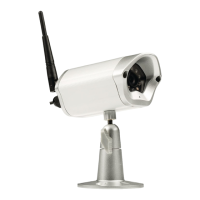
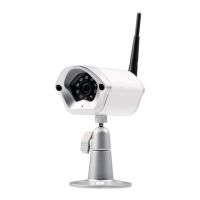
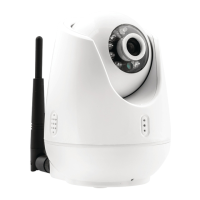
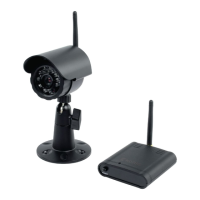
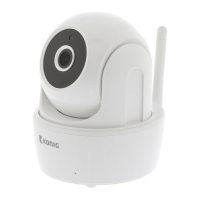
This document describes the König SAS-IPCAM2xx series of IP cameras, including models SAS-IPCAM200, SAS-IPCAM210, and SAS-IPCAM220.
Function Description
The König IP cameras are designed for surveillance and monitoring, offering features such as live video feed, local storage of photos and recordings, and two-way audio communication. They can be accessed and controlled via a mobile application called "EyeCloud," available on Apple App Store and Google Play Store. The cameras support motion detection with adjustable sensitivity and scheduled recording, as well as continuous 24/7 recording. Specific models offer additional functionalities like preset positions, vertical cruise, and horizontal cruise, indicated by an asterisk (*) and available only for the SAS-IPCAM210. The cameras are equipped with IR lights for night vision and LED indicators for status.
Important Technical Specifications
The SAS-IPCAM2xx series features a 1/4" 720p progressive scan CMOS image sensor across all models, ensuring clear image quality.
- SNR (Signal-to-Noise Ratio): ≥ 39 dB for SAS-IPCAM200 and SAS-IPCAM220, and ≥ 41 dB for SAS-IPCAM210.
- Lens Angle: All models have a 3.6 mm, F1.4/56.14 lens.
- IR LEDs: The SAS-IPCAM200 has 1 IR LED, the SAS-IPCAM210 has 12 IR LEDs, and the SAS-IPCAM220 has 2 array-type IR LEDs.
- IR LED Frequency: All models operate at 850 nm.
- Night Vision: The SAS-IPCAM200 offers 5 m night vision, the SAS-IPCAM210 offers 10 m, and the SAS-IPCAM220 offers 15 m.
- Resolution: All models support 720p/VGA/QVGA.
- Frame Rate: The SAS-IPCAM200 records at 30 fps / 24 fps, while the SAS-IPCAM210 and SAS-IPCAM220 record at 25 fps.
- Memory Card: All models support a maximum of 128 GB microSD/TransFlash memory cards.
- Power: The SAS-IPCAM200 and SAS-IPCAM210 are powered by 5 V ± 0.3 V, while the SAS-IPCAM220 requires 12 V ± 0.3 V / 2 A.
- Consumption: The SAS-IPCAM200 consumes 3.2 W, the SAS-IPCAM210 consumes 3 W, and the SAS-IPCAM220 consumes 3.5 W.
- Temperature Range: The SAS-IPCAM200 operates from -10°C to 50°C, while the SAS-IPCAM210 and SAS-IPCAM220 operate from -20°C to 70°C.
- Humidity: The SAS-IPCAM200 and SAS-IPCAM210 operate at < 90% humidity, and the SAS-IPCAM220 at < 100%.
- Weight: The SAS-IPCAM200 weighs 135 g, the SAS-IPCAM210 weighs 625 g, and the SAS-IPCAM220 weighs 340 g.
Usage Features
The camera setup involves downloading the "EyeCloud" app, inserting a memory card, and powering the camera via the USB port and charger. A new account must be created within the app.
Indoor Setup:
- Connect your smartphone to your preferred Wi-Fi network.
- Power the camera using the USB port and charger.
- Select "Quick Setup" in the app and follow the instructions.
- Enter your Wi-Fi password.
- Hold your smartphone close to the device to send Wi-Fi instructions.
- Once the device receives instructions, the camera icon appears, and you can add it to your account.
- If manual addition is needed, scan the 2D barcode on the device and enter the default password "888888".
Outdoor Setup:
- Connect your smartphone to your preferred Wi-Fi network.
- Power the camera using the charger.
- Connect the camera to the same network using an Ethernet cable.
- Select "Search in LAN network" in the app and confirm the connection.
- Add the camera to your account when its icon appears.
- For wireless outdoor use, go to "Device Management" in the app, enter the network name and password, then disconnect the Ethernet cable. The camera will reboot and connect to the selected Wi-Fi network.
Note: The default password "888888" must be changed upon first access.
User Interface Features (via EyeCloud app):
- Live feed: View real-time video.
- Photos (stored locally): Access saved images.
- Record (stored locally): Access saved video recordings.
- Microphone on/off: Control the microphone.
- Audio on/off: Control audio output.
- Preset position, Vertical cruise, Horizontal cruise*, Preset cruise*:** These advanced movement controls are available only for the SAS-IPCAM210.
Other Settings (via EyeCloud app):
- Camera overview: Displays device status, UID code, MAC address, activation date, and allows changing the camera name.
- Wi-Fi settings: Manage Wi-Fi connections.
- SD recording settings: Check storage status, format the SD card, and configure recording modes (24/7, motion, scheduled). Audio recording can also be toggled on/off.
- Password settings: Change the camera password.
- Sensors settings: Configure camera notifications (on/off), motion detection schedule (on/off), and motion detection sensitivity (low/middle/high).
- Firmware: View current firmware information and update firmware.
- Brightness and contrast settings: Adjust image display.
- IR light settings: Toggle IR light on/off.
- Image mirroring: Flip the image horizontally or vertically.
- Frequency settings: Set to 50 Hz or 60 Hz.
Maintenance Features
Cleaning and Maintenance:
- Warning: Do not use cleaning solvents or abrasive cleaners.
- Do not clean the inside of the device.
- Do not attempt to repair the device; if it malfunctions, replace it with a new one.
- Clean the exterior of the device with a soft, damp cloth.
Safety Precautions:
- To reduce the risk of electric shock, the product should only be opened by an authorized technician for servicing.
- Disconnect the product from the power outlet and other equipment if problems occur.
- Read the manual carefully before use and keep it for future reference.
- Use the device only for its intended purposes.
- Do not use the device if any part is damaged or defective; replace it immediately.
- The device is suitable for indoor use only; do not use it outdoors.
- Do not expose the product to water or moisture.
Warranty and Disposal:
- Any changes or modifications to the product will void the warranty. The manufacturer is not liable for damages caused by incorrect use.
- The product must be disposed of separately at an appropriate collection point and not with household waste. Contact the retailer or local authorities for disposal information.

 Need help?
 General





 To Next Page