12
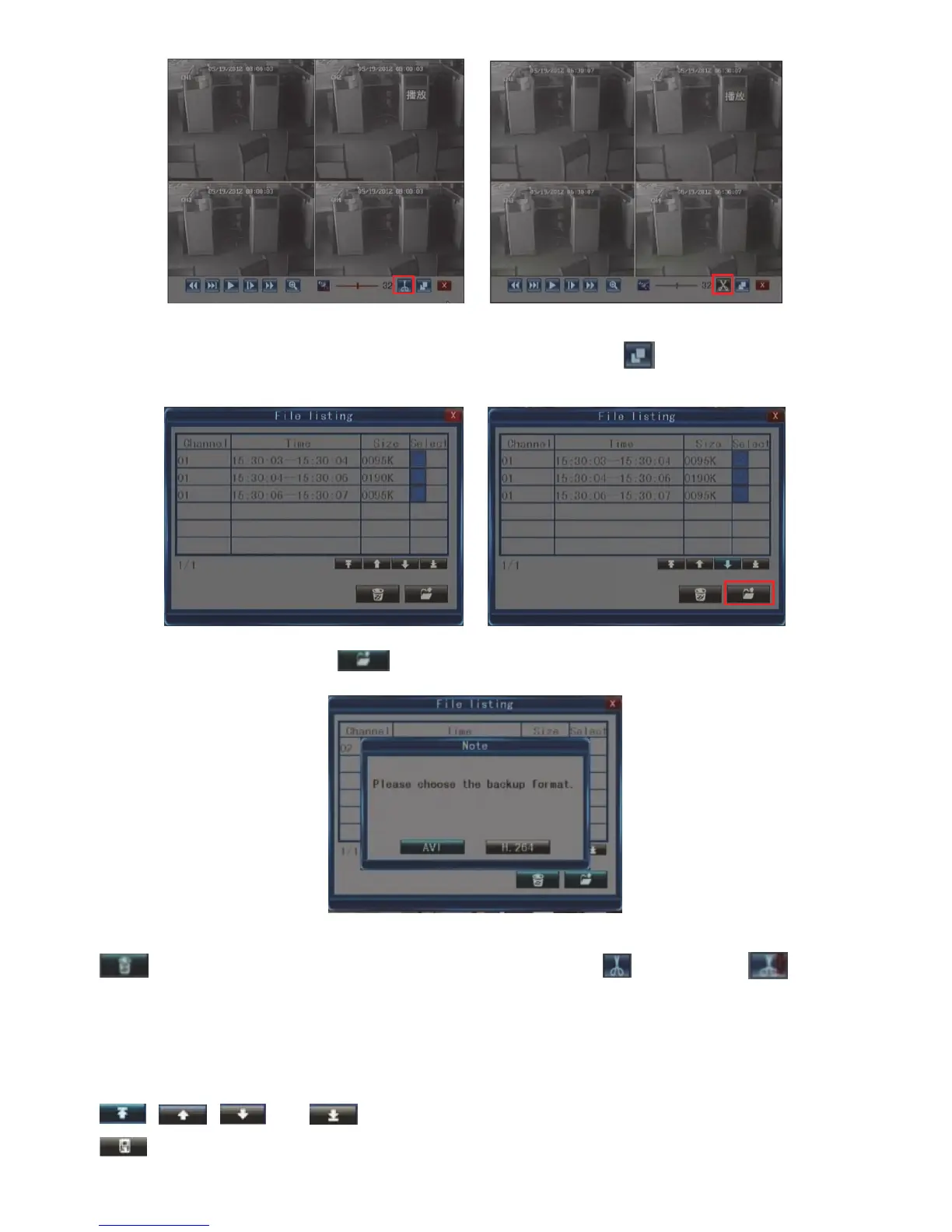
Backup edited files:
After completing the editing, insert the USB device and click the button to enter into the following
interface,
Choose the file, click the button
and choose the file format, then the file will be saved into your
USB device.
Note: The edited file listing can contain 18 pieces of records at maximum, you can click the button
to clean the list. If the list has obtained 18 pieces, the button will change to . In
addition, if you exit the playback and the list will be cleaned automatically.
File back-up:
Select Toolbar Play Search to enter the file list. In this interface, you can back up a video file. Click
, , and to switch pages. Select the video file you want to back up and click
to back up the video file to a USB memory device.



 To Next Page