14
In the following example, we use the Android mobile phone. The usage of other mobile programs is
substantially similar. For more detailed instruction, please view full user manual on the included CD.
From the installation CD, install file “MobileEye+_2.0.6(04091435).apk” onto your Android mobile
phone. See the user manual included with the phone for more details on installing this application..
(1) Find and execute the program “MobileEye+”. First, a user needs to add devices. Click the “
”
button.
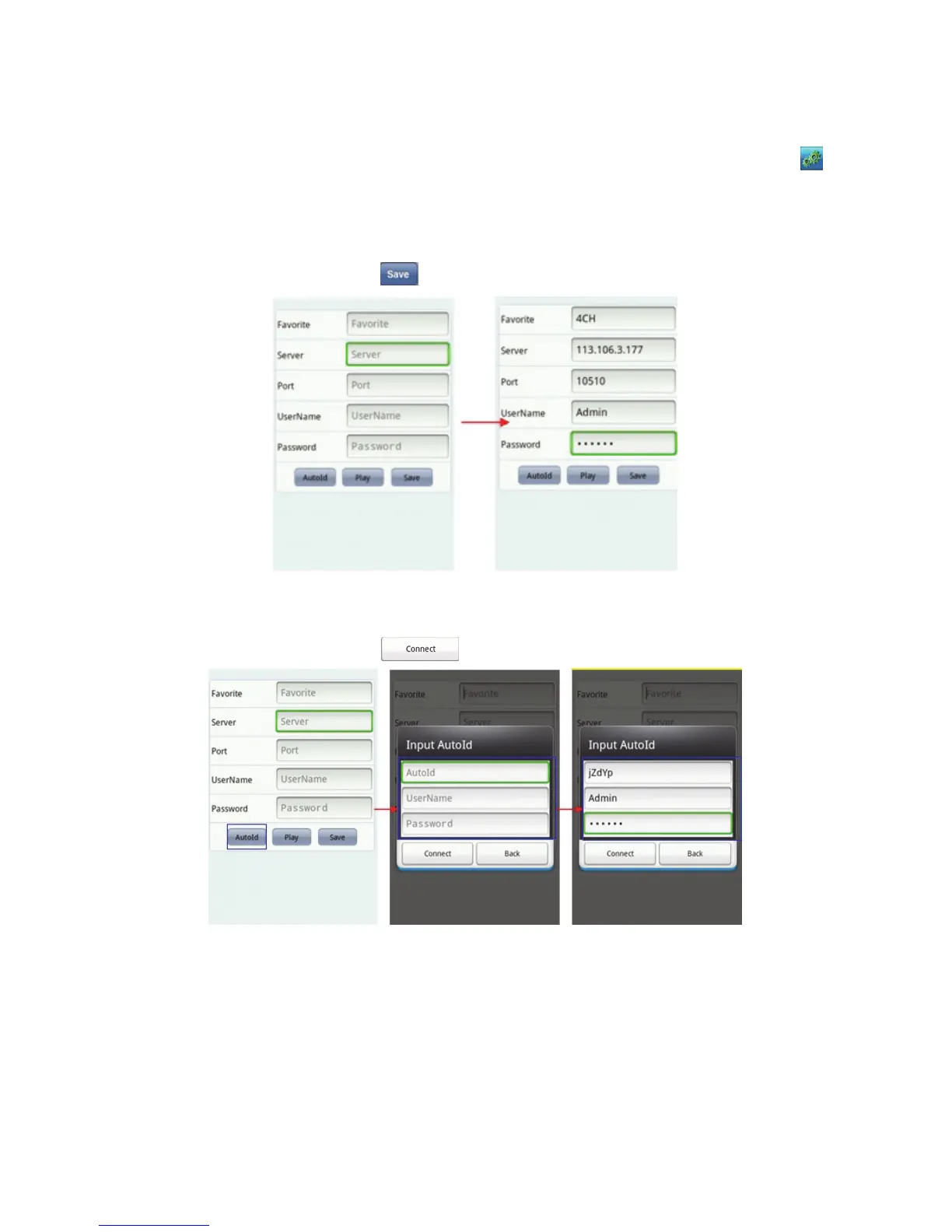
a. By IP address (or DDNS)
On the window of device information set up the DVR with “Favorite”, “Server”, “Port”, “User
Name” and “Password”. Click “
” to save.
b. By Auto ID
On the window of device information click “AutoId”, then set up the DVR with “AutoId”, “User
Name” and “Password”. Click “
” to return to the main screen to connect the channel.



 To Next Page