EasyManua.ls Logo

KONNEK STEIN QC21 - User Manual

KONNEK STEIN QC21
6 pages
Print Icon
To Next Page IconTo Next Page
Loading...
Indoor Security Camera
QC21
Quick Start Guide
Question and Answer IconNeed help?

Do you have a question about the KONNEK STEIN QC21 and is the answer not in the manual?

Summary

Included in Package

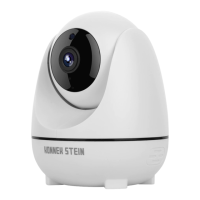
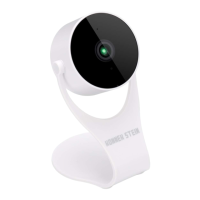
Camera

The main security camera unit provided in the package.

Power Adapter

The adapter used to supply power to the camera.

Mounting Brackets

Hardware included for mounting the camera.

Quick Start Guide

The user manual for initial setup.

Screw Package

Screws and wall anchors for installation.

Positioning Stickers

Stickers to aid in marking drilling positions for mounting.

Product Installation

Marking and Drilling

Mark mounting position, drill holes, and apply positioning stickers on the wall.

Install Mounting Bracket

Insert wall anchors and screw the mounting bracket securely into the wall.

Mount Camera

Align camera screws with bracket slots and securely lock the camera.

Related Downloads

Download ENKLOV App

Scan QR code to download the ENKLOV mobile application.

Download User Manual

Scan QR code to access the full user manual.

Other Information

FCC Compliance Information

Details on FCC ID and compliance with FCC rules.

Health and Safety Warnings

Information regarding potential chemical exposure and related warnings.

Customer Support Contact

Contact details and invitation for support or feedback.

Overview

The KONNEK STEIN QC21 is an indoor security camera designed for home surveillance. This Quick Start Guide outlines its features, installation, and connectivity, providing essential information for users.

Function Description:

The QC21 is an indoor security camera primarily used for monitoring interior spaces. It captures video footage, allowing users to keep an eye on their homes or offices remotely. The camera is designed to integrate with the ENKLOV app, enabling remote viewing and control. Its main function is to provide real-time surveillance and recording capabilities for enhanced security.

Important Technical Specifications:

While specific technical details like resolution, field of view, or storage capacity are not explicitly listed in this quick start guide, some crucial information is provided regarding its connectivity. The QC21 camera is only compatible with 2.4GHz WiFi networks. This is a critical specification, as attempting to connect to a 5GHz WiFi network will result in connection failure. Users with dual-band routers (which often have both 5GHz and 2.4GHz modes) must select the 2.4GHz option during the installation process. The device also carries an FCC ID: 2ANJX-QC21, indicating compliance with Part 15 of FCC Rules, which governs radio frequency devices. This means the device is designed to operate without causing harmful interference and must accept any interference received.

Usage Features:

The QC21 offers several usage features that make it user-friendly:

  • Remote Monitoring: Through the ENKLOV app, users can access live camera feeds and manage the device from their smartphones or tablets. The app is available for download on both Google Play (for Android devices) and the App Store (for iOS devices).
  • Flexible Installation: The camera supports flexible installation options, including ceiling installation and flat placement. This versatility allows users to position the camera in various locations to achieve optimal viewing angles.
  • Easy Setup Process: The installation process is straightforward, involving a few steps:
    1. Positioning: Use the provided positioning stickers to mark the desired mounting spot on the wall.
    2. Drilling: Drill two holes at the marked positions using an appropriate drilling tool.
    3. Anchoring: Insert wall anchors into the drilled holes before securing the screws.
    4. Bracket Installation: Install the mounting bracket by screwing it directly into the wall using the provided screws.
    5. Camera Mounting: Align the two screws on the camera's base with the small holes on the mounting bracket and push the camera down into the slots until it securely locks into place.
  • Comprehensive User Manual: A full version of the User Manual is available for download via a QR code, providing detailed instructions and troubleshooting tips beyond the quick start guide.

Maintenance Features:

While the quick start guide does not detail specific maintenance features, the general nature of security cameras implies certain aspects:

  • Software Updates: As with most smart devices, the ENKLOV app and potentially the camera's firmware may receive updates to improve performance, add features, or address security vulnerabilities. Users should keep their app updated to ensure optimal functionality.
  • Connectivity Management: Maintaining a stable 2.4GHz WiFi connection is crucial for the camera's operation. Users may need to ensure their router settings are correctly configured and that the camera is within range of the 2.4GHz network.
  • Physical Cleaning: Regular, gentle cleaning of the camera lens and body with a soft cloth would likely be recommended to maintain clear image quality and device aesthetics.
  • Troubleshooting Support: The availability of a full User Manual and dedicated customer service channels (phone and email) indicates support for troubleshooting any issues that may arise during the camera's lifespan.

Safety and Compliance:

The device includes a WARNING regarding exposure to chemicals, specifically Pb (lead), which is known to the State of California to cause cancer and birth defects or other reproductive harm. Users are directed to www.P65Warnings.ca.gov for more information. This highlights the importance of handling the device responsibly and being aware of potential chemical exposures.

Customer Support:

KONNEK STEIN provides robust customer support, including:

  • Customer Service Tel: 800-757-0280
  • Customer Service Email: customerservice@ttinno.com This ensures users have access to assistance for any questions, support needs, or feedback they may have.

KONNEK STEIN QC21 Specifications

General IconGeneral
BrandKONNEK STEIN
ModelQC21
CategorySecurity Camera
LanguageEnglish

Related product manuals