Product Installation
2
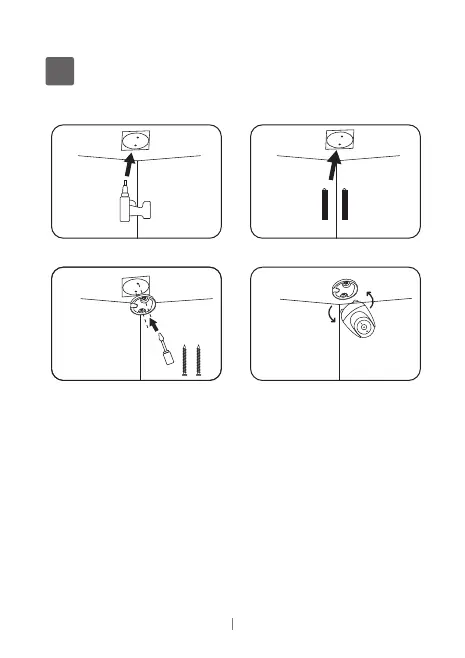
1.Put the positioning stickers on the mounting position of
the wall, and use a proper drilling tool to drill 2 holes at the
position located.
2.Insert wall anchors before installing the screws.
3.Installthe mounting bracket, use the install screws to screw
the mounting bracket directly into your wall.
4.Mount the Camera, Align the two screws on the base of Cam
with the small holes on the mounting bracket and push down into
the slots, securely locking it.
1 2
3 4
02 EN
Noted: Flexible installation support ceiling install and lay flat.


 To Next Page