15
7. Making and receiving calls
NOTE : It is impossible to make or receive a call on the two SIM cards at
the same time. For example, if you are on a call on the SIM 1 line, those
trying to contact you on SIM 2 will automatically be diverted to voicemail.
Making a call :
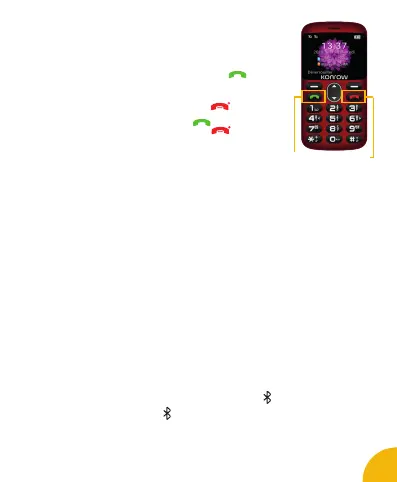
• Dial the number of your choice and press the button .
• Choose SIM card 1 or SIM 2, then press ok to launch a call.
• Once the call has been launched, press the arrows to adjust the
volume of the call.
• When you want to end a call, press the button .
Receiving a call :
• When a call is received, press the button .
• When you want to end a call, press the button .
General Settings
1. Profiles
This function allows you to switch your mobile in different modes :
general, silent, meeting, or outside.
2. Phone settings
• Time & date : Set the time, set the date, set the date format, the time format and update
the time settings.
• Schedule power on/off : Program the ignition or extension of the mobile.
• Language : Select the display language for the mobile phone.
• Preference Input Methods : Enable or disable automatic word input when entering an SMS.
• Display: Change the display settings of the screen,
• Dedicated keys : Change the shortcuts of the directional keys.
• Flight mode : Disconnect the device from the network.
3. Security Settings
This function allows you to change the mobile lock settings.
4. Dual SIM settings
This function allows you to choose SIM1 or SIM 2.
5. Connectivity
Allow to congure the APNs.
6. Factory Settings
You can cancel the settings you have set. The default security password is the 1122.
Bluetooth
You can enable Bluetooth via the Menu button.
• Press the menu button and scroll down until you see the icon .
• Press ok and press On or Off
Once Bluetooth is activated, the icon appears on your screen.
You can transfer data, such as music, to any other device using the Bluetooth. Find the device and
receive / transfer the data. The data received is automatically saved in the directory.
Receive Call
button
Hang up
button



 To Next Page