OPERATION
CAUTION
Do not throw items into the storage area. Failure to heed these recommendations
could result in damage to the interior of the cabinet.
Refrigerated cycle
Refrigerators: During the refrigeration cycle, the evaporator fans wilt run continuously even when one or
more doors are open. The door switch will activate the lights when opened.
1.
Anti-condensation heaters on door frames work in conjunction with the compressor.
2.
The factory setting for the temperature range is 34°F to 38° F.
SOLID-STATE THERMOSTAT DESCRIPTIONS
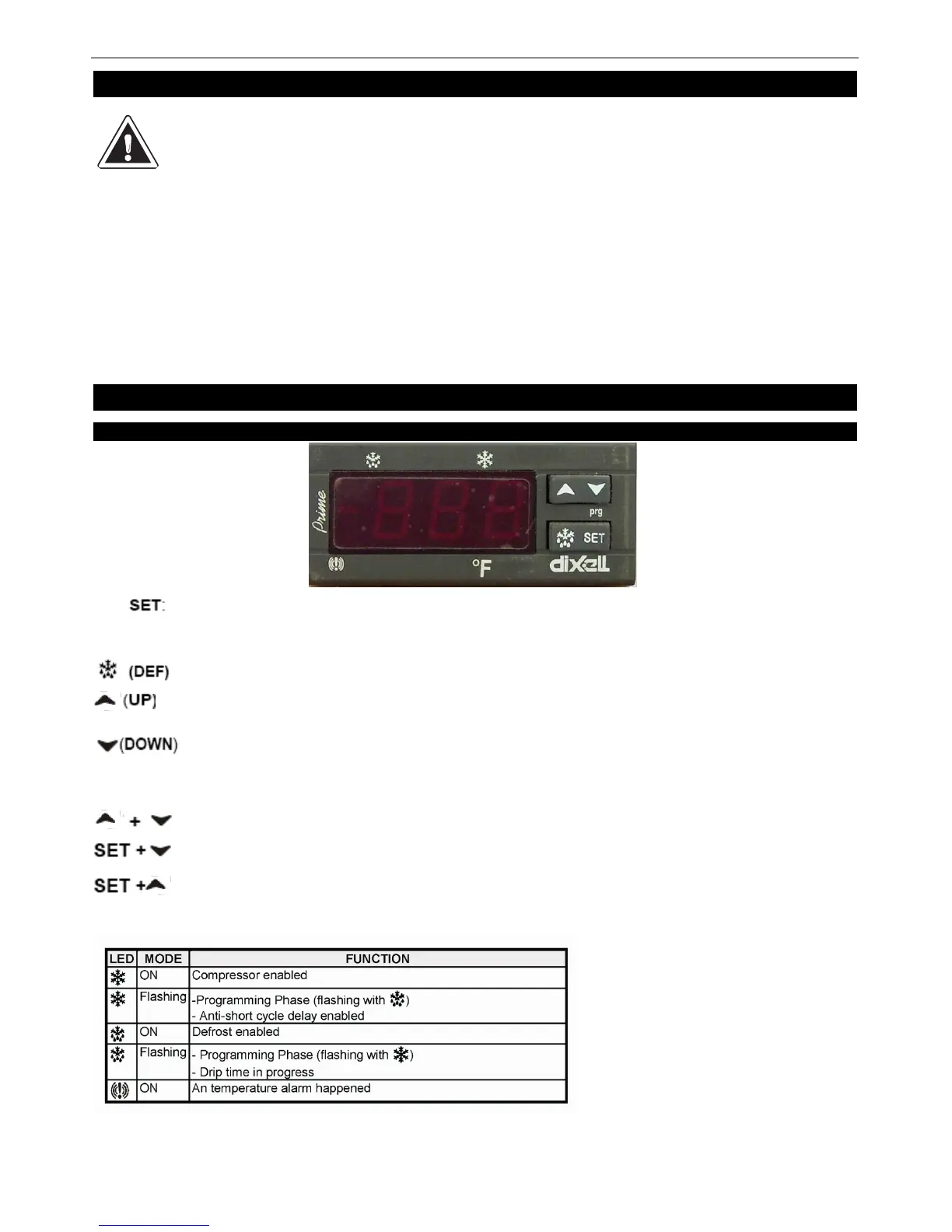
1. FRONT PANEL COMMANDS
operation.
To display target set point; in programming mode it selects a parameter or confirms an
To start a manual defrost
To view the latest alarm occurrence; in programming mode it browses the parameter
codes or increases the display value
To view the latest alarm occurrence; in programming mode it browses the parameter
codes or decreases the display value
KEY COMBINATION
To lock & unlock the keyboard
To enter in programming mode
To return to the room temperature display
1.1 Function of LEDS


 To Next Page