KOOLERTRON
Reliable Supplier of Made in China, Good Product Image of Made in
China.
- 9 -
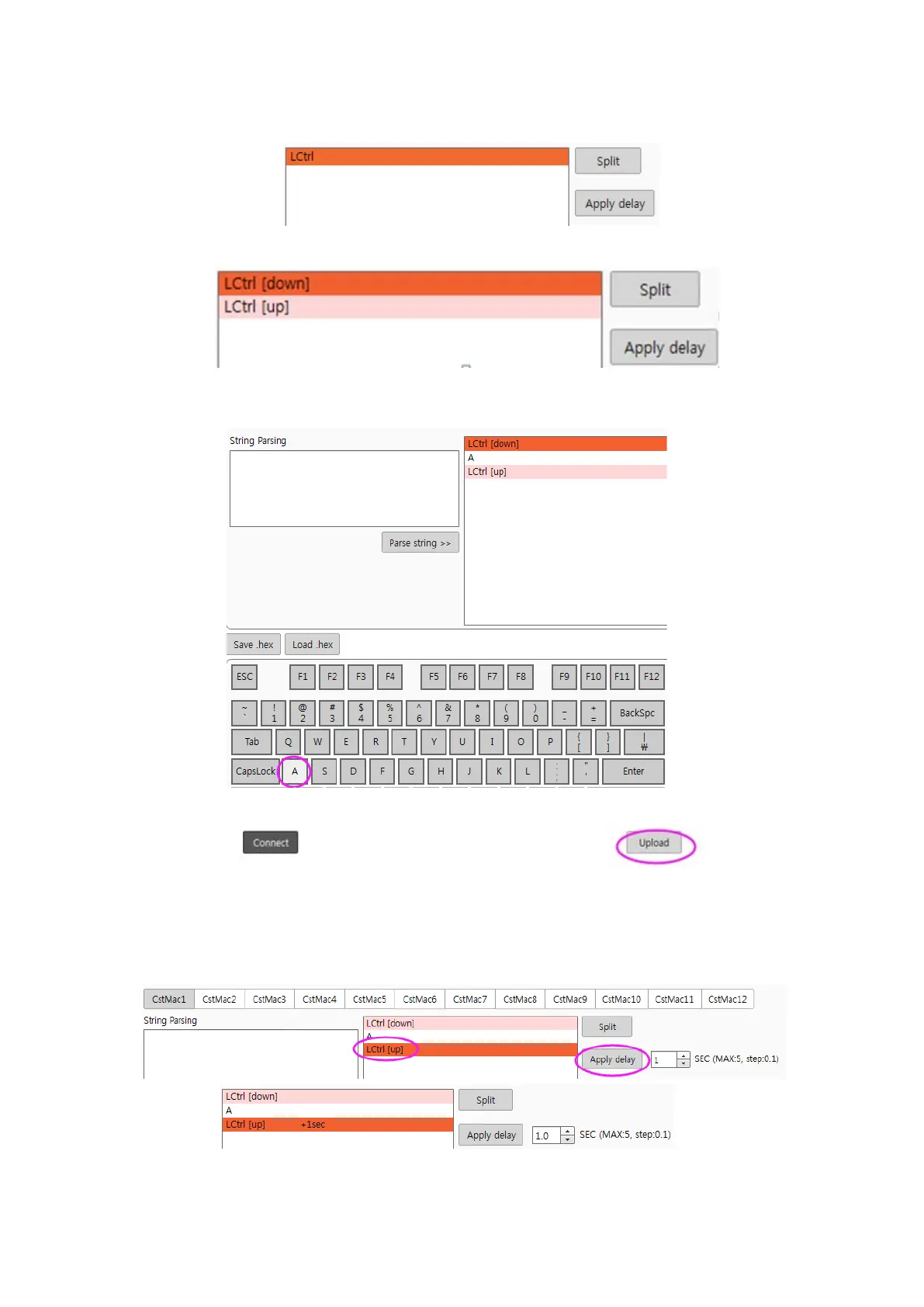
b). Click and select the LCtrl on “Macro Frame” and then click “Split”
c). Split the “LCtrl” to “LCtrl [down]”and ”LCtrl [up]”
d). Click “LCtrl [down]”on“Macro Frame”
e). Click “A” on-screen key
f). Click “Upload” to save
4.3 Add a delay time after a character step
Click the key you need to add a delay time, then click “Apply delay” to set. The delay time
can be set by yourself


 To Next Page