●
●
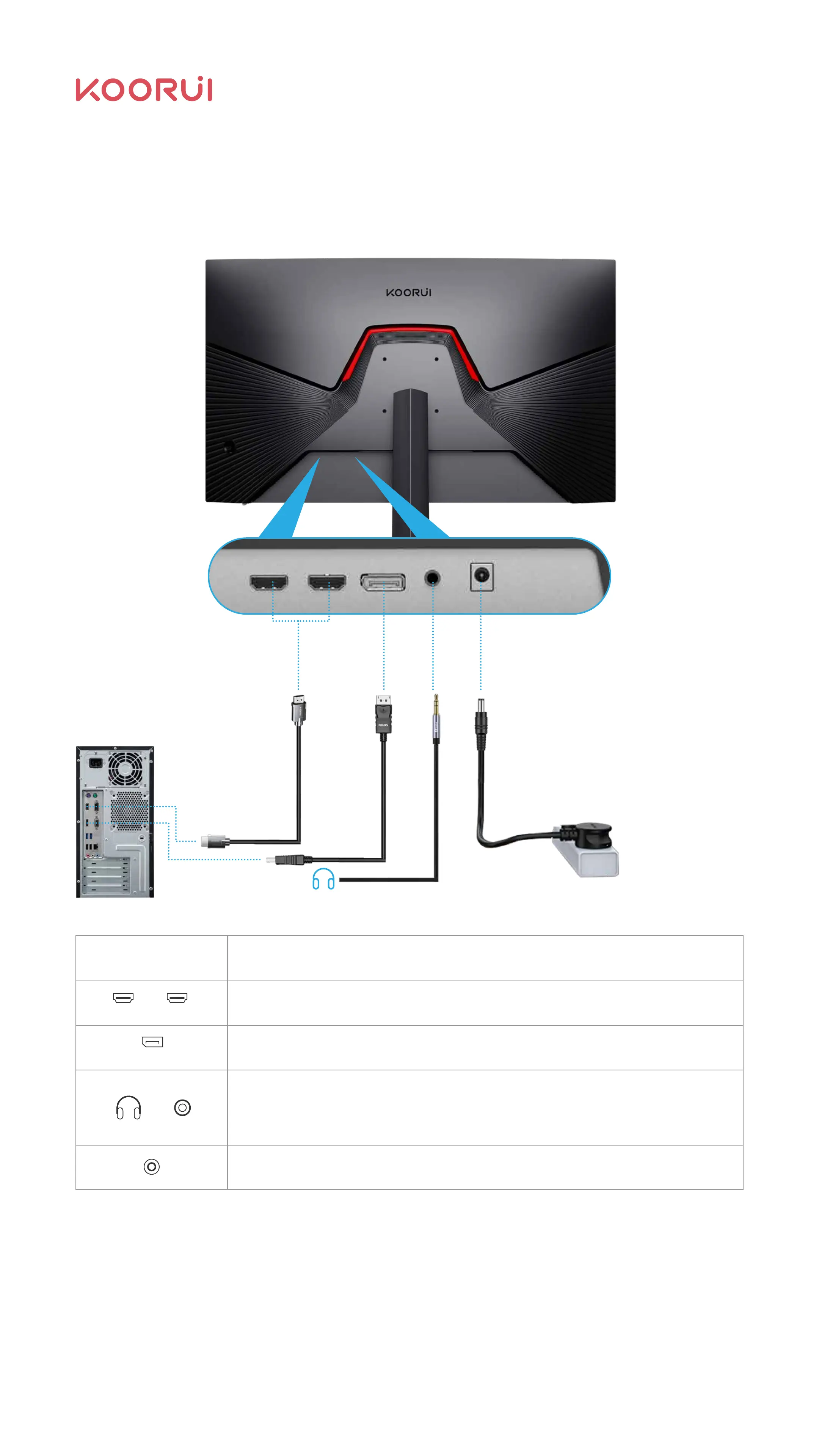
Connect and use the PC
Choose the connection method that suits your PC.
Different products may have different connecting parts.
2.4 Interface Description
Use HDMI cable to connect to your PC.
HDMI 1 HDMI 2
Connect to the DC power cord.
Interface Description of interface
Use DP cable to connect to your PC.
DP
HDMI 1 HDMI 2 DP DCAUDIO
Connect to audio output devices that support 3.5 mm headphones.
Note: DVI and VGA do not support audio transmission.
08



 To Next Page