24
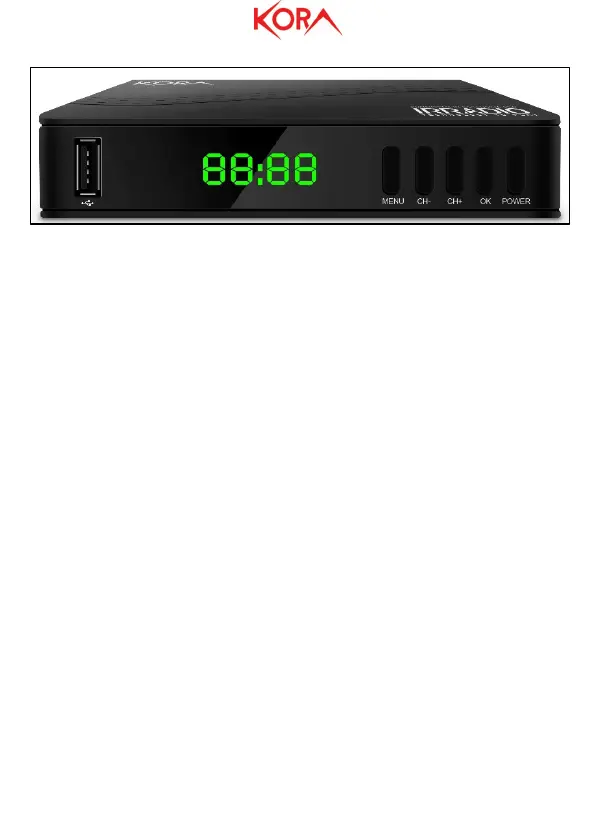
● USB: This is a high-speed USB 2.0 port used to connect a storage device such as HDD,
USB Memory Stick. If you use HDD, both 2.5" and 3.5", it is advisable to provide a
separate power supply (the internal power supply section has not been designed to
supply these additional loads).
● LED Display: On this display you can know the number of the channel, time (when
OFF) or any other decoder status.
● IR Receiver: Used to receive IR signaling from the remote control. It should never be
covered.
● Stand By indicator: Indicates the operating status of the device. Green = On, Red =
Off.
● MENU: Allows access to the Menu
● CH+/CH-: Allows to change the displayed channel (in Menu mode it allows to move
between the various displayed items).
● OK: Allows you to confirm the choices in the menu mode.
● Power: Allows you to turn off / on the device.
Rear Panel
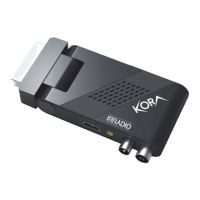
● RF IN: Connect this input with the antenna cable.
● COAXIAL: Coaxial Output.
● HDMI OUT: HDMI type video output. Allows connection to the TV.
● SCART OUT: Scart Video Output. Allows connection to the TV.
● PLUG IN: Connect the PLUG of the supplied power supply.
On the product label, into back panel, there are all informations about the device.



 To Next Page