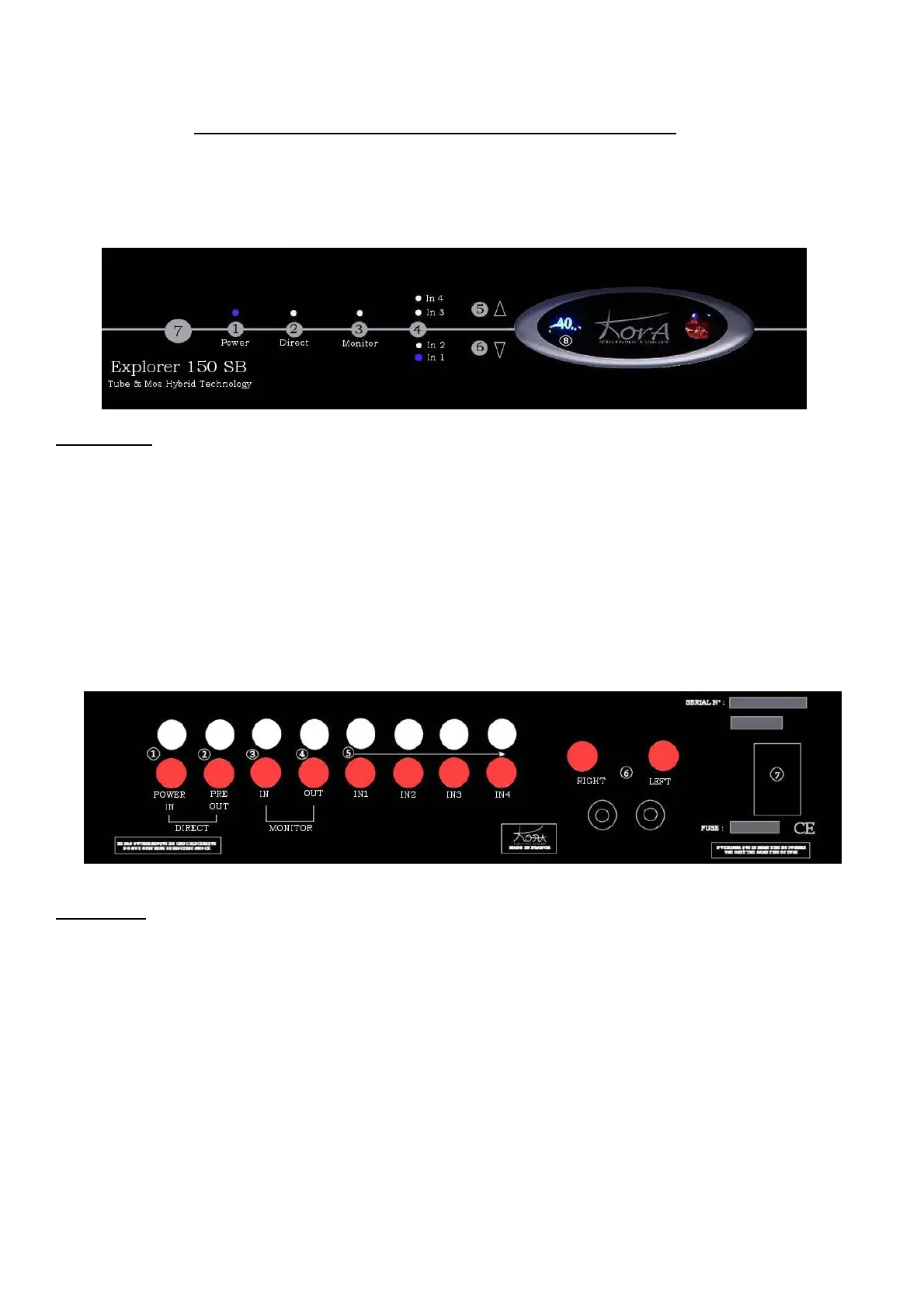
EXPLORER 150 SB functions – front/rear view
Front plate
1. Power on/off selector.
2. Direct input selector.
3. Monitor selector
4. Inputs selector.
5. Increase output volume selector.
6. Decrease output volume selector.
7. Headphone socket.
8. Volume dial (in dB).
Blue LED indicates selected source.
Rear plate
1. Direct input to the power section.
2. Direct output from the preamp section.
3. Monitor input.
4. Monitor output.
5. Line inputs.
6. Speaker sockets.
7. Mains socket.



 To Previous Page