D3200 EasyStart
9
D3200 SHORTCUT KEYS
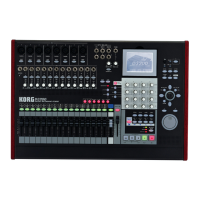
The D3200’s Shortcut keys provide instant access to the most commonly used functions in a recording and
mixing session, such as meter view, channel input track assign, track editing, undo / redo, mixer
automation and other repeatedly-used functions. To use a “Shortcut”, press and hold a specific key, then
select or scroll through options with another key.
Here are a few Shortcut keys to check out…
Meter source options: Press and hold the METER key, and then scroll through the options available with the L/ R
cursor keys.
Display Meter/Track: Change the track/fader view of the display. Press and hold the METER key then use the UP /
DOWN cursor keys.
Track editing options: Press and hold the TRACK key, and then 1) scroll through options with the +/- increment
keys, or 2) press the channel keys above faders 1-15.
Automation options: Press and hold the MIXER key, and then press the SCENE key.
CH Input page: Press and hold the MIXER key, and then press the REC/PLAY key (above channel 14).
DrmsMixer page: Press and hold the MIXER key, and then press the CH VIEW key to instantly access your
drum mixer.
Master EQ: Press and hold the MIXER key, and then press the Master EQ key.
Important D3200 Owner’s Manual References
MIDI Sync / MIDI Machine Control (MMC)
94 / 124
Using MIDI to control Scenes / MIDI
94 / 124
Working with WAV files and the Import/Export function
86-88 / 136
Initializing/formatting and checking the internal hard drive
90 / 121
Backing up and restoring data via CD-R or USB
82 / 92
Updating system software
96
Troubleshooting
164
Shortcut Keys
178
For more information, see the D3200 Owner’s Manual, and visit www.korg.com
for
more support, tips and tricks!


 To Previous Page