EasyManua.ls Logo

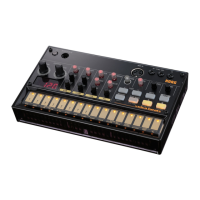
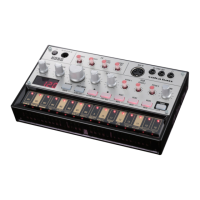
Korg Volca Bass - User Manual

Korg Volca Bass
23 pages
Print Icon
To Next Page IconTo Next Page
Loading...
K
K
O
O
R
R
G
G
A
A
n
n
a
a
l
l
o
o
g
g
u
u
e
e
B
B
a
a
s
s
s
s
M
M
a
a
c
c
h
h
i
i
n
n
e
e
v
v
o
o
l
l
c
c
a
a
b
b
a
a
s
s
s
s
(
(
v
v
o
o
l
l
c
c
a
a
-
-
b
b
a
a
s
s
s
s
)
)
S
S
E
E
R
R
V
V
I
I
C
C
E
E
M
M
A
A
N
N
U
U
A
A
L
L
TABLE OF CONTENTS
ASSEMBLY SKETCH (HOOKUP): 2
BLOCK DIAGRAM: 3
SCHEMATIC DIAGRAM: 4
TEST MODE: 8
PARTS LIST: 23
Issued: Sep. 23, 2013
Ver. 1.0
©2013 KORG INC.

Other manuals for Korg Volca Bass

Question and Answer IconNeed help?

Do you have a question about the Korg Volca Bass and is the answer not in the manual?

Summary

System Block Diagram Overview

Test Mode Initialization and Equipment

Synchronization Test Jig and Mode Operations

Test Mode Operational Guide

Step-by-step instructions for navigating and controlling the test mode functions.

Initial Device Inspection Procedures

Test Mode Launch and Preparation

Instructions for connecting the test jig and setting up the device for testing.

Internal Inspection and Basic Checks

Procedures for internal diagnostics, including ROM checksums and LED/button tests.

Detailed LED and Button Functionality Tests

Comprehensive LED Light Output Test

Verifies all LEDs are functional, uniformly bright, and display correct colors.

Advanced Component and Input Testing

Touch Switch Performance Test

Procedure to test the functionality and responsiveness of touch switches.

Analog-to-Digital Knob Input Test

Verifies the accuracy and smoothness of knob input readings via A/D conversion.

Synchronization Functionality Testing Procedures

Sync Cable Detection and Loop Test

Steps to test sync input detection and the device's loop test functionality.

Audio Output and Waveform Analysis

Sound Check and Oscilloscope Verification

Procedure for checking audio output quality and analyzing sound waveforms.

MIDI Control and Battery Power Operation Tests

Battery Power Speaker Output Test

Confirms speaker functionality and sound output when operating on battery power.

Error List and Diagnostic Interpretation

Complete KORG volca-bass Parts List

Summary

System Block Diagram Overview

Test Mode Initialization and Equipment

Synchronization Test Jig and Mode Operations

Test Mode Operational Guide

Step-by-step instructions for navigating and controlling the test mode functions.

Initial Device Inspection Procedures

Test Mode Launch and Preparation

Instructions for connecting the test jig and setting up the device for testing.

Internal Inspection and Basic Checks

Procedures for internal diagnostics, including ROM checksums and LED/button tests.

Detailed LED and Button Functionality Tests

Comprehensive LED Light Output Test

Verifies all LEDs are functional, uniformly bright, and display correct colors.

Advanced Component and Input Testing

Touch Switch Performance Test

Procedure to test the functionality and responsiveness of touch switches.

Analog-to-Digital Knob Input Test

Verifies the accuracy and smoothness of knob input readings via A/D conversion.

Synchronization Functionality Testing Procedures

Sync Cable Detection and Loop Test

Steps to test sync input detection and the device's loop test functionality.

Audio Output and Waveform Analysis

Sound Check and Oscilloscope Verification

Procedure for checking audio output quality and analyzing sound waveforms.

MIDI Control and Battery Power Operation Tests

Battery Power Speaker Output Test

Confirms speaker functionality and sound output when operating on battery power.

Error List and Diagnostic Interpretation

Complete KORG volca-bass Parts List

Korg Volca Bass Specifications

General IconGeneral
MIDI-keyboard number of keys27 keys
RecordingYes
Product colorBlack, Silver
Interface-
Headphone outputs1
Power source typeDC
Weight and Dimensions IconWeight and Dimensions
Depth115 mm
Width193 mm
Height46 mm
Weight370 g

Related product manuals