EasyManua.ls Logo

Korg Wavestation - Panel Switch and LED Check

Korg Wavestation
60 pages
Print Icon
To Next Page IconTo Next Page
To Previous Page IconTo Previous Page
Loading...
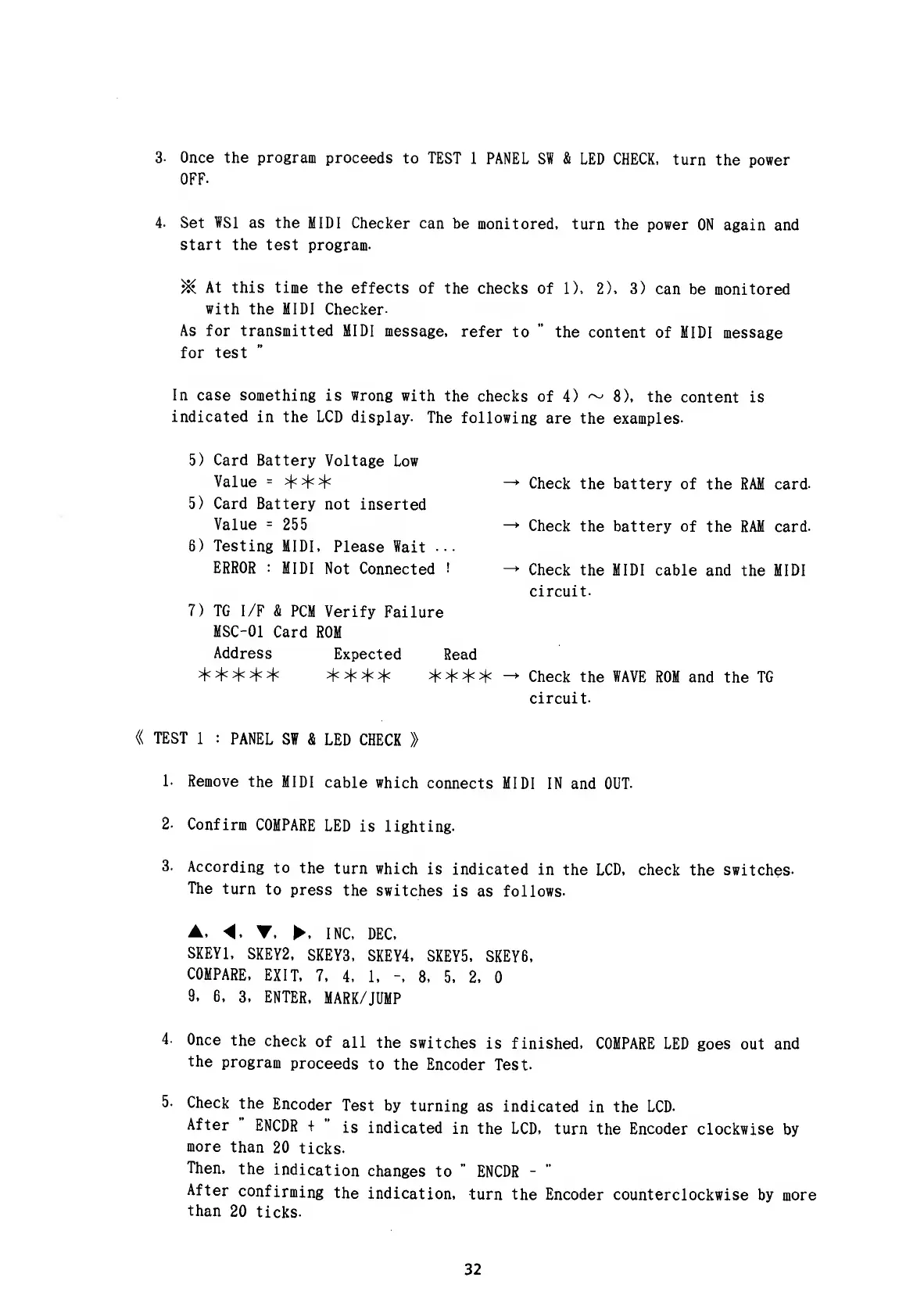
3. Once the program
proceeds
to TEST
1
PANEL SW
&
LED CHECK,
turn
the power
OFF.
4-
Set WS1 as the
MIDI Checker can
be
monitored,
turn the
power
ON again and
start the
test program.
>&
At this time the
effects of
the
checks of
1), 2), 3)
can be monitored
with
the MIDI
Checker-
As
for transmitted
MIDI message,
refer
to
"
the content
of MIDI
message
for
test
In case something
is wrong with
the
checks of
4)
~
8), the
content is
indicated
in the LCD display.
The following
are the
examples-
5)
Card
Battery
Voltage
Low
Value
=
***
Check the battery
of the
RAM card.
5) Card Battery
not
inserted
Value
=
255
Check
the battery of
the RAM card.
6) Testing
MIDI,
Please Wait
...
ERROR :
MIDI
Not
Connected
!
Check the
MIDI cable and
the MIDI
circuit.
7) TG I/F
& PCM
Verify
Failure
MSC-01
Card
ROM
Address
Expected
Read
*****
****
****
-
Check the WAVE
ROM and
the
TG
circuit.
«
TEST
1
:
PANEL
SW &
LED
CHECK
»
1.
Remove
the
MIDI
cable
which
connects
MIDI
IN and OUT.
2.
Confirm
COMPARE
LED
is lighting.
3.
According
to
the
turn which
is
indicated in
the LCD, check
the switches-
The
turn
to
press
the switches
is as follows.
A,
4. Y.
, INC,
DEC,
SKEY1,
SKEY2,
SKEY3,
SKEY4,
SKEY5,
SKEY6,
COMPARE,
EXIT,
7,
4, 1,
-,
8,
5, 2,
9,
6,
3,
ENTER,
MARK/JUMP
4- Once
the
check
of
all
the
switches
is finished,
COMPARE LED goes
out
and
the
program
proceeds
to
the
Encoder
Test.
5. Check
the
Encoder
Test by
turning
as indicated
in the LCD.
After
"
ENCDR
+
"
is
indicated
in the LCD,
turn the Encoder
clockwise
by
more
than
20
ticks.
Then,
the
indication
changes
to
"
ENCDR
-
"
After
confirming
the
indication,
turn the
Encoder counterclockwise
by more
than
20
ticks.
32

Other manuals for Korg Wavestation

Related product manuals