EasyManua.ls Logo

Korg Pa300 - User Manual

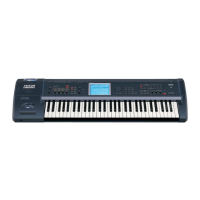
Korg Pa300
378 pages
Print Icon
To Next Page IconTo Next Page
Loading...
User Manual
ENGLISH | OS Ver. 1.5
2E
Pa300 User Manual v150 (English).book Page I Saturday, March 29, 2014 5:29 PM

Table of Contents

Other manuals for Korg Pa300

Questions and Answers

  • A
    Ashley EverettAug 18, 2025
    How to troubleshoot no sound on my Korg Pa300 Electronic Keyboard?
    • D
      David VillaAug 18, 2025
      If you're not getting any sound from your Korg Electronic Keyboard, here are a few things to check: * Ensure the MASTER VOLUME knob is not set to “0”. * If there is a jack in the “PHONES/AUDIO OUT” connector, unplug it. * Verify the connections to your amplifier or mixer. * Confirm that all components of your amplifying system are powered on. * Check if the Local parameter is set to off; if so, turn it on. * Also, ensure the Attack parameter isn't too high and the Volume parameter isn't too low.
  • D
    Dwayne ColeAug 20, 2025
    Why is my Korg Pa300 Electronic Keyboard playing wrong sounds?
    • M
      Michael TuckerAug 20, 2025
      If your Korg Electronic Keyboard is producing incorrect sounds, it might be due to modified data in the USER banks. Try loading the correct data for the specific Song or Style you want to play back. Also, check if any of the USER Drum Kits have been replaced; if so, load the appropriate Drum Kits. Finally, ensure that the correct Styles or Performances are loaded.
  • Z
    zsanchezAug 23, 2025
    How to stop sound from continuously playing on Korg Pa300?
    • M
      mollythorntonAug 23, 2025
      If the sound doesn't stop on your Korg Electronic Keyboard, ensure that the Damper pedal calibration is correctly set.
  • R
    Rachel RodriguezAug 26, 2025
    How to fix Korg Electronic Keyboard when it does not turn on?
    • J
      Jose MarshallAug 26, 2025
      If your Korg Electronic Keyboard isn't powering on, ensure the power cable is securely plugged into both the outlet and the connector on the back of the instrument. Also, check the cable for any damage and make sure there are no issues with the mains.
  • M
    Mark SchmittAug 28, 2025
    What to do if my Korg Electronic Keyboard does not respond to MIDI messages?
    • M
      madison71Aug 28, 2025
      If your Korg Electronic Keyboard isn't responding to MIDI messages, check these: 1. Ensure the USB cable is correctly connected. 2. Verify that the external device is transmitting on MIDI channels enabled for reception on the Pa300. 3. Confirm that the MIDI IN Filters on the Pa300 aren't blocking the messages.
  • C
    Carly MurphyAug 30, 2025
    How to troubleshoot 'cannot format device' error on my Korg Pa300?
    • M
      matthewwestAug 30, 2025
      If you're having trouble formatting a device with your Korg Electronic Keyboard, check the following: * Ensure the USB cable is properly connected. * Verify that the USB device is receiving power. * Confirm the device is correctly inserted. * Check if the write protect tab on the disk or card is enabled; if so, disable it.
  • W
    williamfoxSep 1, 2025
    What to do if I cannot save data to a device from my Korg Pa300?
    • R
      Richard SalasSep 1, 2025
      If you're unable to save data to a device from your Korg Electronic Keyboard, ensure that the device is formatted and correctly inserted. Also, check if the write protect tab on the disk or card is enabled; if it is, disable it.
  • J
    Jennifer EricksonSep 3, 2025
    Why can't I start the selected Style or Song on my Korg Pa300 Electronic Keyboard?
    • S
      Sean MillsSep 4, 2025
      If you're unable to start a selected Style or Song on your Korg Electronic Keyboard, make sure the Clock parameter is set to Internal. If you're using MIDI Clock from another device like a sequencer, set the MIDI Clock parameter to USB and ensure the external device is sending MIDI Clock data.
  • D
    Debbie MillerSep 5, 2025
    What to check if I cannot load data from a device on my Korg Pa300?
    • J
      Jennifer BrownSep 6, 2025
      If you're experiencing issues loading data from a device on your Korg Electronic Keyboard, verify that the device is correctly inserted. Also, ensure that the device contains data that is compatible with the Pa300.
  • M
    Marc BurkeSep 8, 2025
    Why are the lowest notes not playing on my Korg Electronic Keyboard?
    • D
      Dustin OrtizSep 8, 2025
      If the lowest notes aren't playing on your Korg Electronic Keyboard, check if the SPLIT LED is on. If it is, the keyboard is divided into Lower and Upper parts. Ensure the Lower track is not muted; unmute it if necessary.

Korg Pa300 Specifications

General IconGeneral
Polyphony128 voices
Sound EngineEDS (Enhanced Definition Synthesis)
MIDIYes
Keyboard61 keys (velocity sensitive)
DisplayColor TFT LCD
Sequencer16-track sequencer
Dimensions1, 030 x 378.3 x 127 mm
Weight8.35 kg
Effects Types125 Effects types
Data StorageUSB
USBUSB to Host, USB to Device
OutputsL/Mono, R, Headphones
Effects125
Amplifier2 x 13W

Related product manuals