EasyManua.ls Logo

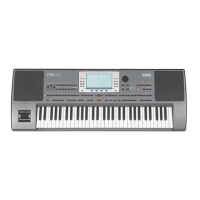
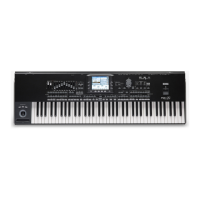
Korg Pa3X 76-keys - User Manual

Korg Pa3X 76-keys
276 pages
Print Icon
To Next Page IconTo Next Page
Loading...
User’s Manual
ENGLISH
OS Ver. 1.1
MAN0010038
4E

Table of Contents

Questions and Answers

  • J
    Jonathan BarronAug 19, 2025
    Why is there no sound coming from my Korg Electronic Keyboard?
    • W
      williamharrisonAug 19, 2025
      If your Korg Electronic Keyboard isn't producing any sound, begin by checking the connections to your amplifier or mixer, ensuring all components are powered on. Verify that the amplification bar is correctly installed. Also, check that the MASTER VOLUME slider on your Pa3X is not set to “0”. Ensure the Local parameter is set to On, and that the Attack parameter value isn't too high, and the Volume parameter isn't too low.
  • J
    Jason GutierrezAug 21, 2025
    What to do if my Korg Electronic Keyboard is making wrong sounds?
    • V
      Vernon Raymond Jr.Aug 22, 2025
      If your Korg Electronic Keyboard is producing the wrong sounds, it might be due to modified data in the USER banks. Try loading the appropriate data for the Song or Style you wish to playback. Also, check if one of the USER Drum Kits has been modified and load the appropriate Drum Kits. Finally, verify if the Styles or Performances have been modified, and if so, load the appropriate data.
  • R
    Ryan GriffinAug 25, 2025
    How to fix Korg Electronic Keyboard when power does not turn on?
    • M
      Mark LeeAug 25, 2025
      If your Korg Electronic Keyboard isn't powering on, ensure the power cable is securely plugged into both the outlet and the back of the keyboard, and that the cable isn't damaged. Also, check that the POWER switch is ON, and the STANDBY switch is ON with a green LED. If it still fails to turn on, it indicates a more serious issue.
  • R
    Robert RyanAug 26, 2025
    What to do if Korg Electronic Keyboard does not respond to MIDI messages?
    • M
      Michael BurnsAug 26, 2025
      If your Korg Electronic Keyboard isn't responding to MIDI messages, first, check that all MIDI or USB cables are correctly connected. Next, make sure that the external device is transmitting through MIDI channels enabled to receive in the Pa3X. Finally, verify that the MIDI IN Filters of the Pa3X do not prevent the reception of messages.
  • G
    Gabriel AndersonAug 28, 2025
    Why I cannot format a device on my Korg Pa3X 76-keys Electronic Keyboard?
    • B
      brandongarnerAug 28, 2025
      If you cannot format a device with your Korg Electronic Keyboard, check that the USB cable is correctly connected and the USB device is correctly powered and inserted properly. Also, verify that the write protect tab of the disk is not in the protect position.
  • T
    Tracy AndrewsAug 30, 2025
    Why can't I save data to a device from my Korg Pa3X 76-keys?
    • C
      Connie MaxwellAug 30, 2025
      If you're unable to save data to a device using your Korg Electronic Keyboard, first check if the device is formatted. Then, ensure the device is correctly inserted. Lastly, verify that the write protect tab of the disk is not in the protect position.
  • M
    Madison RodriguezSep 1, 2025
    Why I cannot load data from a device on my Korg Electronic Keyboard?
    • M
      michaelbrooksSep 1, 2025
      If you cannot load data from a device on your Korg Electronic Keyboard, ensure the device is correctly inserted. Also, verify that the device contains data compatible with the Pa3X.
  • J
    James Bridges MDSep 3, 2025
    How to fix Korg Pa3X 76-keys Electronic Keyboard when lowest notes are not played?
    • R
      robert83Sep 3, 2025
      If the lowest notes are not playing on your Korg Electronic Keyboard, and the SPLIT button is lit, the keyboard is divided into Lower and Upper parts. Check if the Lower track is muted and unmute it.
  • T
    Thomas ColemanSep 6, 2025
    What to do if selected Style or Song cannot start on Korg Pa3X 76-keys?
    • C
      Christine ClarkSep 6, 2025
      If the selected Style or Song cannot start on your Korg Electronic Keyboard, make sure that the Clock parameter is set to Internal. If you are using the MIDI Clock of another device, you must set the MIDI Clock parameter to MIDI or USB (depending on the port the Pa3X is hooked to the other device through) and make sure that the external device transmits MIDI Clock data.
  • M
    Mary ReyesSep 7, 2025
    How to stop sound from constantly playing on Korg Pa3X 76-keys?
    • G
      gutierrezdanielleSep 8, 2025
      If the sound doesn't stop on your Korg Electronic Keyboard, ensure that the damper switch calibration parameter is set correctly.

Korg Pa3X 76-keys Specifications

General IconGeneral
Number of Keys76
Sound EngineEDS (Enhanced Definition Synthesis)
Weight14.7 kg / 32.4 lbs
Dimensions1, 235 x 366 x 115.2 mm / 48.6" x 14.4" x 4.5"
Polyphony128
Sound GeneratorPCM
Preset SoundsOver 1000
Styles400
User Styles1, 000
Effects128 effects including EQ
Sequencer16 tracks
DisplayTouchView color display
MIDIIn/Out/Thru
Audio OutputsL/Mono, R, Headphone
Audio Inputs1 x 1/4" (line)
USBUSB to Host, USB to Device
StorageUSB Flash Drive
ConnectivityLAN, USB, MIDI
KeyboardVelocity sensitive, aftertouch

Related product manuals