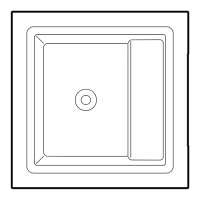
Full optional
Keys for the underwater functions:
“FULL optional” version
There are 4 keys:
1 - hydromassage function of the jets to the left
of the “key”.
The function switches o when the key is pressed
again.
2 - “colour therapy” activates.
If a sequence of 5 dierent colours which repeat
cyclically is in progress, the sequence is deactivated
by pressing the button. The light remains on with the
colour which was being projected when the button
was pressed. By pressing the key for a third time, the
colour therapy switches o.
3 - hydromassage function of the jets unit located
on the other side of the pool.
The function switches o when the key is pressed
again.
4 - “airpool” function.
“Standard” version
There are 3 keys:
1 - hydromassage function
- “colour therapy” activates.
3 - “airpool” function.
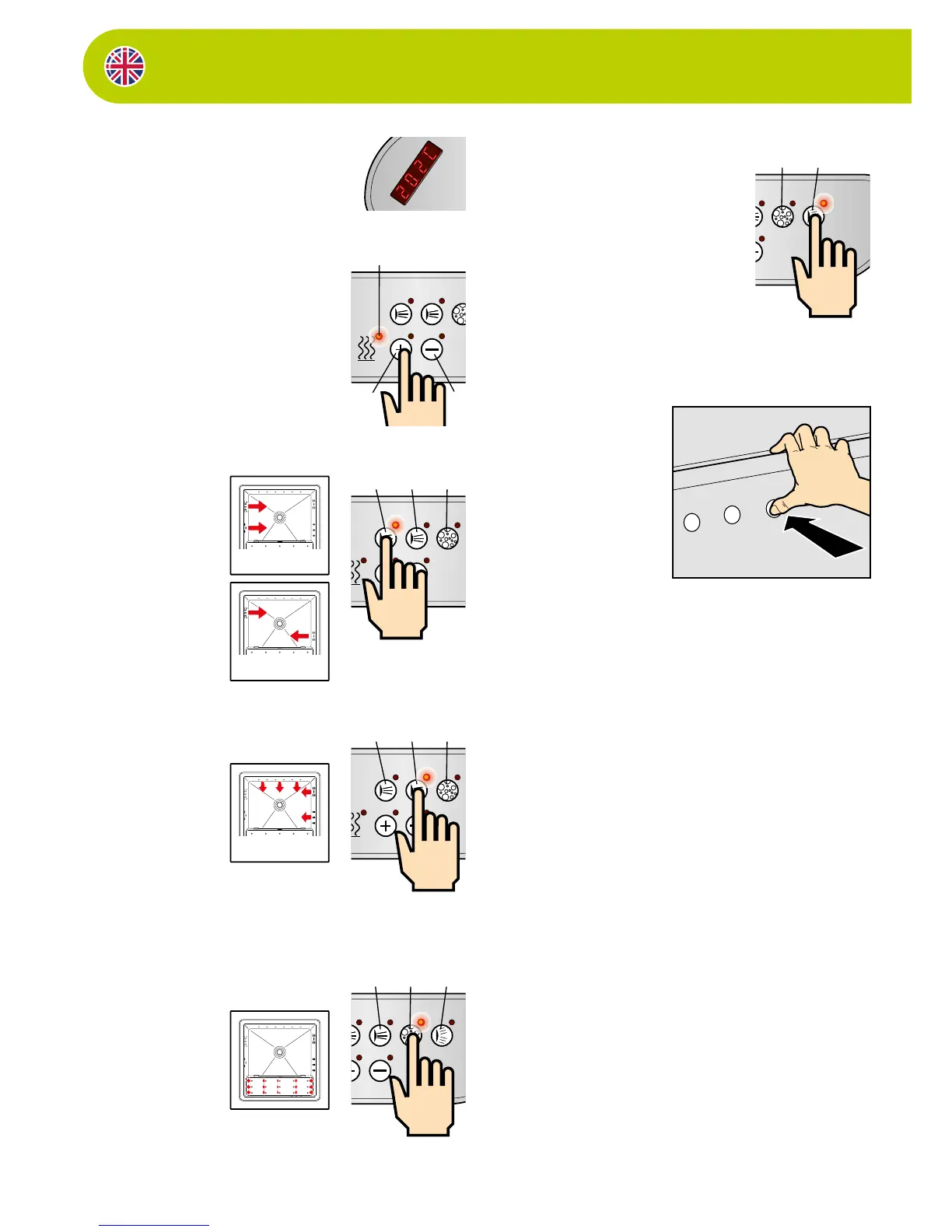
The “chromotherapy” key
By pressing this key (4), you will enable the chromo-
therapy function:
A sequence featuring 5 dierent colours that are
repeated cyclically will be activated.
By pressing the key a second time, the sequence will
be disabled. The light will remain xed in the same
colour upon its pressing.
By pressing the key a third time, the chromotherapy
function will turn o.
When switched on, the display will show the tempe-
rature of the water inside the minipool.
The “temperature” LED lights up (5).
Temperature control
If the temperature is lower than the pre-set one,
the “heater” will be automatically enabled until the
“default” temperature is reached.
The “heater” LED (5) will light up in the “xed” mode.
If you want to increase or decrease the temperature,
press the UP (6) and DOWN (7) keys.
“Pump 1” key
By pressing this key (1), the
pump for the hydromassage
nozzle functions present on
the left side of the minipool
will activate.
The LED for “pump 1” will
light up.
By pressing this key again, the
whirlpool will turn o.
“Pump 2” key
(only active for
version “Full”)
By pressing this key (2), the
pump activates for the hydro-
massage functions of the jets
on the right and at the back of
the minipool.
The LED for “pump 2” will
light up.
By pressing this key again, the
whirlpool will turn o.
The “airpool” key
By pressing this key (3), the
blower activates for the air-
pool function (see nozzles
positioned in the raised part
of the minipool)
The LED for “airpool” will light
up.
By pressing this key again, the
whirlpool will turn o.
Control functions from
inside the minipool
CAUTION:
Water temperature cannot be
adjusted from inside the tub.
Temperature can only be adjusted via
the control keyboard (see paragraph).
To benefit from the functions
designed for every need from inside
the minipool, there are a few keys near
the edge (above the light).


 To Next Page
 Loading...