Need help?
Do you have a question about the KOSPET TANK M1 and is the answer not in the manual?
Swipe down on the watch face to access the Quick Settings Center for various controls.
Swipe up on the watch face to access the message inbox and view notifications.
Swipe left to navigate through different watch functions like steps, heart rate, and training.
Swipe right to access a sub-menu with options like weather, sleep, shutter, and more.
Download the Da Fit application by scanning the QR code or searching in app stores.
Locate the app QR code on the watch via the Settings menu for app download.
Search for and install the Da Fit app from the Apple App Store or Google Play Store.
Turn on phone's Bluetooth and start the Da Fit app to begin the pairing process.
Grant necessary permissions and complete profile settings within the Da Fit app.
Confirm Bluetooth pairing request and grant location permissions for full functionality.
Discover and edit watch faces, add custom pictures, and reposition display text.
Configure notifications for calls, messages, and other third-party applications.
Set and manage alarm reminders directly from the Da Fit application.
Use the watch to control your phone's camera for taking pictures remotely.
Adjust various settings like time format, reminders, and perform firmware upgrades.
Maintain distance from electronic products in regulated areas like gas stations.
Consult professionals if using medical devices due to potential radio wave interference.
Keep the device powered off while flying to avoid interference with aircraft systems.
Avoid extreme temperatures (below 0°C or above 45°C) to prevent malfunctions.
Do not expose the device to high-temperature environments to prevent battery issues.
Non-professionals should not disassemble the device due to battery explosion risks.
Use original accessories and keep the charging device away from metal objects.
Ensure the watch is charged for over 30 minutes with original accessories.
Verify app installation, Bluetooth status, and restart devices if connection fails.
Complete profile data and reset watch to factory settings for accurate step counting.
Check app permissions, notification reminders, and phone notification settings.
Reduce screen brightness, auto-lock time, and turn off unnecessary detection.
Perform system upgrades via watch settings or the Da Fit application.
Bluetooth is automatically enabled after initial pairing; manual activation is not needed.
Ensure Theater Mode is off and Vibrate Mode is enabled on the watch.
Contact Kospet via email, forum, or FB groups for assistance and issue resolution.
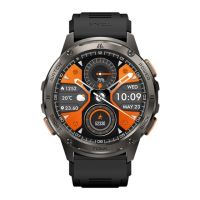
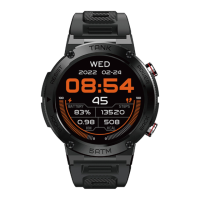
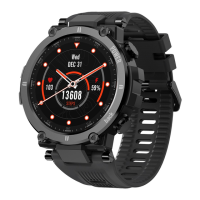
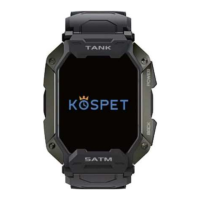
The Kospet Tank M1 is a rugged smartwatch designed for an active lifestyle, offering a comprehensive suite of features for fitness tracking, health monitoring, and smart notifications. Its robust build and intuitive interface make it a reliable companion for both daily use and outdoor adventures.
The Kospet Tank M1 serves as a versatile personal assistant, providing real-time data and convenient controls directly from your wrist. At its core, the watch is a powerful fitness tracker, capable of monitoring a wide array of activities. It accurately records steps taken, distance covered, and calories burned, providing a clear overview of your daily physical activity. For more specific workouts, the watch boasts over 20 built-in sports modes, allowing users to track performance during various exercises, from running and cycling to more specialized activities.
Beyond basic fitness, the Tank M1 integrates advanced health monitoring features. It includes a heart rate monitor that can track your heart rate continuously throughout the day, offering insights into your cardiovascular health. A blood oxygen sensor allows for on-demand SpO2 measurements, which can be crucial for understanding your body's response to exercise or altitude. The watch also incorporates a sleep monitor, analyzing sleep patterns to help users improve their rest quality. While it offers blood pressure readings, these are provided for reference only and should not be used for medical diagnosis.
As a smartwatch, the Tank M1 keeps you connected without needing to constantly check your phone. It displays notifications for incoming calls, messages, and alerts from various third-party applications, ensuring you stay informed. The watch also features a "Find Device" function, helping you locate your paired smartphone. For convenience, it includes a weather display, allowing you to check current conditions and forecasts directly on your wrist.
The watch also offers several practical tools, such as an alarm clock for setting reminders, and a remote shutter function that allows you to control your phone's camera from a distance, making it easier to capture photos. A sedentary reminder encourages you to move after periods of inactivity, promoting a healthier lifestyle.
The Kospet Tank M1 is designed for ease of use, with a combination of physical buttons and intuitive touch gestures for navigation.
To unlock the full potential of the Kospet Tank M1, it needs to be paired with your smartphone via the Da Fit app. The app can be downloaded by scanning a QR code provided in the manual or on the watch itself, or by searching for "Da Fit" in the Apple App Store or Google Play Store. Once downloaded, you'll need to enable Bluetooth on your phone and follow the in-app instructions to connect to the "TANK M1" device. The app will guide you through granting necessary permissions and completing your profile settings, ensuring all features function correctly.
The Da Fit app serves as the central hub for customizing and managing your watch.
Proper maintenance ensures the longevity and optimal performance of your Kospet Tank M1.
To maximize battery life, several settings can be adjusted:
The manual provides guidance for common issues:
The Kospet Tank M1 is designed to be a durable and feature-rich smartwatch, providing users with comprehensive tracking and connectivity in a robust package, with clear guidelines for optimal use and maintenance.
 General
| Battery Capacity | 380mAh |
|---|---|
| Bluetooth | Bluetooth 5.0 |
| Weight | 65g |
| Water Resistance | 5ATM |
| Compatibility | iOS 9.0+ |
| Sensors | Heart rate sensor, Blood oxygen sensor |
| Battery Life | 50 days standby |
| Material | Zinc alloy + Plastic |
| Resolution | 280 x 320 pixels |

 To Next Page