E 6
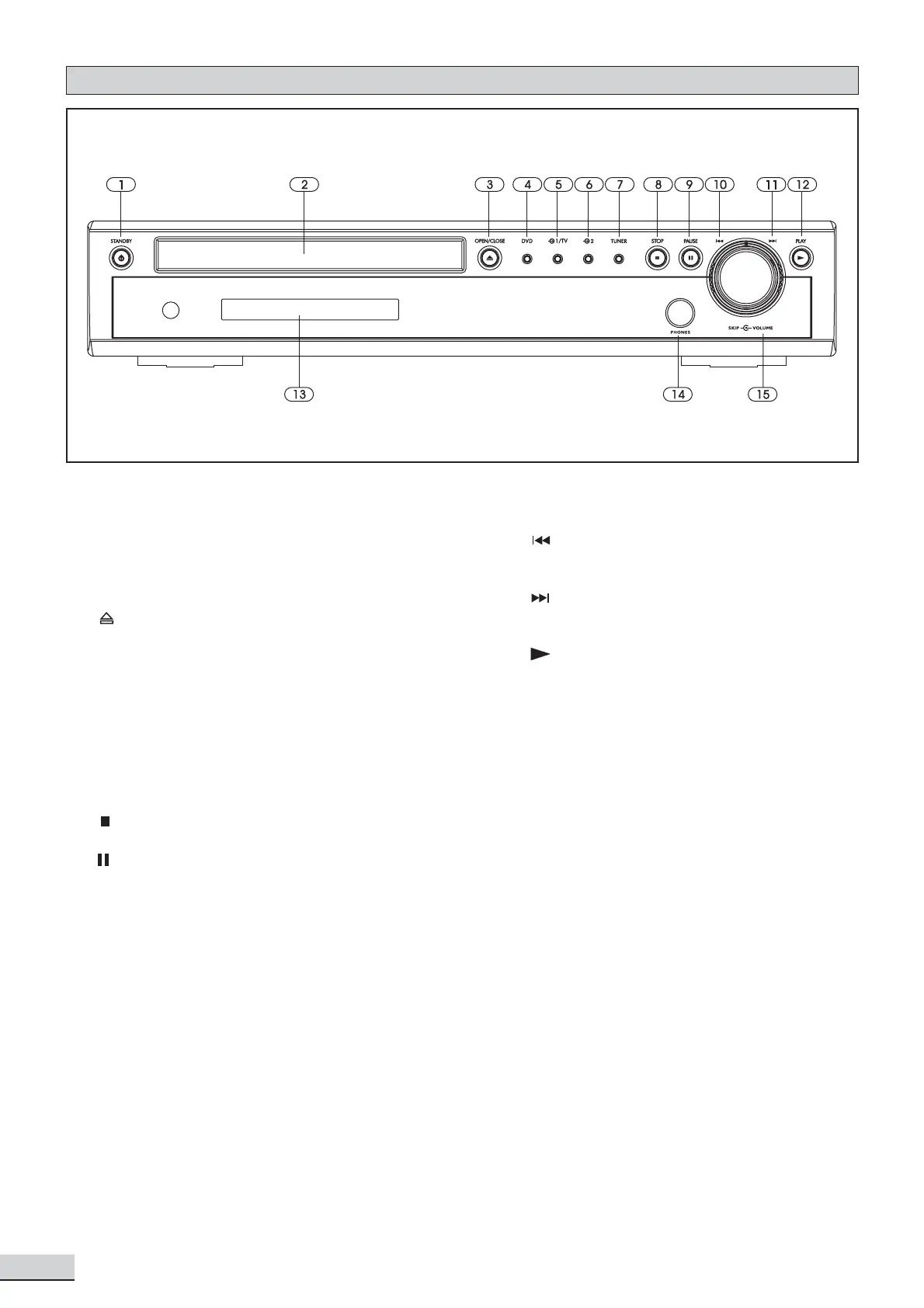
Front Panel
1. Standby On / Off
2. Disc Tray
3. Opens or closes the disc loading tray
4. DVD selects DVD/CD as the input source
5. Selects AV1/TV as the input source
6. Selects AV2 as the input source
7. TUNER selects tuner as the input source.
Also switches between AM and FM bands.
8. stops playing
9. pauses playing
10. SKIP skips to previous chapter/track in
DVD/CD mode
11. SKIP skips to next chapter/track in
DVD/CD mode
12. starts playing in DVD/CD mode.
13. VFD Display Area
14. Headphone Jack
15. VOLUME adjusts the master volume. Turn
clockwise to increase the volume and
anti-clockwise to decrease



 To Next Page