Page 8
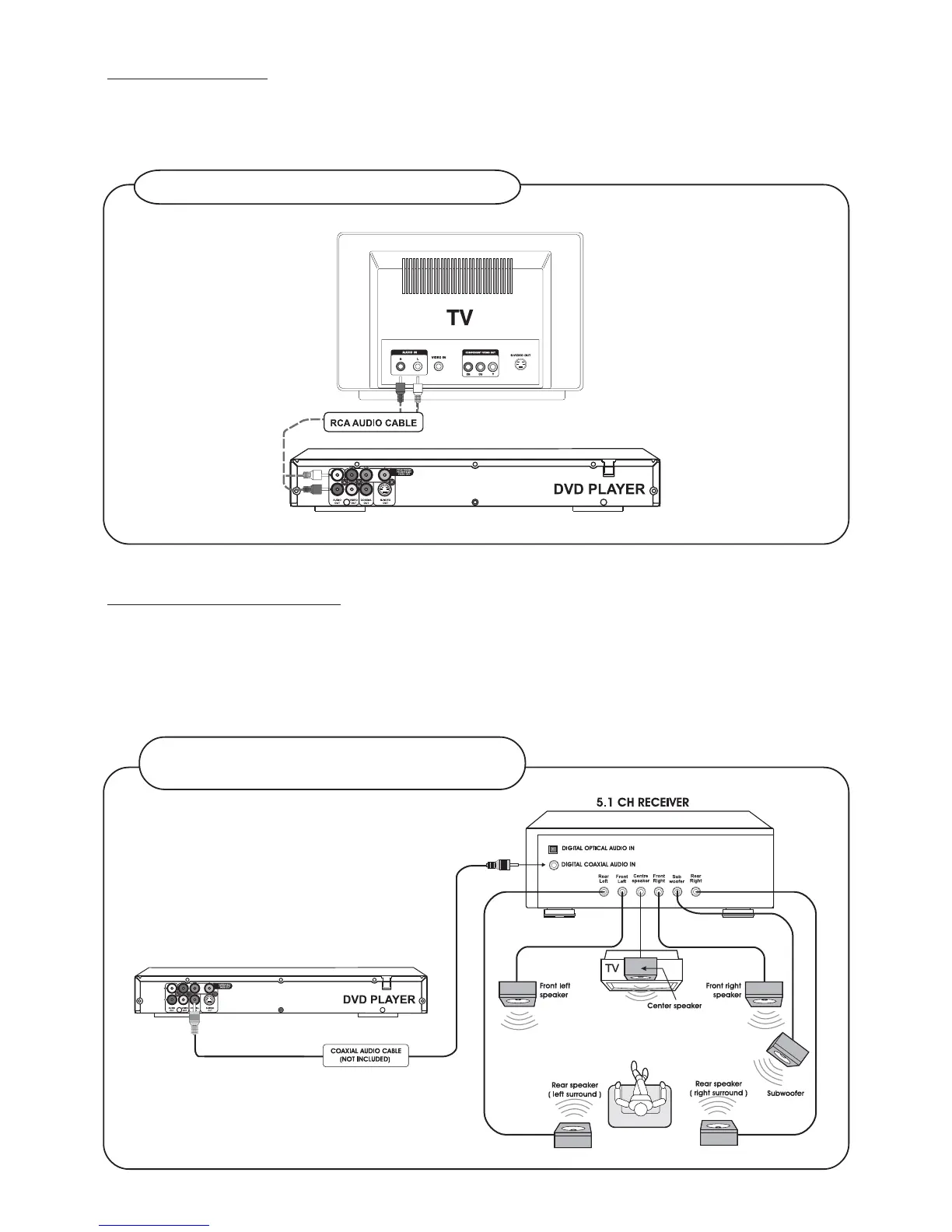
Audio Connections
Before you select one of the options, please make sure that your other equipment (e.g. TV, receiver) has the
required input/output channel.
Use either options of below:
For better sound quality, use RCA AUDIO CABLE
For best sound quality, use Coaxial Audio Cable
(not included)
Connecting 5.1 CH Receiver
Do not connect the L-R Audio sockets to the TV, in case the L-R connections are made, you need to set the TV
volume control to zero.
Connect the Digital Audio Out socket from the DVD to the Input socket of your 5.1 Ch. Receiver. Use Coaxial
Audio Cable.


 To Next Page