
 Need help?
Do you have a question about the Koss KS3112 and is the answer not in the manual?
Conditions that necessitate unplugging the unit and seeking qualified service.
Instructions on user servicing and referral to qualified personnel.
Ensuring replacement parts match manufacturer specifications.
Performing safety checks after service to ensure proper operation.
Understanding DVD disc zone distribution and player compatibility.
Information on discs with anti-copying devices affecting recording.
Details on single-sided, double-sided, and layered DVD disc formats.
Instructions for cleaning discs to prevent playback issues.
Details the functions of all remote control buttons for basic operation.
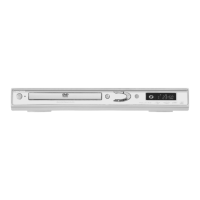
Identifies buttons, indicators, and the disc loading tray on the front panel.
Explains the VFD display indicators and their meanings during operation.
Details the input/output connectors located on the rear panel.
Explains composite, S-video, and component video connection options.
Tips for setting up and achieving optimal picture quality with Progressive Scan.
Explains RCA audio and coaxial audio connection options for sound output.
Guide on connecting to a 5.1 CH receiver using coaxial audio cable.
How to play a disc and select basic play modes.
Setting player lock, changing password, and managing rated titles.
Configuring TV image aspect ratio and PAL/NTSC output.
Adjusting Dynamic Range Compression and Digital Output.
Selecting default language for menus, audio, and subtitles.
Functions for pause, freeze, slow motion, skip, and search during playback.
Accessing disc menus and using navigation keys like INFO, CLEAR, EXIT.
Using numeric keys, zoom, time search, title/chapter selection.
Selecting playback and repeat modes for discs.
Resume play, index menu, view angle, and playback control features.
Details on MP3, WMA, and JPEG file formats and their playback.
Specific remote controls for MP3/WMA/JPEG playback and slideshows.
Available play modes: Standard, Random, Program, Repeat, IntroScan.
Information on playing DVD-Video, DVD-R/RW, VCD, and Audio CDs.
Guidelines for playing CD-R/RW, MP3, WMA, and JPEG files.
Troubleshooting steps for no power, no picture, or distorted picture.
Troubleshooting remote control, stuck discs, and playback errors.
Resolving issues with distorted video, no color, or no sound.
 General
| Brand | Koss |
|---|---|
| Model | KS3112 |
| Category | DVD Player |
| Language | English |

 To Next Page