36
Speaker Configuration setup is important to perform
prior to using the surround sound modes. It is possible
to receive multi-channel surround sound without a
center speaker. But for best results with Dolby Pro Logic
and Dolby Digital decoding, at least 5 speakers (Left,
Center, Right, Left Rear and Right Rear) should be
used.
How to change speaker configuration
settings:
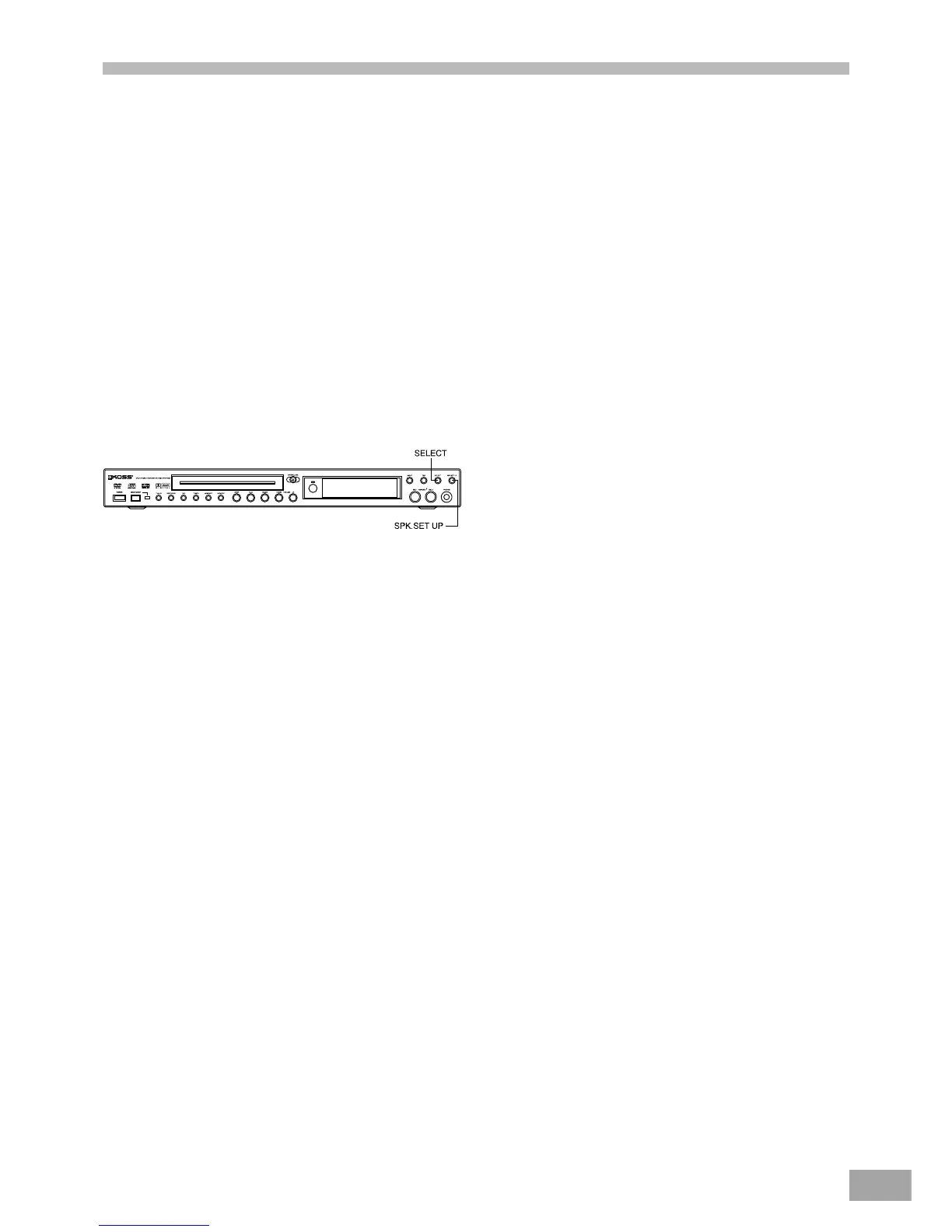
1. Press the SPEAKER SETUP button to choose speaker
type. Each time you press the SPEAKER SETUP button,
the speaker type changes as follows:
Subwoofer, Center Speaker, Rear speaker, Center
Delay, Rear Delay.
2. Press the SELECT button change the settings for each
speaker.
Subwoofer Output
SUB: ON
Choose if a subwoofer is used.
SUB:OFF
Choose if no subwoofer is used.
Front Speaker:
FRONT : LARGE
The mode to choose if a large speaker is installed.
Front channels output is full range.
FRONT : SMALL
The mode to choose when using compact speakers.
When using small compact front speakers, it is
recommended to connect a powered subwoofer to
play the LFE / Bass out channel.
Caution:
If the subwoofer selector is set to off, the LFE / Bass
out frequencies are sent to the front speakers. This can
cause damage to small compact speakers when played at
high volume.
Center Speaker:
CENT : LARGE
Use this mode with a large center speaker.
CENT : SMALL
Use this mode with a small center speaker.
CENT : NONE
(DOLBY DIGITAL/DOLBY PRO LOGIC mode only):
Use this mode if there is no center speaker.
The center channel signal will be divided between the
Front L and R speakers.
Surround (Rear) Speaker:
REAR : SMALL
The mode to choose if small speakers are used.
Delay time can be chosen up to 30ms max.
Speaker Setup



 To Next Page