EasyManua.ls Logo

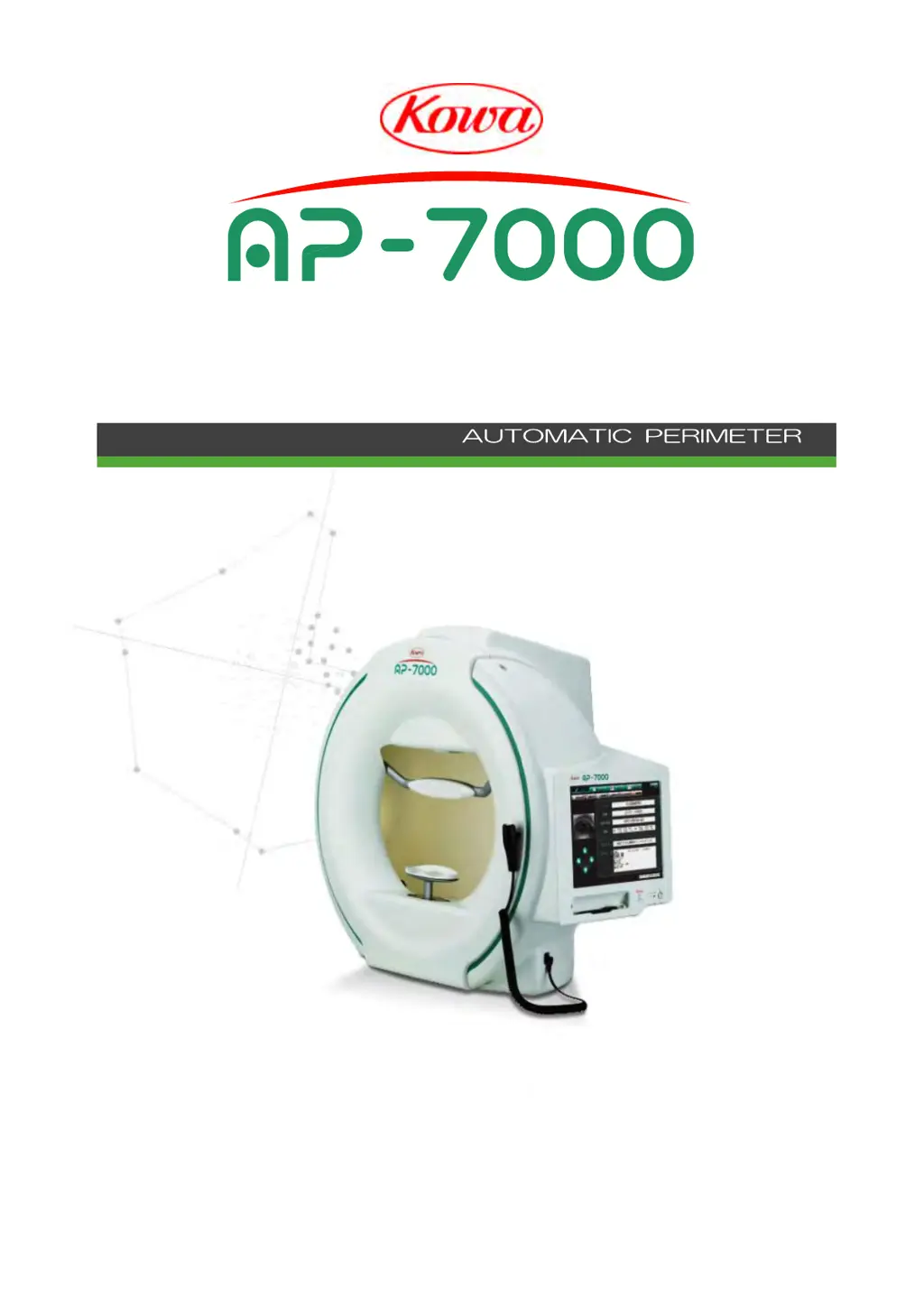
Kowa AP-7000 - User Manual

Kowa AP-7000
166 pages
Print Icon
To Next Page IconTo Next Page
Loading...
INSTRUCTION MANUAL
US

Table of Contents

Other manuals for Kowa AP-7000

Questions and Answers

  • P
    paulagarciaAug 18, 2025
    What to do if Kowa AP-7000 Medical Equipment says 'Darken the room'?
    • G
      Greg RodriguezAug 19, 2025
      If your Kowa Medical Equipment displays 'Darken the room', it means the room is too bright for the instrument to properly set the luminance in the dome. You should darken the room and then press the [OK] button.
  • D
    Douglas JohnsonAug 21, 2025
    What to do if Kowa Medical Equipment shows 'Cannot set the stimulus intensity'?
    • J
      Jose MartinAug 21, 2025
      If your Kowa Medical Equipment displays 'Cannot set the stimulus intensity', first check if a head band is obstructing the sensor in the dome. If so, remove the head band and restart the instrument. If there's no obstruction, the projection lamp intensity might be reduced. If the lamp is lit, consider replacing it soon. If the projection lamp is off, replace it immediately with a new one. If the message persists after replacing the lamp, contact Kowa or your Kowa dealer.
  • D
    Dr. Peter MillerAug 23, 2025
    What to do if Kowa Medical Equipment displays 'Cannot set the background intensity'?
    • A
      Ashley BerryAug 23, 2025
      If your Kowa Medical Equipment displays 'Cannot set the background intensity', first ensure that a head band isn't obstructing the sensor inside the dome. Remove it and restart the instrument if necessary. If there's no obstruction, the background lamp's intensity may be reduced. If the lamp is lit, consider replacing it soon. If the background lamp is off, contact Kowa or your Kowa dealer.
  • L
    Lori HansenAug 26, 2025
    What to do if Kowa AP-7000 shows 'No Database file'?
    • H
      Howard ShawAug 26, 2025
      If your Kowa Medical Equipment displays 'No Database file', ensure that the network components (LAN cable, hubs, etc.) are properly connected and working to establish a healthy network. Also, verify that the data save destination (personal computer, hard disk drive, USB flash drive, etc.) is correctly connected and operating. Correct any connection or operational issues and then select [Search again]. If unsure, select [Cancel], check the network environment and data save destination, and then restart the instrument. If the issue persists, contact Kowa or your Kowa dealer.
  • P
    pearsonalexAug 27, 2025
    What to do if Kowa AP-7000 Medical Equipment displays 'Cannot initialize the motor'?
    • J
      jonesalexanderAug 28, 2025
      If your Kowa Medical Equipment displays 'Cannot initialize the motor', turn off the power and then restart the instrument. If the same message appears again, contact Kowa or your Kowa dealer.
  • A
    alicia24Aug 30, 2025
    What to do if Kowa AP-7000 shows 'Cannot run camera viewer'?
    • S
      Sarah PetersAug 30, 2025
      If your Kowa Medical Equipment displays 'Cannot run camera viewer', it indicates an error with the eye fixation monitoring camera. Try restarting the instrument. If the same message appears after the restart, contact Kowa or your Kowa dealer.
  • D
    Dale FerrellSep 1, 2025
    What to do if Kowa Medical Equipment displays 'Failed to acquire the pupil position'?
    • A
      Ashley JohnsonSep 1, 2025
      If your Kowa Medical Equipment displays 'Failed to acquire the pupil position', it means there is a failure in the gaze monitor setting. To retry the acquisition, confirm the eye fixation, and then press [OK]. To not retry, press [Cancel]. If you press [Cancel], the gaze monitor function will be deactivated for this examination.
  • R
    Richard ChavezSep 3, 2025
    What to do if Kowa AP-7000 displays 'The examined eye is incompatible with the fundus image'?
    • R
      robbinsrobinSep 4, 2025
      If your Kowa Medical Equipment displays 'The examined eye is incompatible with the fundus image', it means that during the perimetry coordinate setting on a fundus image for fundus perimetry, the positions of the fovea and optic disc have been reversed in comparison to the actual examined eye. Verify that the examined eye matches the fundus image, and also check whether the examined eye is left or right.
  • J
    joshua86Sep 6, 2025
    What does it mean when Kowa AP-7000 says 'Database repair will begin'?
    • S
      Scott Daniels MDSep 6, 2025
      If your Kowa Medical Equipment displays 'Database repair will begin', it means the database check and rebuilding are automatically being executed. Please wait for a while.
  • J
    Julie BerrySep 8, 2025
    What to do if Kowa AP-7000 displays 'Cannot back up'?
    • M
      Mr. Mark ParkerSep 8, 2025
      If your Kowa Medical Equipment displays 'Cannot back up', check the current data save destination and data content. If there are no problems with these, try changing the backup media or backup destination.

Summary

Introduction and Safety Precautions

Safety Precautions

Essential safety warnings and precautions for safe operation and handling of the instrument.

Meanings of Designations and Symbols

Explains warning/caution symbols and their meanings for user comprehension.

Disclaimer

Manufacturer's statement of responsibility regarding product use and potential damages.

Operating Precautions

Operating Environment

Specifies conditions for installation, operation, and storage to ensure instrument safety.

Electrical System Precautions

Critical safety measures for electrical connections, grounding, and power supply systems.

Instrument Handling and Care

Guidelines for proper handling, maintenance, and care of the instrument and its components.

Disposal and Regulatory Cautions

Procedures for instrument disposal and specific regulatory warnings for users.

Medical Electrical System and EMC Precautions

Medical Electrical System Safety

Rules for connecting and using medical electrical systems and components safely.

Electromagnetic Compatibility (EMC)

Guidance on emissions, immunity, and precautions for electromagnetic interference.

System Description and Installation

System Description

Overview of the instrument's intended use, principle, features, and components.

Installation Procedures

Step-by-step instructions for installing the instrument correctly and connecting devices.

Flow of Operations and Preparation

Operational Flow

Step-by-step guide from startup, patient setup, examination, to ending the session.

Patient Information Input and Setup

Procedures for entering patient data, selecting programs, and configuring settings.

Examination Programs and Parameters

Examination Program Details

Descriptions of various examination programs (Screening, Supra, Threshold, Custom, etc.).

Examination Parameter Settings

Configuration options for common and specific examination parameters.

Performing Examinations

Examination Screen Operations

How to use the examination screen for practice, starting, during, and completing exams.

Manual and Specific Examination Types

Procedures for manual examinations and specific types like Threshold, Isopter, and Fundus perimetry.

Display, Print, and Analysis of Results

Result Screen Operations

Navigating, displaying, printing, and analyzing examination results.

Analysis Methods for Threshold Exams

Detailed explanation of various analysis methods for threshold examinations.

Chronological Change Analysis

Chronological Screen Operations

Navigating and using the chronological change screen for analyzing trends.

Graph and Data Display Controls

Features for emphasizing graphs, changing display modes, and sorting results.

Data Linking and Integration

Kowa VK Series Link

How perimetry results are automatically saved to the Kowa VK Series system.

External Manufacturer Link

Procedures for linking with other manufacturer equipment and simplifying data input.

Maintenance and Troubleshooting

Daily Maintenance and Inspection

Basic daily maintenance procedures and user inspection checklist for instrument upkeep.

Component Replacement

Step-by-step guides for safely replacing projection lamps and fuses.

Troubleshooting Common Issues

Solutions for problems encountered during startup, operation, or result processing.

Specifications and Technical Information

Instrument Specifications

Technical details, compliance standards, and operating conditions of the KOWA AP-7000.

Examination Points and Stimulus Details

Information on examination point layouts and stimulus intensity/size characteristics.

Kowa AP-7000 Specifications

General IconGeneral
CategoryMedical Equipment
TypeAutomated Perimeter
BrandKowa
ModelAP-7000
Stimulus SizeGoldmann I-V
Power SupplyAC 100-240V, 50/60Hz
Examination ModesStatic, Kinetic
Background Illumination31.5 apostilbs
Stimulus Duration200 ms
DisplayColor LCD
Data StorageInternal memory, USB
PrinterExternal