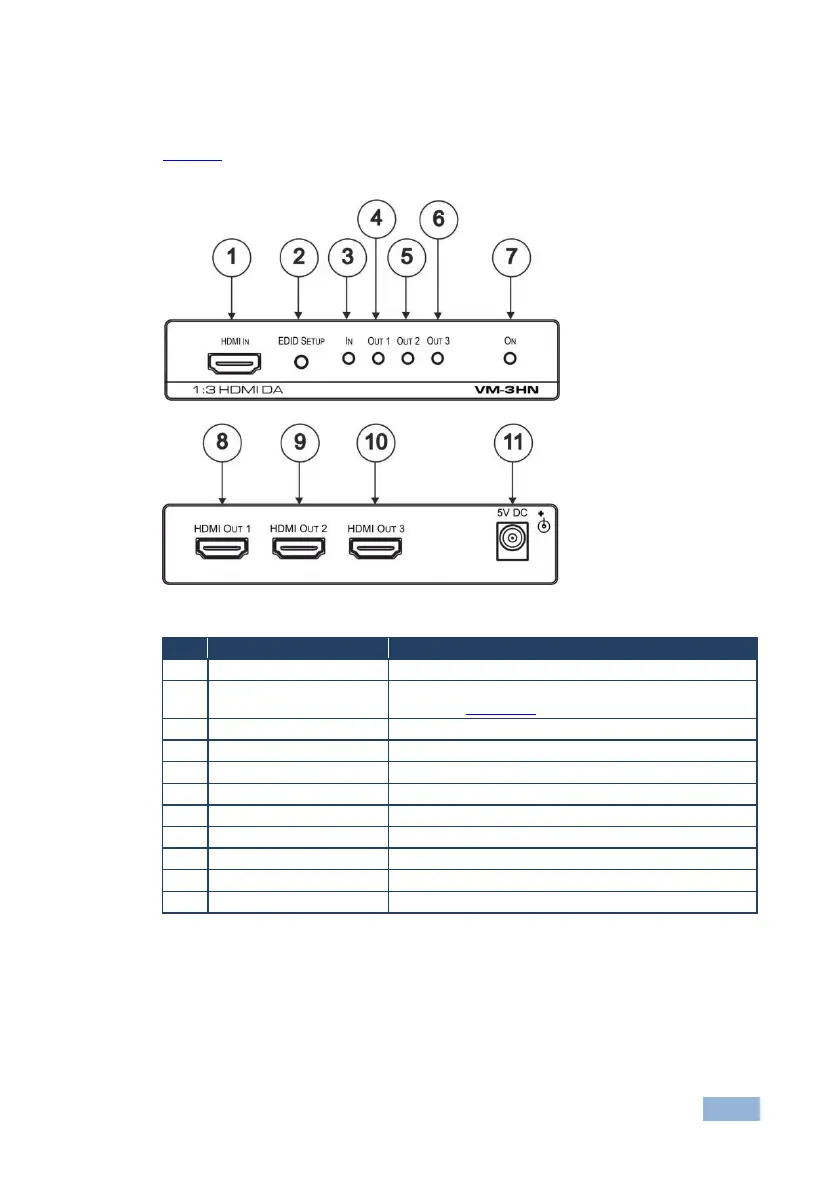
3.1 Defining the VM-3HN 1:3 HDMI DA
Figure 1 defines the VM-3HN.
Figure 1: VM-3HN 1:3 HDMI DA
Connects to the HDMI source
Press to capture the input EDID or select the default
EDID (see Section 4.1)
Lights when an active input signal is detected
Lights when output 1 acceptor is detected
Lights when output 2 acceptor is detected
Lights when output 3 acceptor is detected
Lights when the device is powered on
Connects to HDMI acceptor 1
Connects to HDMI acceptor 2
Connects to HDMI acceptor 3
Connects to the 5V DC power supply



 To Next Page