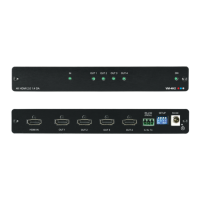
3.1 Defining the VM-4H2 4K HDMI 2.0 1:4 DA
This section defines the VM-4H2.
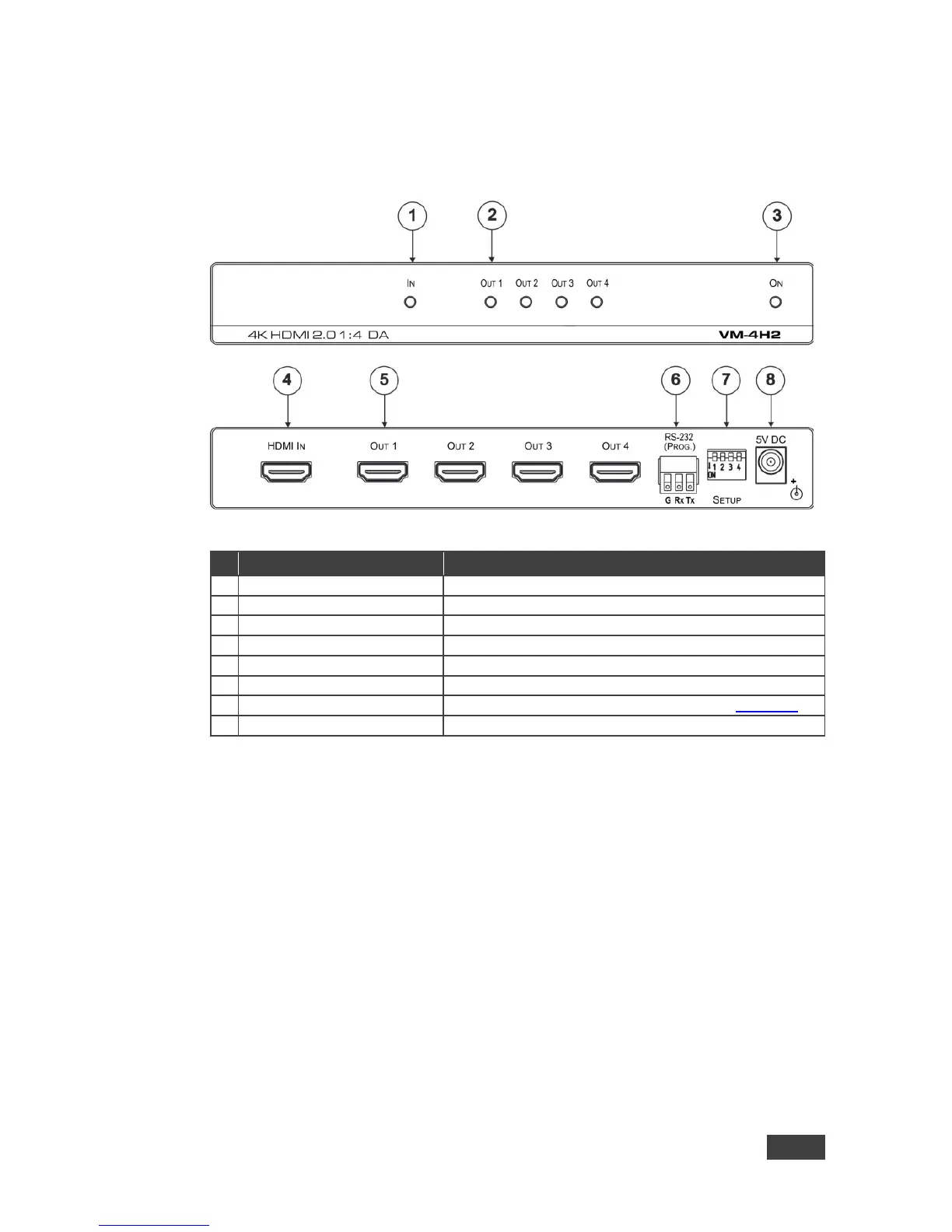
Figure 1: VM-4H2 4K HDMI 2.0 1:4 DA
# Feature Function
Lights green when an HDMI source is connected
Light green when an HDMI acceptor is connected
Lights green when the unit is powered on
Connects to an HDMI source
HDMI OUT Connectors (1 to 4)
Connect to up to four HDMI acceptors
6 RS-232 (PROG) Terminal Block Connects to a PC for firmware updating
Used for setting four different operation modes (see Section 3.2)
Connects to a 5V DC power supply
3.2 Setting the DIP-Switches
The VM-4H2 uses four DIP-switches to set four different operation modes:
• Programming mode – normal operation mode, programming mode
• MAC mode – enable HDCP, disable input HDCP
• Force RGB - force RGB, normal operation mode
• Lock default EDID – locked, not locked
Note: Any time the DIP-switch settings are changed, the device must be powered
off and on for the new settings to take effect.


 To Next Page