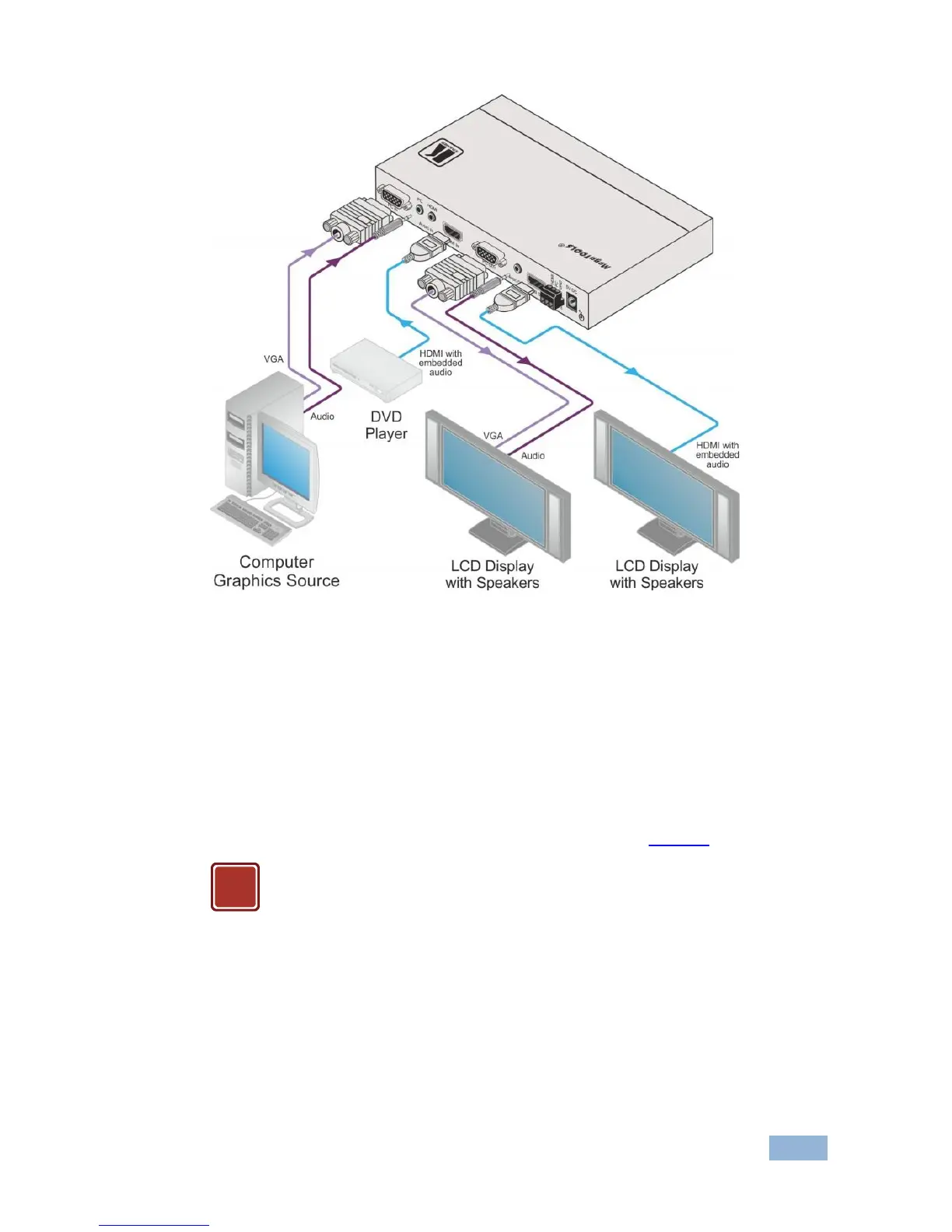
Figure 2: Connecting the VP-426 HDMI-PC Scaler
4.1 Connecting the Remote Terminal Block
The contact closure remote control pins operate in a similar way to the INPUT
SELECT button. Using the contact closure remote control (also known as push-to-
make momentary contact) you can select the PC or the HDMI input. To do so,
momentarily connect the required input pin (HDMI or PC) on the REMOTE
terminal block connector to the G (ground) pin, as shown in Figure 3.



 To Next Page