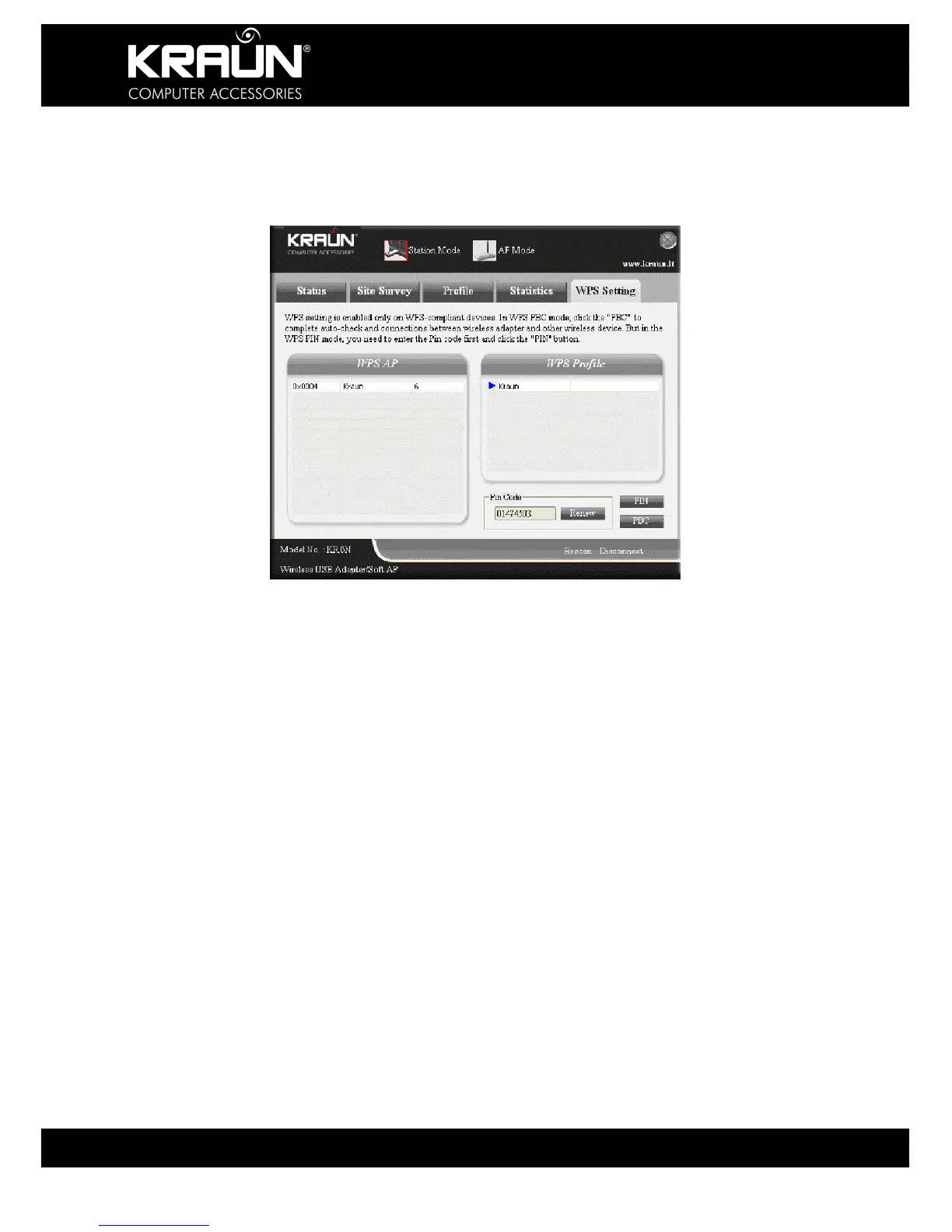
3.1.6 WPS Setting
WPS setting is enabled only on WPS-compliant devices.
PIN: Enter the Pin code and click the “PIN” to automatically connect
the wireless adapter with available wireless devices.
PBC: Click the “PBC” to complete auto-check and connections between
wireless adapter and other wireless device.
Refresh: To update the Pin code.
Rescan: Rescan for WPS-compliant wireless network devices.
Disconnect: Disconnect from the currently connected wireless network.


 To Next Page