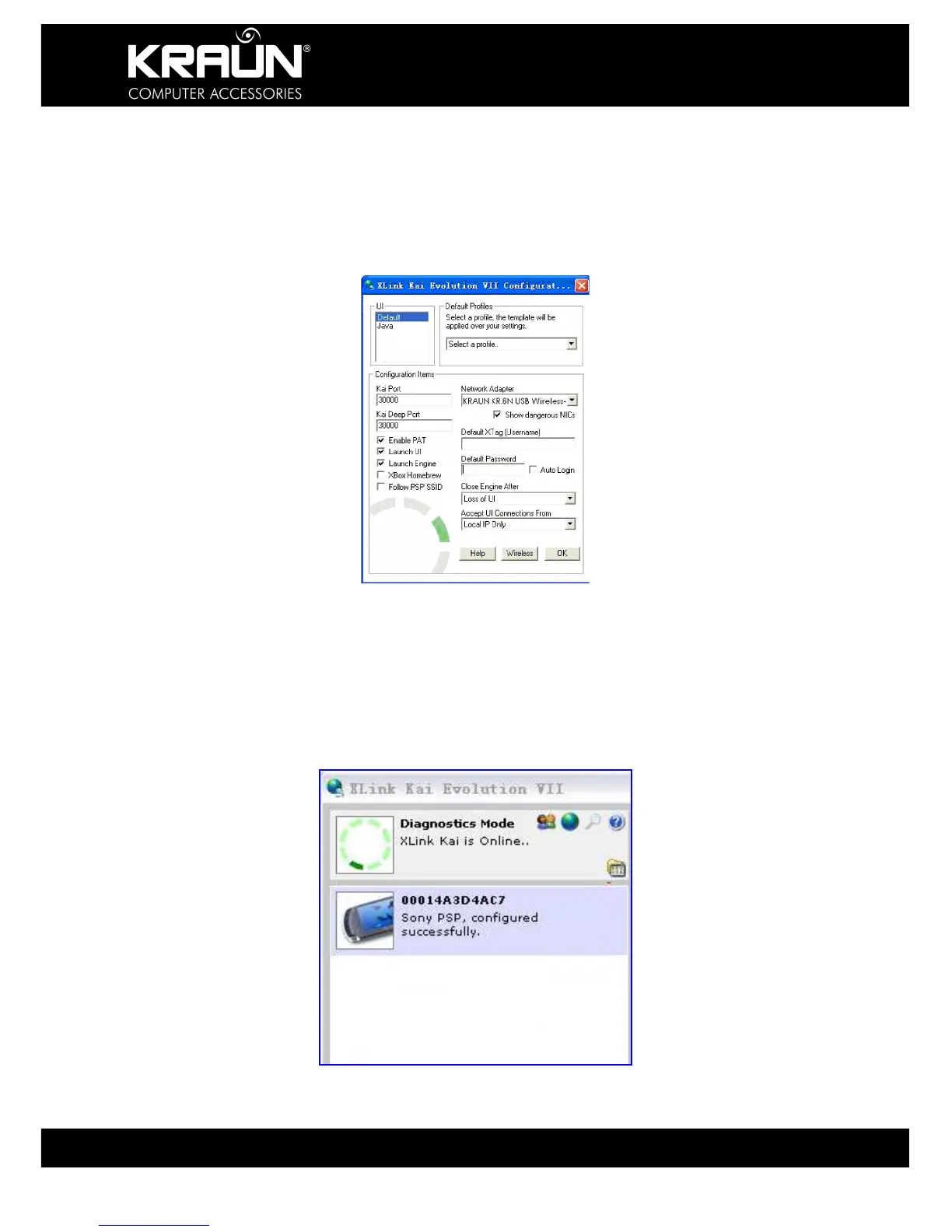
5. To configure Xlink Kai
Select “Start”→ “All Programs” → “Xlink Kai Evolution VII” → “Start Kai
Config” to configure the user name, password and other parameters as
follows.
6. Login Xlink Kai
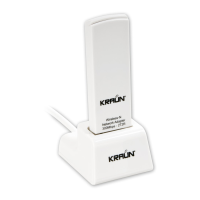
Select “Start”→ “All Programs” → “Xlink Kai Evolution VII” → “Start Kai”.
PSP will connect with Xlink Kai automatically. The following window will
indicate the connection is established correctly.


 To Next Page