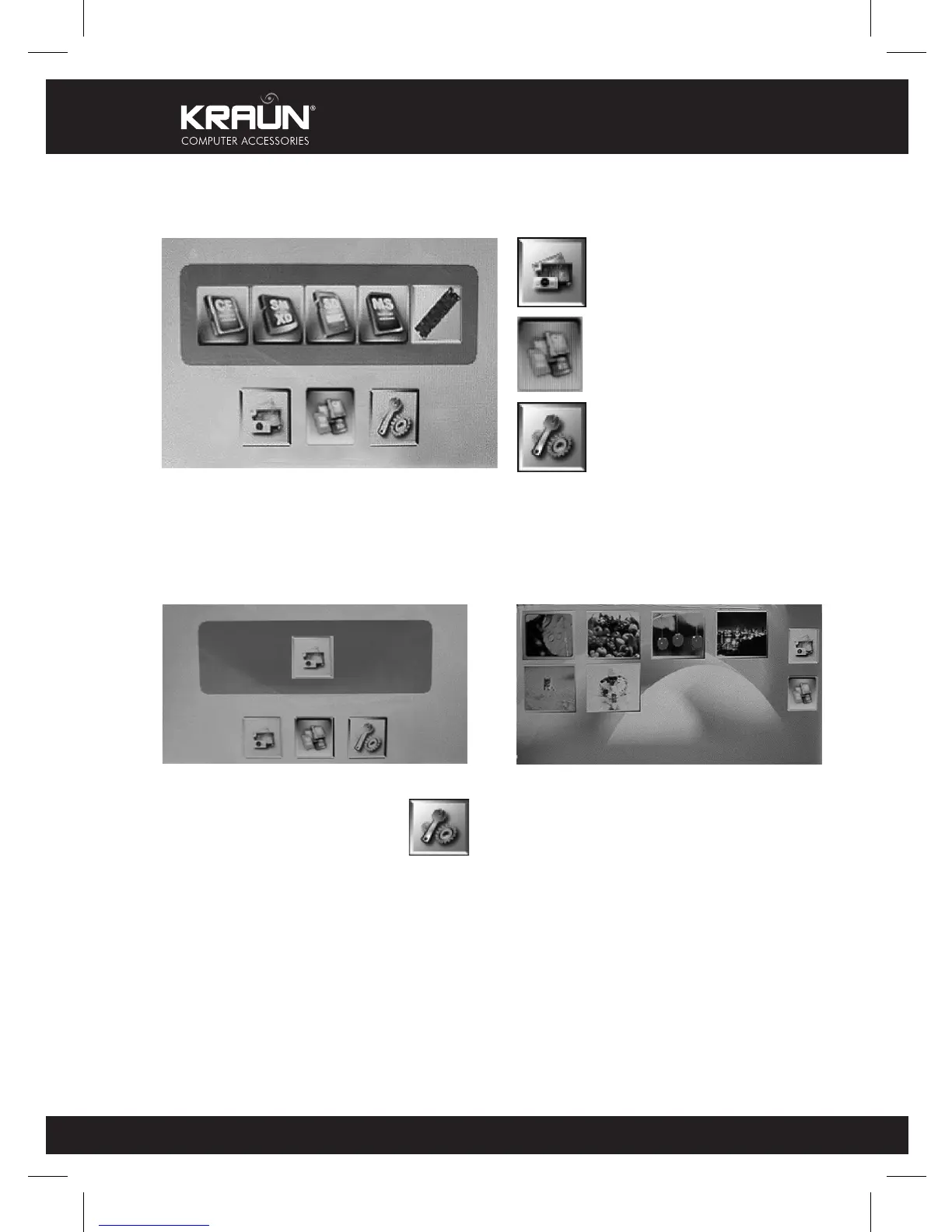
3. OPERATION GUIDE
3.1. MAIN MENU
Mode selection: photo
Card selection:
CF, XD, SD/SM/MMC, MS,
NAND FLASH
Set up tools
When the system power on, you will
see the first s he following screen:
3.2. TOOLS
IN THE “MAIN MENU“, SELECT THEN PRESS “ENTER“
“Language“, select the one you need (10 languages)
“Slide Interval“, select the interval time for slide show (5~60 seconds)
“File Description“, select if you need the file detail when display (on/off)
“Folder Mode“, select if you need the folder detail when display (on/off)
“Aspect Ratio“, select photo display format. (Normal/Smart/Zoom)
“LCD Power Saving“ (OFF/15 Min./30 Min./60 Min.)
“Display Setting“, select the brightness/contrast
“Default Setting“, select the set up function
“System Information“, know about the f/w editio
Press right/left button to select the
function you need.
If you select “ photo “, then appear the
following screen:



 To Next Page