EasyManua.ls Logo

Kraus Oletto KPF-2822 - User Manual

Kraus Oletto KPF-2822
12 pages
Print Icon
To Next Page IconTo Next Page
Loading...
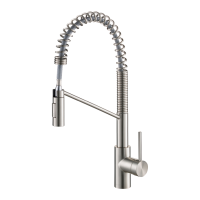
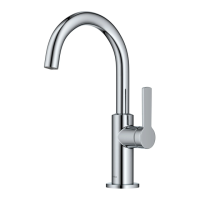
Oletto™ Single Handle Bar Faucet
KPF-2822
INSTALLATION GUIDE
www.kraususa.com I Toll Free: 1.800.775.0703 I © 2019 Kraus USA Inc. I REV. APR 08, 2021

Questions and Answers

  • R
    rgilbertJul 29, 2025
    How to fix aerator drips in Kraus Plumbing Product?
    • T
      Theresa HudsonJul 29, 2025
      If your Kraus Plumbing Product's aerator drips or the water flow is inconsistent, the aerator may be dirty or not seated correctly. Unscrew the aerator (1) using a coin and clean out any debris.
  • M
    mcknightcynthiaAug 6, 2025
    How to fix leakage under the Bonnet nut in Kraus Plumbing Product?
    • K
      Kimberly OsbornAug 6, 2025
      If there's leakage under the bonnet nut (8) of your Kraus Plumbing Product, it's likely that the cover button handle has come loose. To fix this, loosen screw (11) with wrench (18), remove the handle (10), unscrew (by hand only), and then tighten bonnet (8) with an adjustable wrench.
  • B
    Bradley ColeAug 12, 2025
    Why is there low water flow in my Kraus Oletto KPF-2822?
    • A
      ashleyhenryAug 12, 2025
      If your Kraus Plumbing Product has a low water flow, the filter washer in the hose connectors may be dirty. To resolve this, turn off the water supply valve, unscrew the hose connectors from the supply lines, and clean the washer, removing any calcium buildup.
  • J
    Joseph BryanAug 20, 2025
    What to do if water will not shut off in Kraus Plumbing Product?
    • E
      Evan StanleyAug 20, 2025
      If the water won't shut off in your Kraus Plumbing Product, the cartridge may need adjustment or replacement. Begin by loosening screw (11) with wrench (18), then remove handle (10). Unscrew the cartridge (by hand only) and tighten part (8) with an adjustable tool. Remove the cartridge and inspect it for any cracks.

Summary

Prior to Installation

Diagram and Parts List

Faucet Dimension

Step 1: Remove Washers and Mounting Nut

Step 3: Connect Waterlines to Main Valve

Step 4: Flush Faucet

Replacement Parts

Troubleshooting

Care & Maintenance

Rinse with Clean Water & Dry

Clean the faucet with clean water and dry using a soft cloth.

Avoid Harsh Cleaners

Do not use soaps, acid, polish, abrasives, or harsh cleaners.

Use Soft Cloth

Do not use a cloth with a coarse surface for cleaning.

Clean Aerator

Unscrew and clean the aerator as needed.

Codes;Standards Applicable

Faucet Warranty

Commercial Warranty

Register Your Kraus Product

Kraus Oletto KPF-2822 Specifications

General IconGeneral
TypeKitchen Faucet
FinishChrome
Flow Rate1.8 GPM
Installation TypeDeck Mount
MountingSingle Hole
Number of Holes Required1
Handle StyleLever
MaterialBrass
Number of Handles1
InstallationEasy Installation
Faucet TypePull-Down
CartridgeCeramic
WarrantyLifetime
Finish OptionsChrome
Spray Head FunctionSpray & Stream

Related product manuals