EasyManua.ls Logo

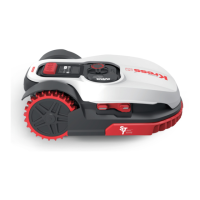
KRESS Mission KR110 - User Manual

KRESS Mission KR110
25 pages
Print Icon
To Next Page IconTo Next Page
Loading...
K R110 K R111
Owner's Manual

Questions and Answers

  • L
    Latoya LeeSep 9, 2025
    Why does my KRESS Mission KR110 Vacuum Cleaner run outside the boundary wire?
    • M
      Matthew HaydenSep 9, 2025
      Your KRESS Vacuum Cleaner may run outside the boundary wire, fail to mow within a boundary wire zone, or reverse/rotate erratically near the boundary wire due to: * The boundary wire of another Vacuum Cleaner being positioned too closely; ensure at least 1m of spacing between neighboring boundary wires. * The boundary wire being installed with tight corners; ensure the corners are smooth. * Wet conditions causing electric signal leakage at wire joints; check and insulate boundary wire joints for a waterproof connection. * Broken insulation causing electric signal leakage; repair damaged insulation with insulation tape. * The cutting area being larger than allowable; contact a service agent.
  • L
    Lisa JenkinsAug 23, 2025
    What to do if my KRESS Mission KR110 is starting to have shorter run-times between charges?
    • J
      Juan PughAug 23, 2025
      If your KRESS Vacuum Cleaner has shorter run-times between charges, consider these possibilities: * Something may be clogging the blade disc; take off the blade disc and clean it, especially if the grass is too high and thick. * The Vacuum Cleaner may be shaking heavily; check the blade disc and blades, and remove any debris or foreign objects. * The battery may be exhausted or old; consider replacing it.
  • D
    Douglas TorresAug 25, 2025
    What to do if my KRESS Mission KR110 Vacuum Cleaner vibrates?
    • H
      handersonAug 25, 2025
      If your KRESS Vacuum Cleaner vibrates, the blades may be damaged. Check the blades and replace them if damaged. Also, remove any debris and foreign objects from the blades and blade disc.
  • M
    Michelle DelgadoAug 27, 2025
    Why does my KRESS Vacuum Cleaner shut off when docking in the charging base?
    • R
      Ryan GreenAug 27, 2025
      Your KRESS Vacuum Cleaner might shut off when docking due to: * Over temperature protection, which prevents charging and powers off the device; place the charging base in a shady area or wait for the temperature to cool down. * A poor connection; check the LED light on the charging base, ensure there are no breaks in the boundary wire, and verify the connection between the contact pins on the charging base and the charging strip.
  • B
    Beverly JordanAug 27, 2025
    What to do if my KRESS Vacuum Cleaner cannot correctly dock with the charging base?
    • K
      kevinmichaelAug 28, 2025
      If your KRESS Vacuum Cleaner cannot correctly dock with the charging base: * Environmental influences may be interfering; try restarting the Vacuum Cleaner. * A poor connection caused by debris on the charging strip; clean the contact pins on the charging base and the charging strip with a cloth.
  • A
    alvaradomichaelAug 29, 2025
    What to do if my KRESS Mission KR110 Vacuum Cleaner stops in the working area?
    • F
      frances06Aug 29, 2025
      If your KRESS Vacuum Cleaner stops in the working area: * There may be an obstacle in the working area; exclude the obstacle from the Vacuum Cleaner’s working area. * The cutting height may be set too low for the length of the grass, or the grass is too dense; raise the cutting height gradually.
  • A
    Adrian MartinSep 18, 2025
    What to do if the mower KRESS Mission KR110 does not charge?
    • C
      Cheryl VazquezSep 18, 2025
      If your KRESS Vacuum Cleaner does not charge, there is likely no power. Check that the power cord is connected properly to the charger and that the charger is connected to a suitable power supply.
  • M
    Michelle MartinSep 19, 2025
    What to do if the LED light on the charging base of my KRESS Vacuum Cleaner does not turn on?
    • S
      Scott ValenzuelaSep 22, 2025
      If the LED light on the charging base of your KRESS Vacuum Cleaner does not turn on, there is likely no power. Check that the charging base is properly connected to the charger and that the charger is connected to a suitable power supply.
  • J
    jenniferjohnsonSep 8, 2025
    What does it mean if the green light is flashing on the charging base of my KRESS Mission KR110 Vacuum Cleaner?
    • M
      Mariah WilsonSep 8, 2025
      If the green light is flashing on the charging base of your KRESS Vacuum Cleaner, the boundary wire isn’t connected. Check that the boundary wire has been connected correctly to the charging base and that there are no breaks in the boundary wire, especially at the wire ends.
  • J
    Joel SmithSep 4, 2025
    What to do if my KRESS Mission KR110 crashes when charging or on standby?
    • S
      Stephanie BowmanSep 4, 2025
      If your KRESS Vacuum Cleaner crashes when charging or on standby, this is likely due to a software or display fault. Try restarting the Vacuum Cleaner.

Summary

1. Product Safety

1.1 General & additional safety instructions

Essential safety warnings and guidelines for operating the robotic lawnmower.

1.2 Information on Mission

Detailed safety information, warnings, and symbols for operating the robotic lawnmower.

Operation

1. General

General operation procedures and safety precautions for the robotic lawnmower.

2. Additionally when the appliance is operating automatically

Specific instructions for automatic operation and unattended use of the lawnmower.

Maintenance and storage

Recommendation

Recommendation for connecting to a supply circuit protected by an RCD.

Residual risks

Information on residual risks and protective measures.

Transport

Instructions for safely transporting the robotic lawnmower.

Safety Warnings for battery pack inside the tool

Crucial safety warnings regarding the handling and storage of the battery pack.

2. Component list

3. Technical Data

3.1 Technical data

Specifications and technical details for KR110 and KR111 models.

3. Noise Data

3.2 Noise data

Information regarding the sound pressure and sound power levels of the robotic lawnmower.

4. Control panel

5. Understanding Your Mission

5.1 How does my Mission know what to mow?

Explanation of how the robotic lawnmower determines its mowing direction and pattern.

5. Understanding Your Mission

5.2 How does my Mission know where to go?

Details on how the lawnmower navigates, finds the charging base, and uses sensors.

5. Understanding Your Mission

5.3 Cut to edge

How the robotic lawnmower's design allows for cutting close to boundaries and walls.

5.4 How efficiently will my Mission mow the grass?

Factors affecting mowing efficiency and how to adjust settings for optimal performance.

6. App

7. Boundary wire basics

7.1 Pegging the boundary wire

Guidance on using the distance gauge to correctly install the boundary wire around the lawn.

7.2 Burying the boundary wire

Recommended steps for burying the boundary wire after installation and testing.

7.3 Joining the boundary wire

Instructions on how to properly splice and connect boundary wires using connectors.

8. Software update

9. Maintenance

9.1 Keep it Sharp

Instructions for maintaining the sharpness of the cutting blades and their replacement.

9. Maintenance

9.2 Keep it Clean

Procedures for cleaning the robotic lawnmower's body and underside for optimal performance.

9. Maintenance

9.3 Battery Life

Information on the battery, its storage, and factors affecting its lifespan.

9.4 Winter Hibernation

Recommendations for preparing and storing the robotic lawnmower for winter.

9.5 Replacing the Battery

Step-by-step guide for safely replacing the battery in the robotic lawnmower.

10. Function messages

11. Error messages

12. Security

13. Troubleshooting

Environmental protection

Declaration of conformity

KRESS Mission KR110 Specifications

General IconGeneral
BrandKRESS
ModelMission KR110
CategoryVacuum Cleaner
LanguageEnglish