1
2
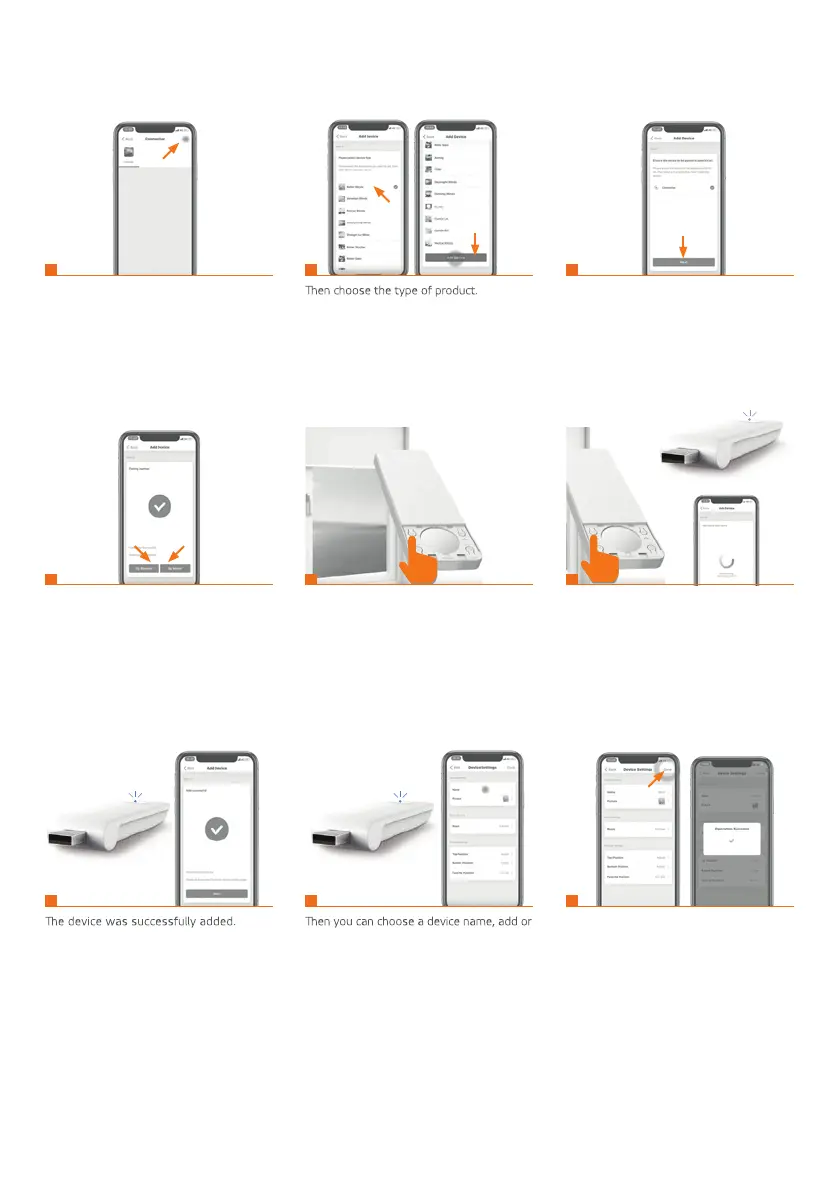
6. ADDING NEW DEVICES
By clicking on the + icon start adding new
devices to the hub.
Choose how to add a device:
by transmitter (remote control) or by drive?
select a photo for that device.
Click Done to complete adding the device.
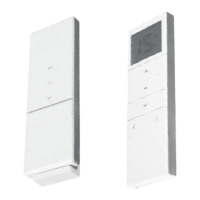
Via the transmitter: Press the P2 button
once on the transmitter; the roller blind will
make a short-lasting move.
Via the transmitter: Press the P2 button
once on the transmitter; the roller blind
will make a short-lasting move.
Make sure that the added device is con-
nected to power supply.
1
4
7 8 9
5 6
2 3
purple
blueblue


 To Next Page