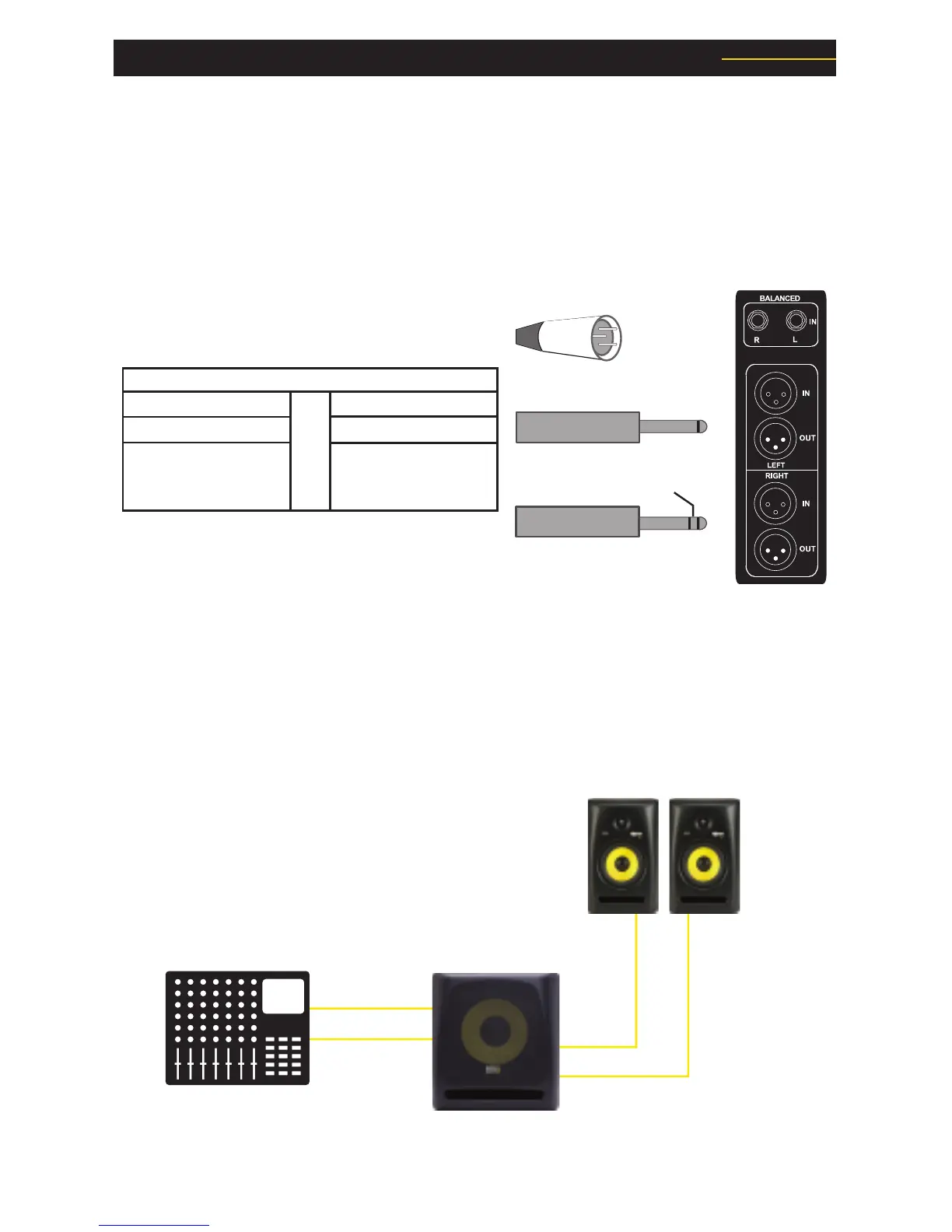
KRK subwoofers include a built-in crossover and amplifier, so you only need the
appropriate hook up cables to integrate it into your existing monitor system. First, you’ll
need to connect a pair of cables from the stereo monitor outputs of your console (or audio
hardware device) to the left and right XLR, 1/4” or RCA input jacks on the subwoofer. Next,
if you are using the internal 80Hz high-pass filter built into the subwoofer for the existing
full-range monitors (and most of you will), hook the XLR, 1/4” or RCA output jacks on the
subwoofer to the line-level inputs of your full-range speaker.
Hooking Up Your Subwoofer: Stereo Systems
Subwoofer Hook Up with Active Monitors
If you are using active (powered) monitors, simply use an XLR, ¼-inch, Phono, or RCA
cable to connect the output of the subwoofer directly to the input of the monitor. The
output marked "Left" should go to your left monitor, and the output marked "Right" should
go to your right monitor.



 To Next Page