1
Contents
Page
Introduction/ Features Overview • • • • • • • • • • • • • • • • • • • • 1
System Controls • • • • • • • • • • • • • • • • • • • • • • • • • • • • • • • 2
Connecting Your System • • • • • • • • • • • • • • • • • • • • • • • • • • 3
Installing and Positioning Your Monitors • • • • • • • • • • • • • • • 4~6
Design Goals and System Highlights • • • • • • • • • • • • • • • • • • 7
Troubleshooting • • • • • • • • • • • • • • • • • • • • • • • • • • • • • • • 8~9
Specifications • • • • • • • • • • • • • • • • • • • • • • • • • • • • • • • • • 10
Introduction
Congratulations on your KRK purchase! And welcome to the growing family of KRK owners.
Growing demands on music recording industry professionals have created the need for better monitor performance
at more affordable prices. The V-Series class of Powered Studio Monitors was created to address these needs.
Please take a few moments to review the information in this guide.
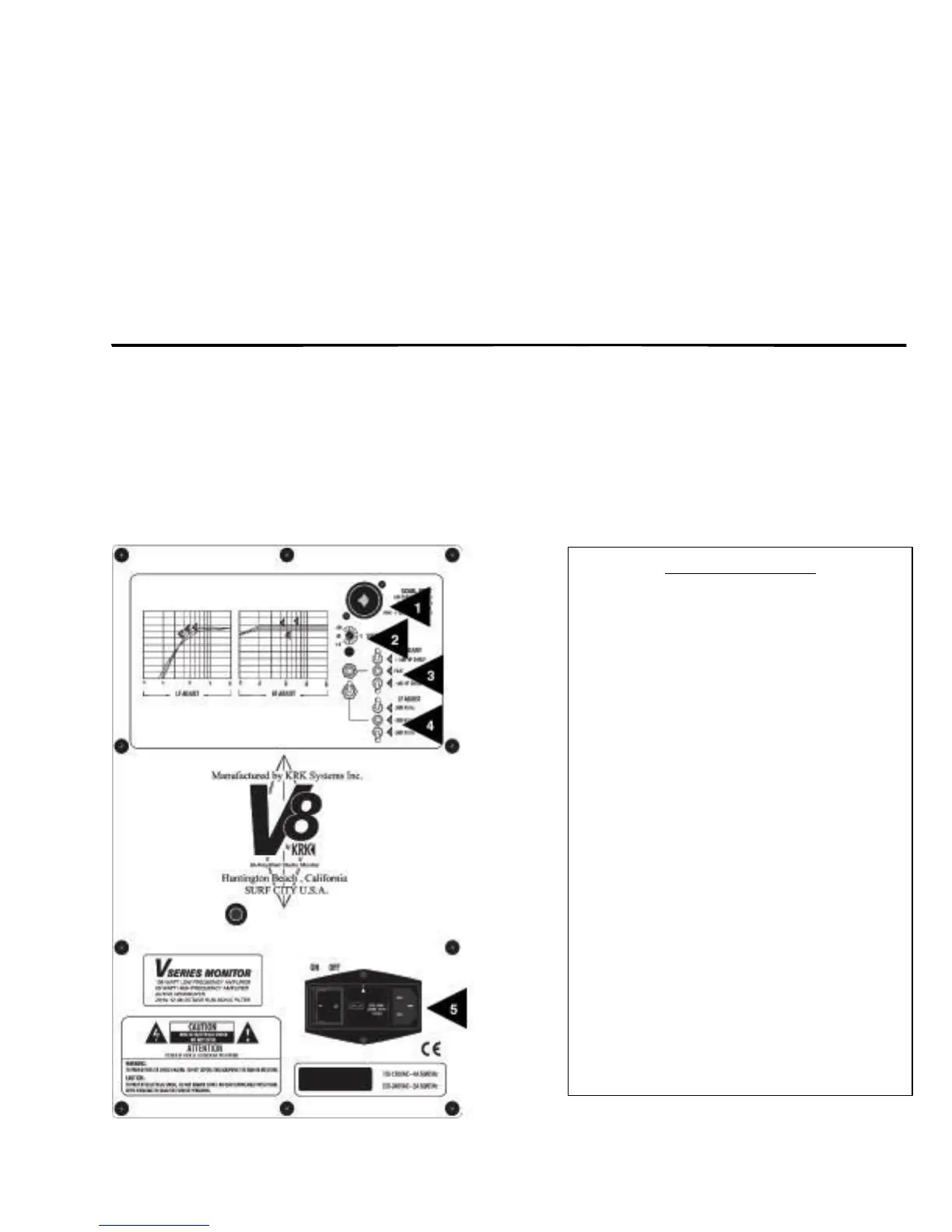
FEATURES OVERVIEW
1. Neutrik
®
Combo Connector accepts XLR,
¼” phone and TRS connectors
2. System Gain Control adjusts input
sensitivity of the monitor
3. High Frequency Adjustment allows 3-step
adjustment of high frequencies
4. Low Frequency Adjustment allows 3-step
adjustment of low frequencies
5. IEC Power Entry Module contains the
following 3 parts:
~ On/Off Switch
~ Fuse Block/Voltage Selector
~ IEC Power Connector


 To Next Page