10
English
2.7.1 How to set the automatic humidity
control
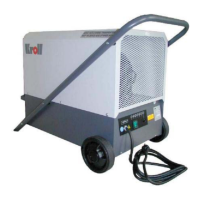
1. YourDehumidiercanbeequippedwithan
adjustable humidistat (hygrostat) (in option).
When the hygrostat is not connected, the
appliance works also, but without automatic
control.
2. The humidistat knob turns clockwise.The
size of the room, the relative humidity and
thetemperaturewillinuenceyoursetting.
Startitrstbyselectingthemidwayposi-
tion.
3. Once set into operation,the device works
until the set humidity is reached. Then the
unit will stop and start by itself. It is maintai-
ning the humidity you have selected. h
4. If you want to remove more moisture, rotate
knob clockwise.
5. In extreme conditions, rotate the knob
clockwisetonalposition.Atthissetting,
yourdehumidierwilloperatecontinuously
regardless of the amount of moisture in the
air.
2.8 Cleaning
Always unplug power supply plug before wor-
king on the electrical system.
All work on the electrical installation must be
carriedoutbyaqualiedelectrician
Attention
For cleaning, please use brush or compressed-
air, don´t use water or dissolvent.
Thedirtyair-ltercanbewashedoutinwater
with detergent. Let it dry completely and then
mount it again into the device.
Attention
anticlockwise.Theashabovetheknobshows
approximatively reached humidity-degree by a
click sound.
2.7 Setting into operation
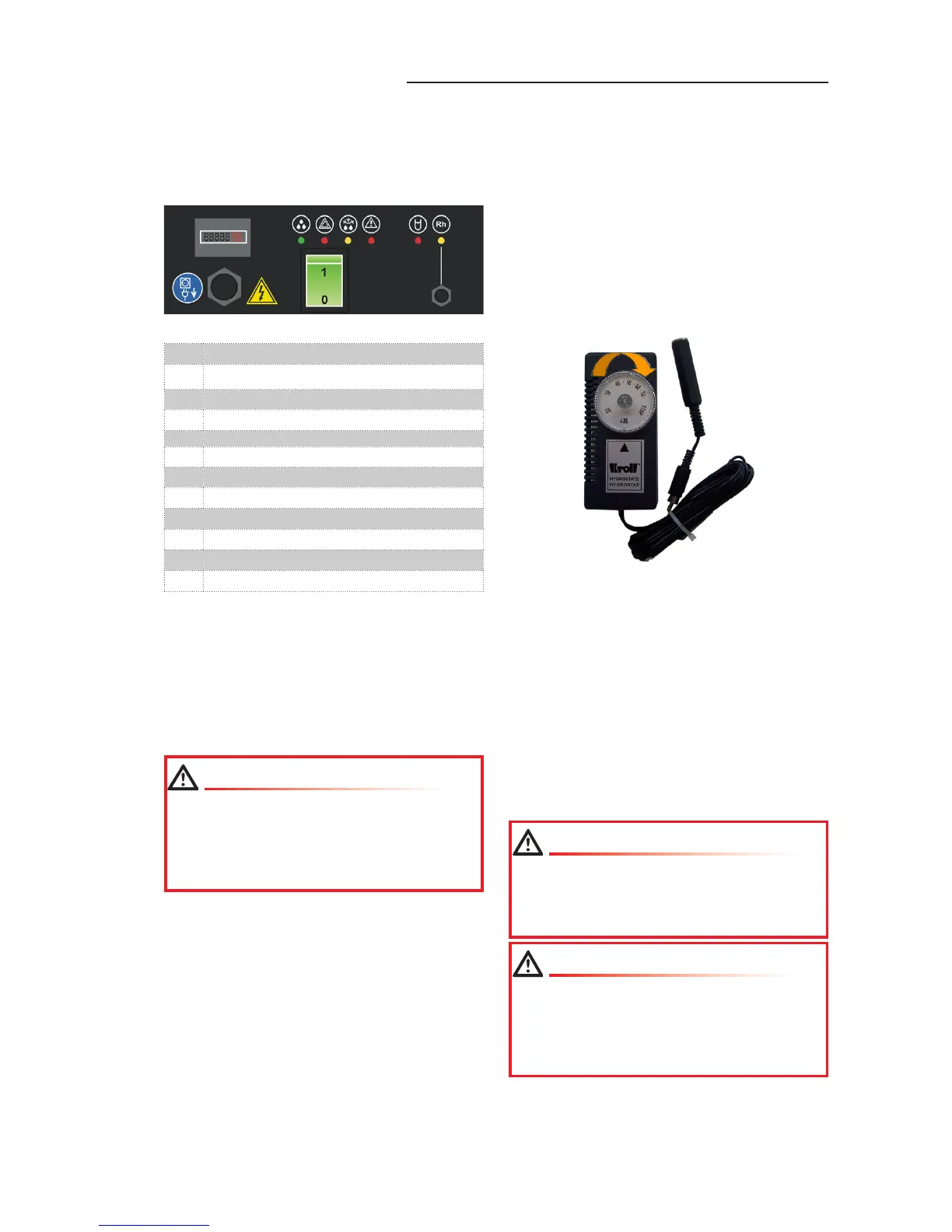
1 2 3
1098
7654
1 Working hours-meter
2 Normal operation dehumdifying
3 Sensor malfunction
4 Defrosting
5 System OFF by excess temperature
6 Drippanoverlled
7 System OFF by hygrostat
8 Power cord with plug
9 Main switch
10 Hygrostat connector
11 Voltage switch
12 Circuit breaker
LED - „Defrosting“
The compressor turns, the fan is of. After defros-
ting the device switches on again.
The device is equipped with an indication for
eventual malfunction of the sensing elements,
which control important values. In case of a faulty
sensing element, the device will turn off and the
LED„Sensormalfunction“willash.
Connect mains plug to a socket with
16/Amp. fuse and earthing contact. Adjust
appliance to desired room humidity level.
Turn main switch to ON. The appliance works
permanently.
Attention



 To Next Page