07
K-Wheel Pro User Manual
INDEX
4. The moment the connection has been succesfully established, the wheel’s RED LED will be light
on, as well as the console controller’s LED indicator. Press the HOME button on the wheel: now
you can start the game.
5. During PS4 game play, press the HOME button once to enter the XBM window.
Note: The controller doesn’t need to be an original PS4 controller, it can be a third part licensed controller.
XBOX
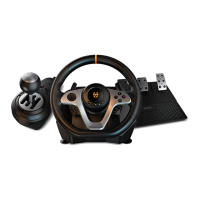
1. Connect K-Wheel PRO to a XBOX. Connect K-Wheel PRO’s pedal and the gear lever to the wheel.
2. Power on the XBOX console.
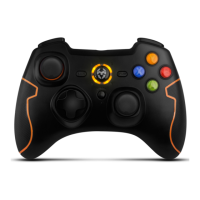
3. Connect a XBOX controller by USB cable to K-Wheel PRO: the controller will function as a bridge
to establish the connection between K-Wheel PRO and the console. (The controller has to be off).
4. The moment the connection has been succesfully established, the wheel’s RED LED will be light
on, as well as the console controller’s LED indicator. Now, you can start the playing.
5. During XBOX game playing, press the HOME button once to enter the main menu.
Note: The controller doesn’t need to be an original PS4 controller, it can be a third part licensed controller.
Installation
∆ XBOX
« comes from previous page


 To Next Page