10
Kadru Software Manual
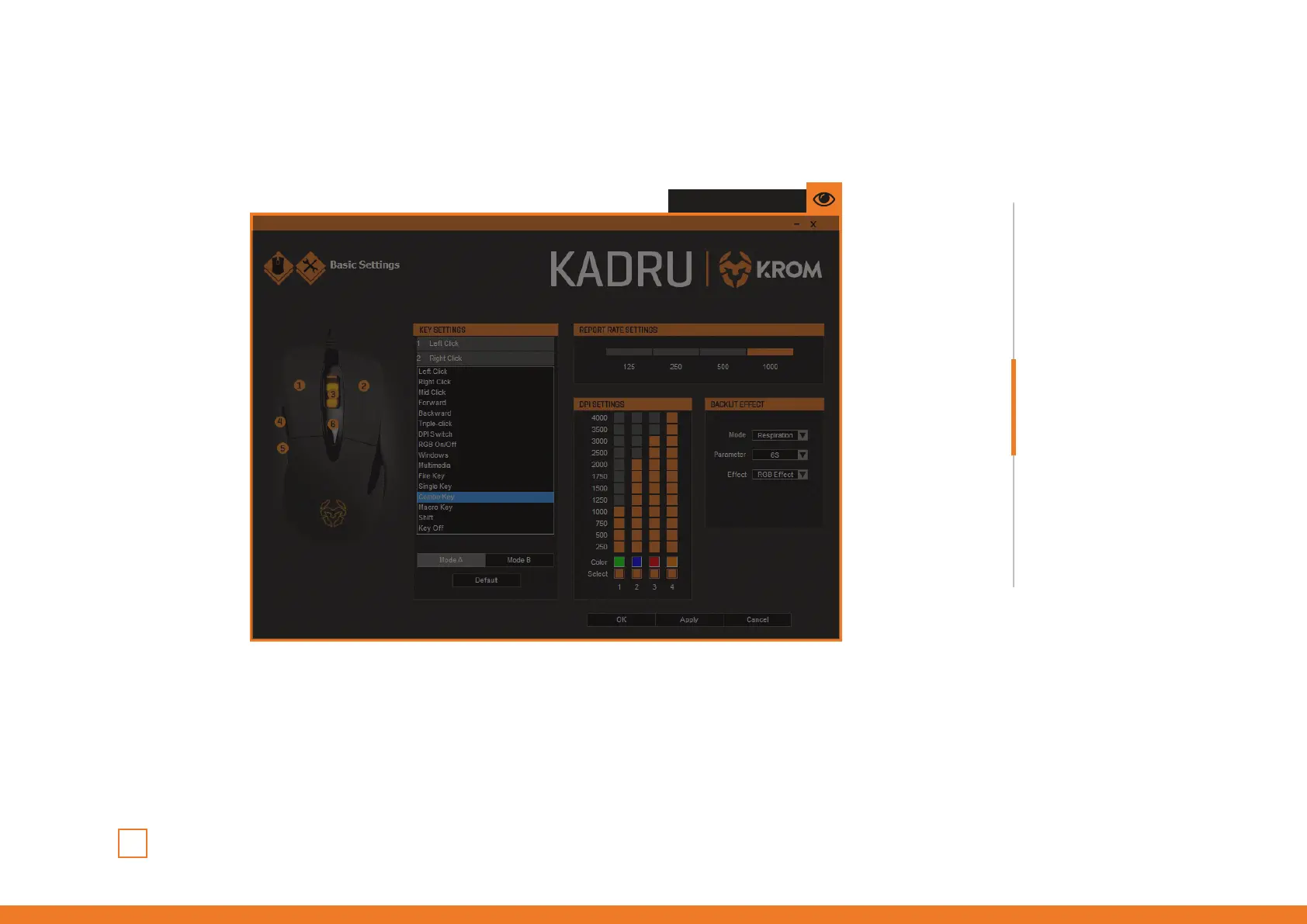
Create and assign a combo key function to any Kadru button by choosing a key in the Key
Settings’ dropdown menu. Click on the Combo Key option to open a dialog box to set:
1. Control / Shift / Alt / Win key (you can choose one from left to right).
2. The keys which complete the combo.
Once the action is set, click Ok to save it.
Keys combinations
∆ Combo keys creation
INDEX
Keys combinations
· Combo keys creation
Click and see
· Macro keys combination
button assignment



 To Next Page