15
Kadru Software Manual
Advanced settings
∆ Macros creation
INDEX
Advanced settings
· Macros creation
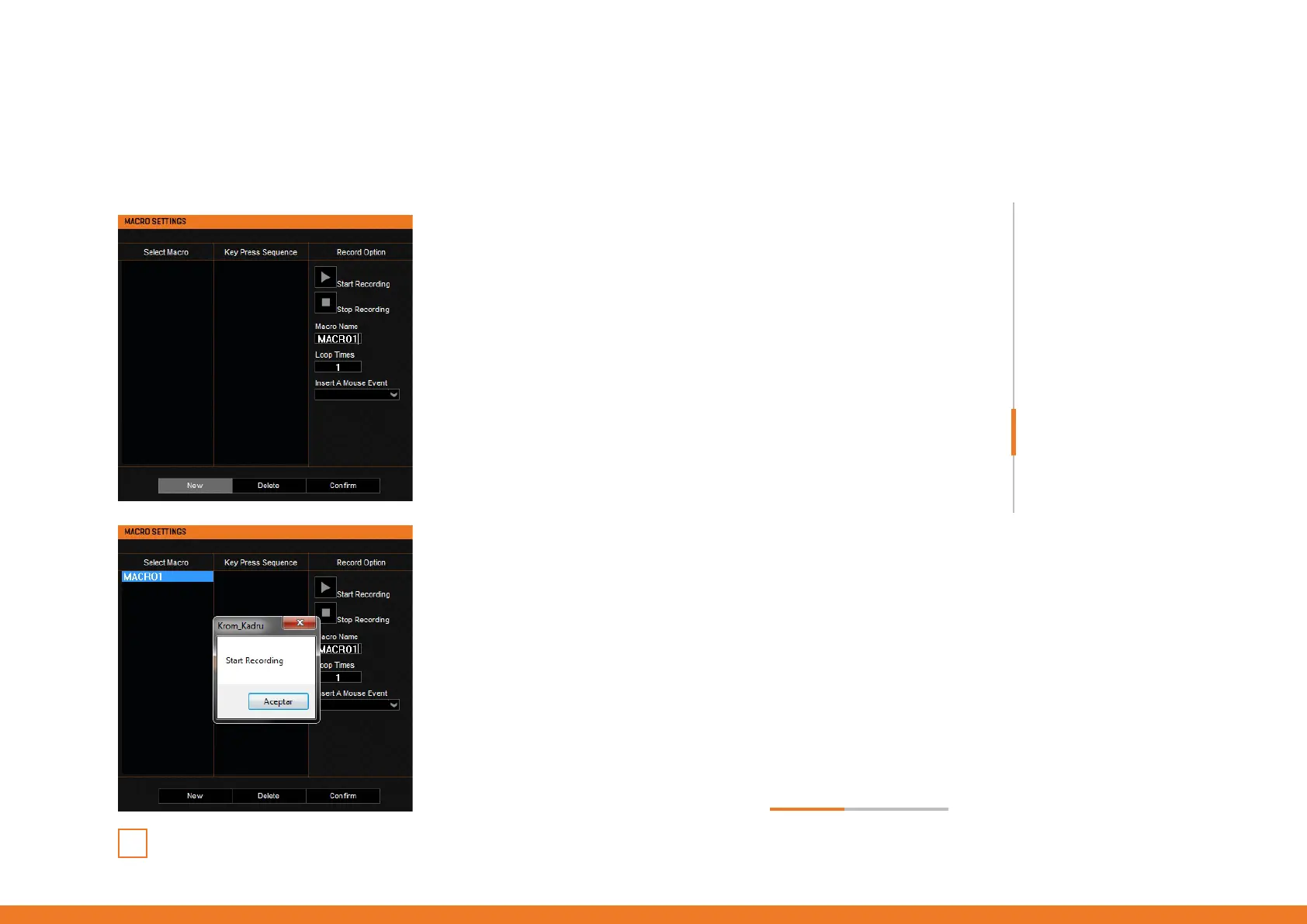
1. SET MACRO NAME & LOOP TIMES
To create a macro keys combination, start by setting its name
and the amount of times it should repeat the assigned action.
Click the New button to save this parameters before start
recording your new macro.
2. START RECORDING
Press the Start Recording button to begin registering the key
secuence that will comprise the macro keys combination.
continues in next page »



 To Next Page