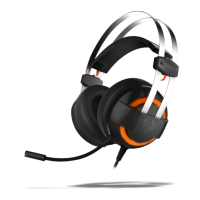
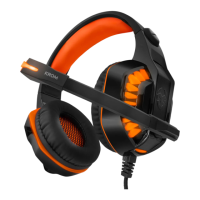
SPECIFICATIONS
HEADPHONES
∆ Driver diameter: 40 mm driver
∆ Frequency range: 20 Hz - 20 KHz
∆ Impedance: 32 Ohm ± 15%
∆ Sensitivity: 94 dB ± 3 dB
MICROPHONE
∆ Directivity: Omni-Directional
∆ Impedance: ≤ 2.2K ohms
∆ Frequency range: 100 Hz - 10 KHz
∆ Sensitivity: -58 dB ± 3 dB
GENERAL
∆ Connection: 2x 3.5 mm jack
∆ Cable lenght: 240 cm
∆ Dimensions: 218 x 215 x 91 mm
∆ Weight: 259 g
SYSTEM REQUIREMENTS
1. Operation system and devices:
Windows / Mac OS
2. 2 free 3.5 mm jack input
KROM KENDO INSTALLATION
PC/MAC CONNECTION
1. Connect the headset to your PC/MAC using the two 3.5 mm jacks
2. A pop up window will ask you to confirm the new devices (depending on your audio driver)
3. Audio input and output will be assigned to the relevant controller



 To Next Page